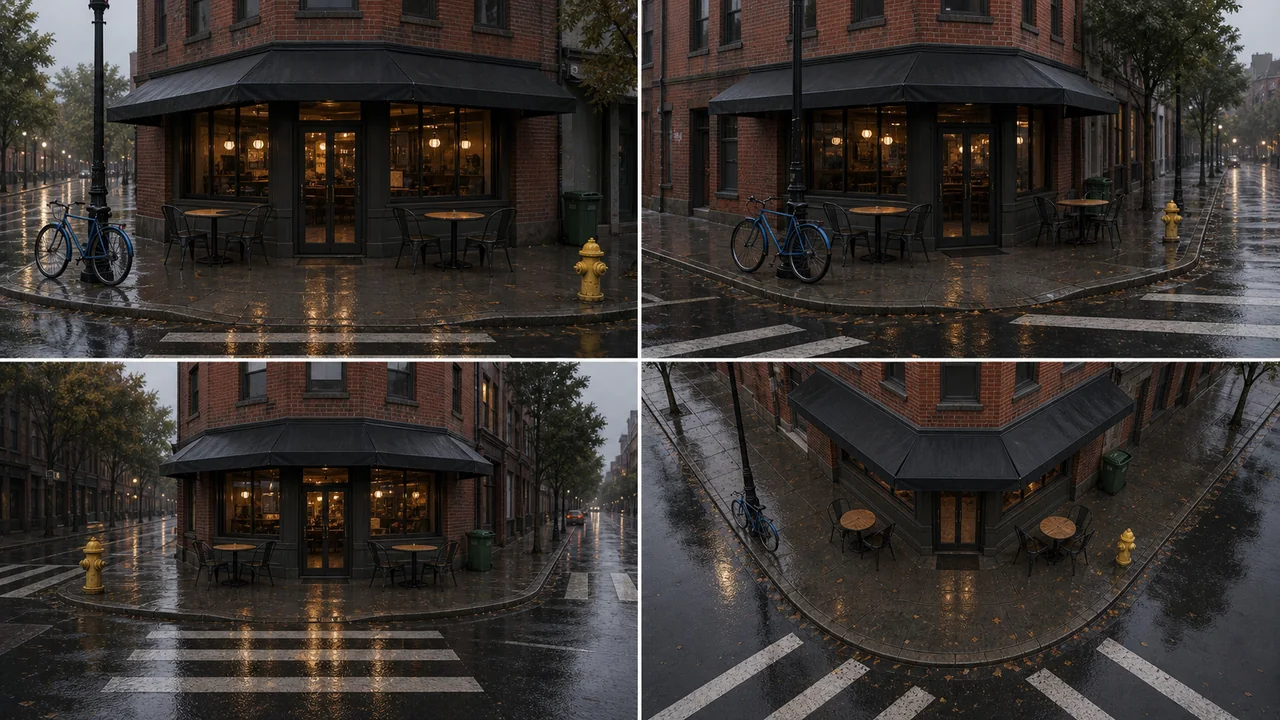
AI Scene Generator Examples for Product and Video Planning
Use example-driven scene prompts to create stable environments, product sets, and multi-angle references before video or storyboard work.
What to include in an AI scene prompt
Scene prompts work best when they define one stable environment instead of asking for unrelated variations. Use these ingredients to keep the output coherent.
Build reusable AI scene references
Scene generation is easier to control when you define the environment, fixed objects, camera coverage, and production use case before generating.
Keep one environment fixed
Scene references should preserve layout, materials, object placement, and lighting across camera angles.
Separate scenes from storyboards
A storyboard changes moments. A scene reference keeps one environment stable so other tools can build on it.
Use product context
Product and e-commerce scenes need surfaces, props, brand-safe spacing, and enough negative space for later placement.
Prepare for video planning
A multi-angle scene grid helps plan camera coverage before using storyboard or image-to-video tools.
How to use AI scene examples
Start from a scene type, then turn it into a reusable reference grid.
Pick a scene category
Choose product studio, retail shelf, interior room, outdoor set, animation background, or campaign environment.
List fixed objects
Name the surfaces, props, walls, windows, signs, lighting, and composition elements that should stay consistent.
Ask for multiple camera views
Use front, side, reverse, and elevated views to check whether the environment remains coherent.
Send stable scenes into planning
Use the selected scene as a product setup, storyboard background, video shot reference, or image prompt base.
AI scene generator examples
Each example is written for a stable environment rather than unrelated scene variations.
E-commerce product studio
A clean skincare product studio scene, matte stone pedestal, soft cream backdrop, linen curtain, ceramic tray, warm morning light, minimal props, front side reverse elevated views of the same setup.
Good for product placement and campaign mockups.
Retail display scene
A premium retail shelf scene for a small electronics launch, brushed metal display table, soft LED strips, dark charcoal wall, subtle brand-safe empty space, consistent objects across four camera angles.
Useful before product demo videos or ad storyboards.
Animation background
A cozy animation studio background, art desk, pegboard tools, rolling chair, window with rain, warm desk lamp, neat shelves, one environment shown from multiple camera angles.
Works for character placement and shot planning.
Food campaign setup
A bright cafe tabletop scene, iced drink glass, pastry plate, tiled counter, sunlight through window, small plants, clean negative space for product copy, consistent layout from four views.
Use for food, beverage, and local campaign planning.
Connect scenes to production
Use scene references before storyboard and video generation.
AI Scene Generator
Generate one scene from multiple camera angles.
AI Storyboard Generator
Turn selected scenes into a multi-panel sequence.
Image to Video AI Generator
Animate a scene reference or finished source image.
GPT Image 2 Tutorial
Learn image prompt and reference workflows before scene planning.
AI Scene Generator FAQ
What makes a good AI scene prompt?
A good scene prompt names the environment, fixed objects, materials, lighting, camera views, and intended use. Avoid asking for unrelated scene variations in the same output.
How is a scene generator different from a storyboard generator?
A scene generator keeps one environment stable from multiple angles. A storyboard generator creates a sequence of different moments or shots.
Can AI scene examples help product videos?
Yes. Stable product scenes help plan props, surfaces, lighting, and camera coverage before creating storyboard frames or image-to-video clips.
How do I keep generated scene angles consistent?
Repeat the same fixed objects, materials, lighting, and layout in the prompt. Ask for multiple views of the same setup instead of asking for different scene ideas.
Create a stable scene reference
Open the Scene Generator with your scene category, object list, and camera angles ready.