AI로 고스트 마네킹 사진 만드는 방법

선명한 의류 사진을 참조 이미지로 올리고 지지대를 제거하면서 자연스러운 볼륨을 더하도록 요청하세요. 유지할 디테일을 명시하고 상품 페이지에 쓰기 전에 원본과 비교하세요.

의류가 선명하게 보이는 원본 선택

유지할 수 있는 디테일은 원본에 달려 있습니다. 보이지 않는 부분은 추가로 촬영하세요.

구도
의류 전체의 정면 사진
소맷단과 밑단 주변에 여백을 남기세요.
조명
균일한 빛과 보이는 질감
짙은 그림자는 봉제선을 숨기고 색조 왜곡은 비교를 어렵게 합니다.
가려진 디테일
칼라나 안감 근접 사진
추가 참조로 가려진 안감이나 라벨을 보여줄 수 있습니다.

바꿀 부분과 유지할 부분 구분

지지대, 의류와 표현 방식을 나눠 설명하면 지시가 명확해집니다.

지지대와 볼륨 변경

지울 옷걸이, 마네킹 또는 받침대를 지정하세요. 둥근 어깨, 빈 목둘레와 자연스러운 원단 처짐을 요청하고 사람 추가나 디자인 변경은 피하세요.

제품을 구체적으로 설명

아이보리 면, 가슴 주머니 하나, 곧은 소맷단처럼 설명하세요. 카탈로그에는 일관된 정면 구도와 흰 배경을 지정하세요.

첫 제품 이미지 생성 및 검토

선명한 의류 사진을 참조 이미지로 올리고 지지대를 제거하면서 자연스러운 볼륨을 더하도록 요청하세요. 유지할 디테일을 명시하고 상품 페이지에 쓰기 전에 원본과 비교하세요.

01단계

선명한 의류 사진 업로드

칼라, 소매와 밑단 전체가 보이는 정면 사진을 선택하세요. 실제 상품 사진을 참조로 사용하세요.

02단계

제거할 지지대와 형태 설명

옷걸이나 마네킹 제거, 볼륨 추가, 색상·원단·봉제선·비율 유지 지시를 조정하세요. 모델을 선택하고 표시된 크레딧 비용을 확인하세요.

03단계

생성하고 원본과 비교

단추, 주머니, 라벨과 칼라 안쪽을 확대하세요. 지시를 하나씩 수정하거나 더 선명한 원본을 사용하세요.

04단계

상품 페이지용 이미지 준비

확인한 이미지를 내려받아 카탈로그 규격으로 자르세요. 정면과 뒷면은 따로 만들고 여백과 조명을 맞추세요.

셔츠, 재킷, 원피스 예시

AI로 만든 원본 세 장과 참조 기반 편집 결과를 비교하세요. 예시 이미지와 프롬프트를 사용하거나 자신의 의류에 맞게 조정할 수 있습니다.

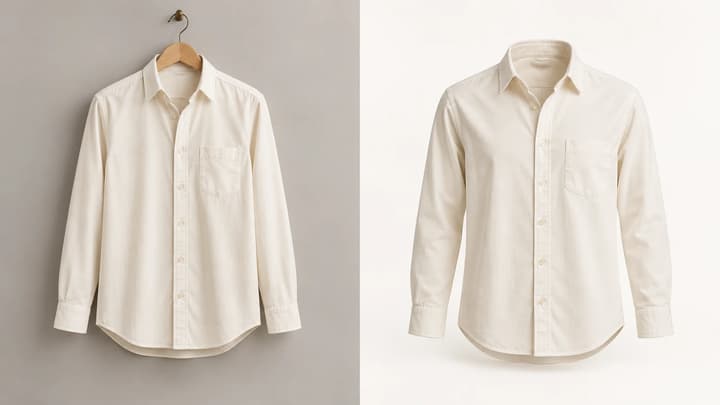
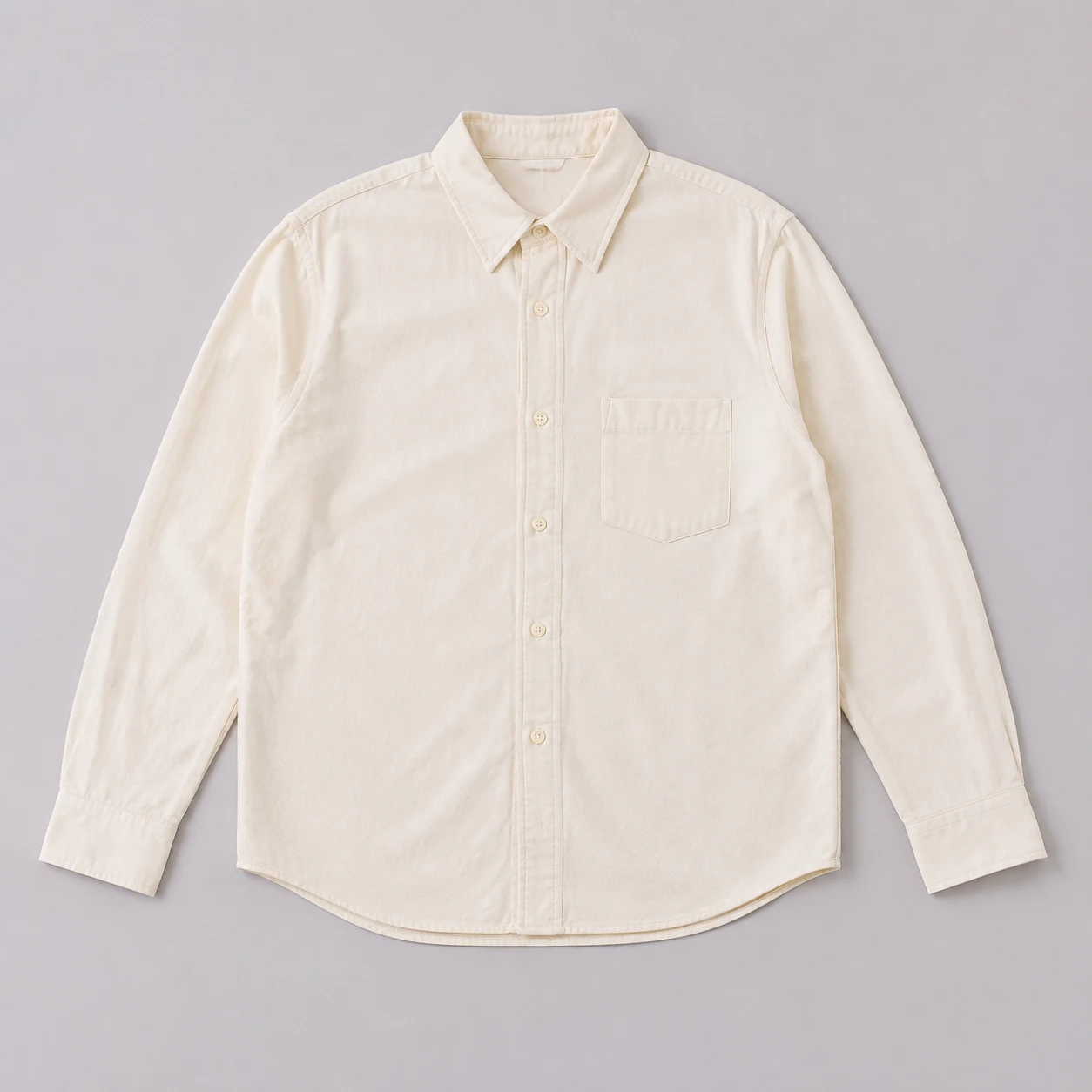
회색 배경에 펼쳐 놓은 아이보리 셔츠
원본 사진
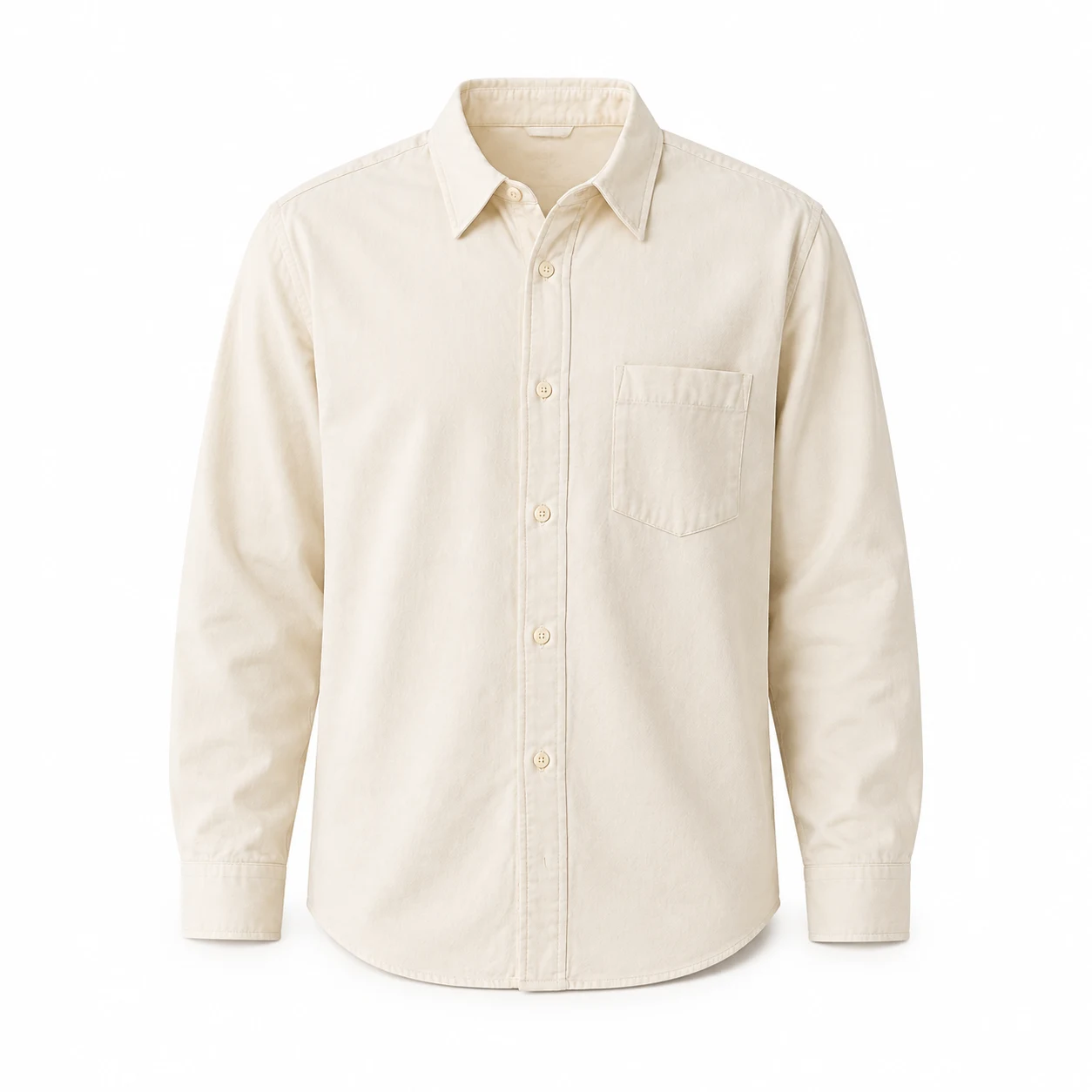
흰 배경에서 칼라 안쪽이 빈 아이보리 셔츠
고스트 마네킹

평면 셔츠 사진

이 예시 사용
프롬프트

Edit the referenced shirt product photograph into a photorealistic ghost mannequin ecommerce photo of this exact garment. Preserve its original color, fabric, cut, seams, pockets, buttons and proportions. Remove the flat-lay appearance. Give the garment natural hollow three-dimensional volume as if worn by an invisible torso, with rounded shoulders and a clearly open neckline showing the existing inner back fabric. Keep the front view, full hem and all sleeves or straps inside the square frame with generous margins. Plain white background, soft studio light, subtle realistic shadows. Do not add any human body, mannequin, hanger, logos, text, accessories or watermark. Do not invent labels or redesign the garment.
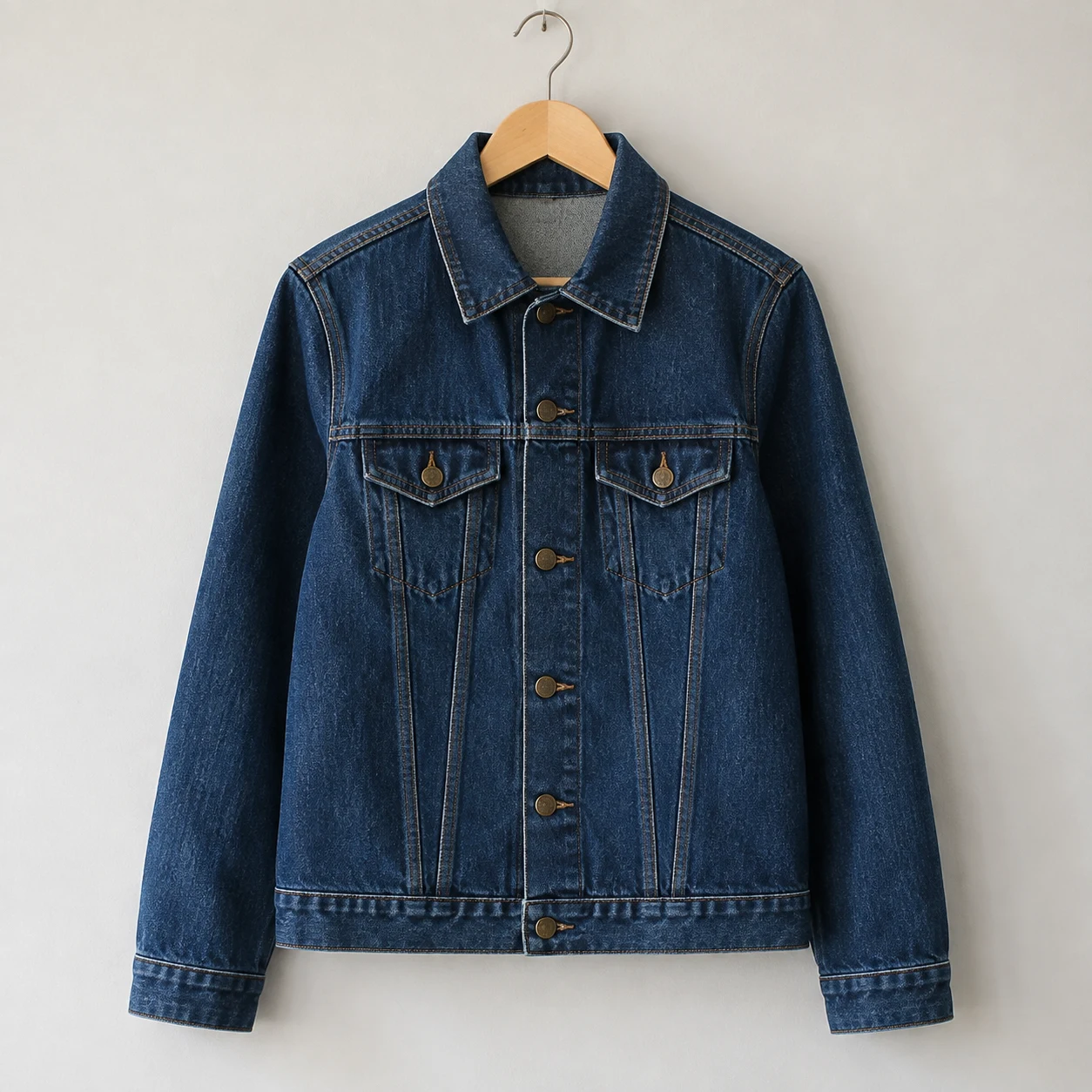
나무 옷걸이에 걸린 인디고 데님 재킷
원본 사진
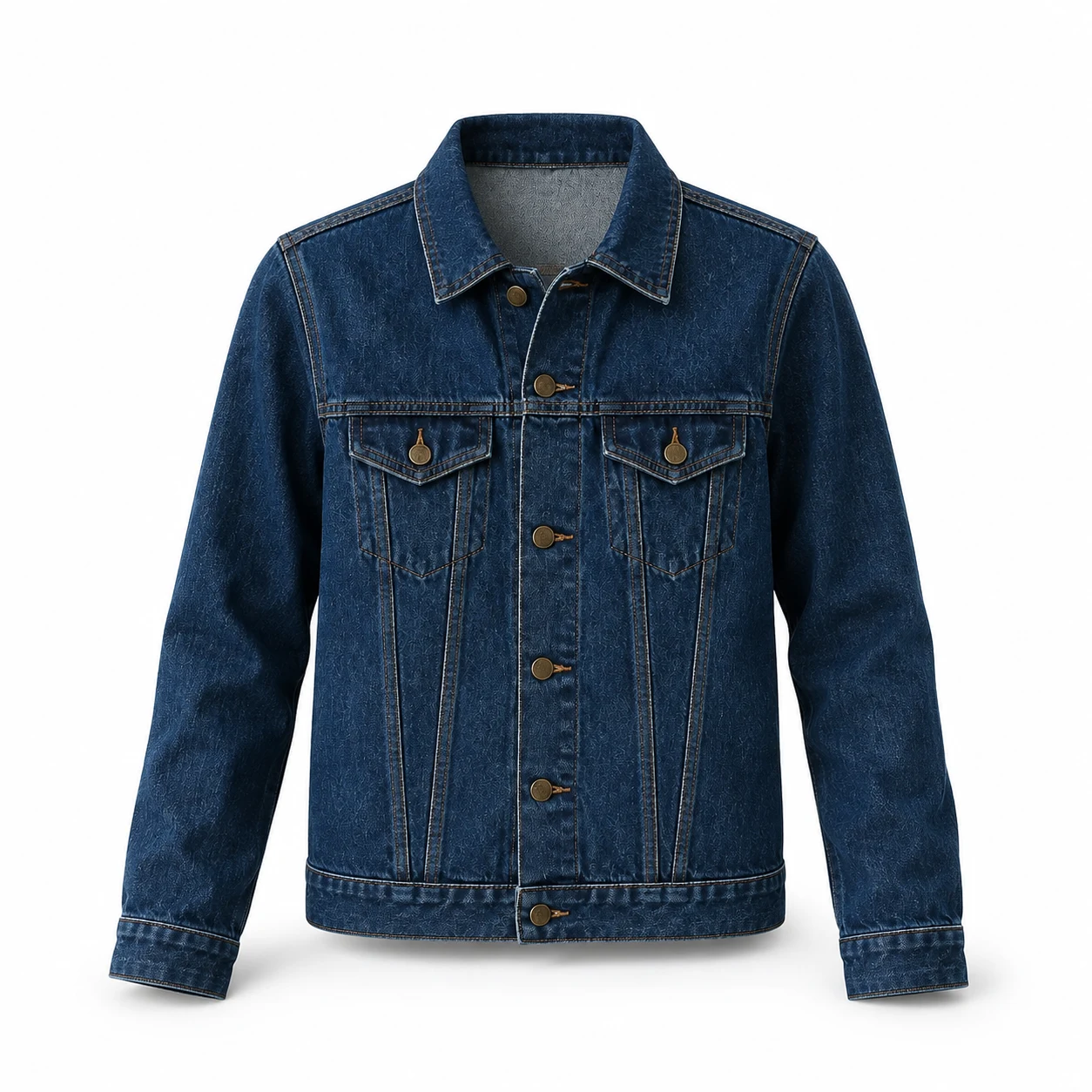
옷걸이가 제거되고 목둘레가 빈 데님 재킷
고스트 마네킹

옷걸이에 걸린 재킷

이 예시 사용
프롬프트

Edit the referenced jacket product photograph into a photorealistic ghost mannequin ecommerce photo of this exact garment. Preserve its original color, fabric, cut, seams, pockets, buttons and proportions. Remove the wooden hanger and hook. Give the garment natural hollow three-dimensional volume as if worn by an invisible torso, with rounded shoulders and a clearly open neckline showing the existing inner back fabric. Keep the front view, full hem and all sleeves or straps inside the square frame with generous margins. Plain white background, soft studio light, subtle realistic shadows. Do not add any human body, mannequin, hanger, logos, text, accessories or watermark. Do not invent labels or redesign the garment.
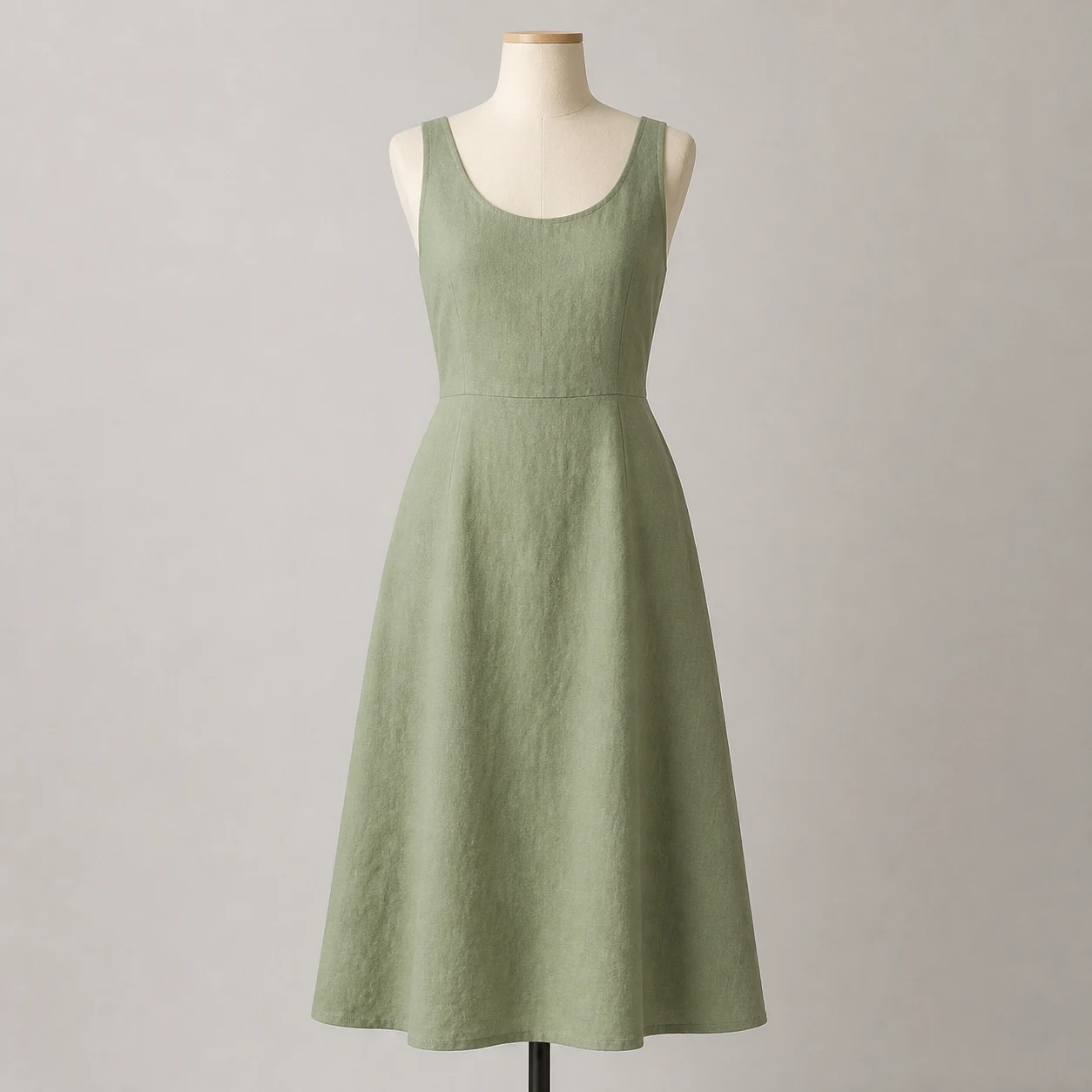
받침대가 보이는 크림색 마네킹의 세이지색 리넨 원피스
원본 사진
마네킹과 받침대가 제거된 세이지색 원피스
고스트 마네킹

마네킹 위 원피스

이 예시 사용
프롬프트

Edit the referenced dress product photograph into a photorealistic ghost mannequin ecommerce photo of this exact garment. Preserve its original color, fabric, cut, seams, pockets, buttons and proportions. Remove the cream dress form and black stand. Give the garment natural hollow three-dimensional volume as if worn by an invisible torso, with rounded shoulders and a clearly open neckline showing the existing inner back fabric. Keep the front view, full hem and all sleeves or straps inside the square frame with generous margins. Plain white background, soft studio light, subtle realistic shadows. Do not add any human body, mannequin, hanger, logos, text, accessories or watermark. Do not invent labels or redesign the garment.
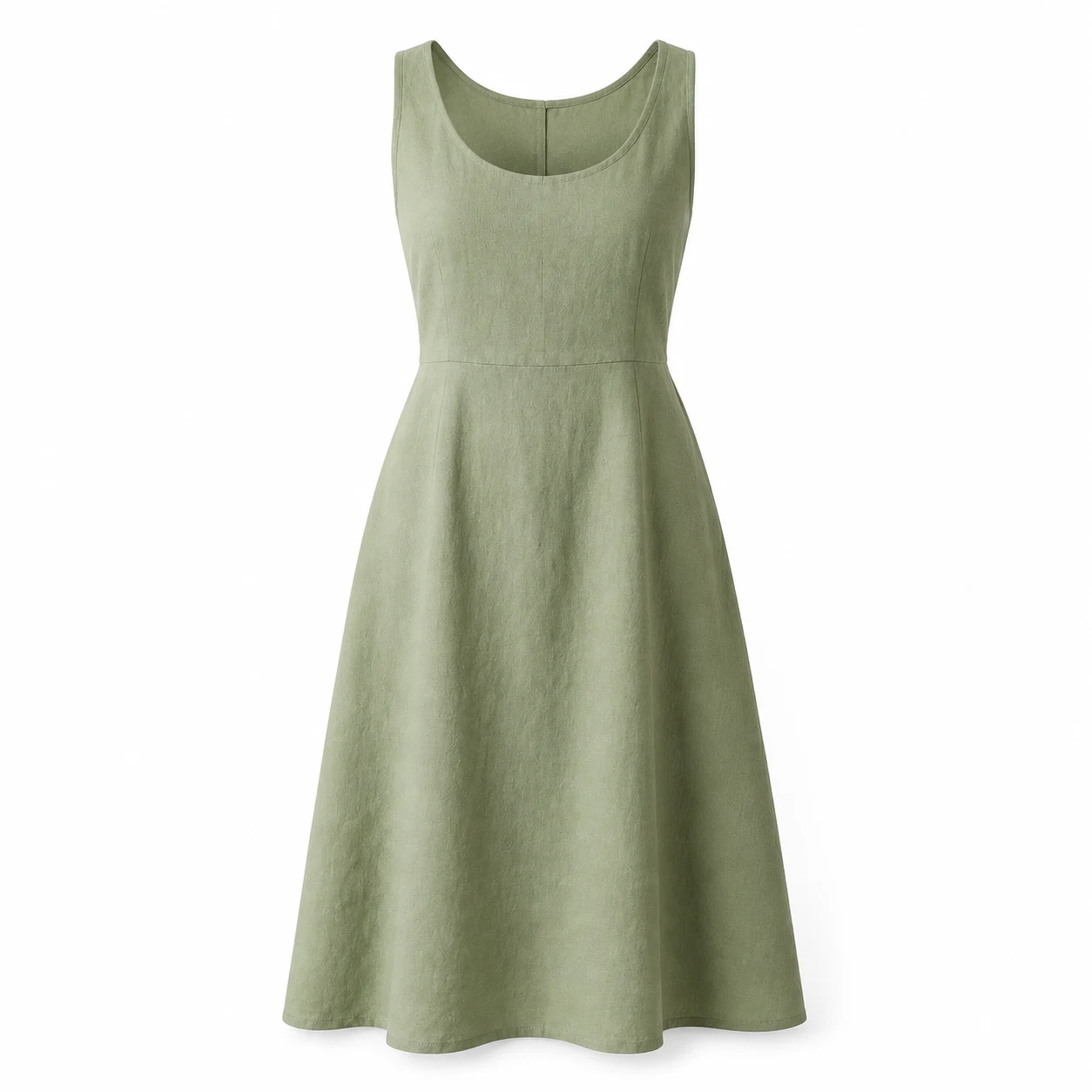
디테일을 하나씩 조정

구체적인 수정에는 다음 영어 후속 프롬프트를 사용하세요.

칼라 깊이

Keep the garment, color, cut and framing unchanged. Refine only the neckline: create a natural hollow opening with visible inner back fabric and a soft interior shadow. No visible neck, mannequin or hanger.

칼라가 평평할 때 사용하세요. 입구와 안쪽 원단을 참조와 비교하세요.

의류 디테일

Keep the original garment design from the source photo. Restore the original number and position of buttons, pockets and seams. Preserve fabric color and texture. Do not add new fastenings or labels.

주머니, 여밈 또는 봉제선이 달라졌을 때 사용하세요. 필요하면 근접 사진을 추가하세요.

카탈로그 구도

Keep the reviewed garment unchanged. Show the full front view centered on a plain white background with generous, even margins around the shoulders, sleeves and hem. Preserve the original length and proportions.

디테일을 확인한 뒤 사용하세요. 최종 자르기에 필요한 여백을 남기세요.

첫 결과 수정하기

같은 원본을 유지하고 지시를 하나씩 바꾸세요.

단추나 주머니가 달라짐
원래 수와 위치 명시
여밈과 봉제선을 확대해 확인.
칼라가 평평함
안쪽 원단이 보이는 빈 입구 요청
목이나 마네킹 없이 깊이가 있는지 확인.
밑단이나 소매 잘림
넓은 여백과 의류 전체 요청
원래 길이와 비율 유지.
색상이나 원단이 다름
원래 색과 무광 질감 요청
중립적인 조명에서 비교.

자주 묻는 질문

평면 사진이나 옷걸이 사진도 가능한가요?

네. 원본 형태를 설명하세요. 평면 사진에는 볼륨이 필요하고 옷걸이 사진에서는 옷걸이와 고리도 제거해야 합니다. 옷 전체가 보여야 합니다.

배경 제거와 같은 기능인가요?

아닙니다. 배경 제거는 기존 윤곽을 분리합니다. 고스트 마네킹 편집은 볼륨을 바꾸고 보이는 안쪽 부분도 재구성합니다.

모든 상품 디테일이 유지되나요?

작은 디테일이 달라질 수 있습니다. 색상, 단추, 주머니, 봉제선과 로고를 명시하고 생성 후 확인하세요. 생성 이미지는 정확한 치수나 착용감을 증명하지 않습니다.

다음 의류 사진에 고스트 마네킹 효과 더하기

선명한 사진 한 장으로 시작해 디테일을 구체적으로 지정하고 첫 결과를 확인하세요.