How to Turn a Script into a Video

Turn written ideas into visual beats, fit them to a short video, assign reference images and review the result before keeping a take.

LumiYingUpdated

Write for the picture first

To turn a script into a short AI video, describe the visible action in order, choose a duration that gives it room, and add images only when a specific subject or setting matters. Generate one video, then compare its action and ending with the script. The current workflow fits one model-length clip; it does not assemble a long narrated film.

“Our cup makes mornings better” gives the model little to show. A more useful scene is: a hand places the cup by a window, turns it toward the light, then leaves it still. If your script is spoken copy, decide what the viewer should see during each phrase before generating. Keep required wording for a separate voiceover workflow when exact speech matters.

Plan, generate and inspect the scene

  1. Step Extract the visible beats

    Underline concrete actions in your script. Choose one subject, a setting and an endpoint. Replace abstract phrases with something a viewer can observe. Use a continuous shot for one unfolding action; number shots only when you need a cut.

  2. Step Give the action enough time

    Read the action aloud at a natural pace and leave room for the ending. A glance or small gesture can fit a short clip; closing a book, standing and leaving needs more time. Remove a beat before cramming a long sequence into five seconds.

  3. Step Assign reference roles

    Use a character image to anchor appearance or a location image for the setting. Say “image 1 for the person, image 2 for the room.” Do not assume upload order defines shots. Use Storyboard to Video when you already have an ordered visual board.

  4. Step Set up the generation

    Open Script to Video AI, choose a compatible model and add any references. Paste the script, select a supported duration and frame, and review the quote. Start with the common default or change it for the shot. Loading an example only fills the form.

  5. Step Review before continuing

    Play the whole result, then check each requested beat. Does the subject remain recognizable? Does contact with objects make sense? Does the final action finish? Listen to generated audio if present. Re-edit one responsible instruction at a time and compare the next take.

Choose a shot structure

Match the script to the video

One gesture
One continuous shot
Keep the action and camera readable.
A short sequence
A few ordered visual beats
Leave room between actions and for the ending.
A narrated article
Plan a separate longer production
Prepare narration, captions and assembly outside this short-clip workflow.

Three scripts to inspect

Compare the stated action with the video before loading a suggested script.

A room from a blueprint

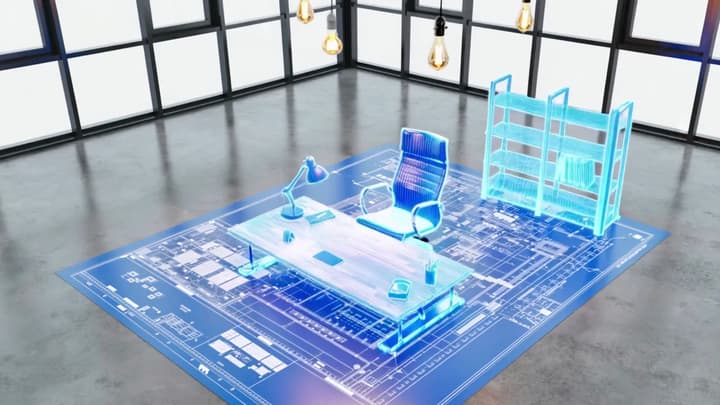
Watch the room transform from a flat plan into furniture. The script names both states and asks for a fixed view. Check whether the room itself stays stable while the objects appear.

Scene script

In an empty industrial loft, glowing lines rise from a blueprint on the floor. They form a desk, chair and tall shelves, then settle into a furnished workspace. Fixed wide view; keep the room geometry. No text or dialogue.

Video example
Close the book and leave

The book scene has three actions: close, stand, leave. The reference supplies the person and place; the script supplies the order. Look for a completed action before the next begins.

Reference images
Video example
Scene script

Use image 1 for the woman and garden house. She closes her book, sets it beside her, stands and walks inside. Slowly pull back to reveal the tiled roof and greenery. Keep the location and clothing consistent. No dialogue.

Load this script

A falling dewdrop

The dewdrop scene stays in one shot. A named object, path and endpoint do the work without adding cuts. Check the moment the drop separates from the leaf.

Scene script

Macro view of a green leaf covered with dew. A large drop slides along the leaf, gathers at its tip and falls. Follow the drop with a slow downward tilt. Morning backlight and soft green bokeh, no text.

Video example

Revise the cause of the miss

Missing final action
Too many beats for the length
Remove a beat or choose a longer supported duration.
Unwanted cuts
The script mixes camera and action ambiguously
State one continuous shot or number the intended shots.
Changing character
Reference roles or identity are vague
Name the relevant image and details to retain.
Unexpected speech or text
Narration and directions are mixed
Separate dialogue from camera notes; remove unneeded wording.
Script to video questions

Script to video questions

How long should my script be?

Use only the visual beats that can be read in the chosen duration. A paragraph’s word count is not a reliable runtime for action. Start with one small event and expand only when necessary.

Can I guarantee the exact time of each cut?

No. Timings and shot order guide the model; they are not an editing timeline. Review the actual result, or edit accepted clips in a separate video editor when precise timing matters.

What if I need a minute of narration?

Plan several shots around a recorded or synthesized voiceover, then assemble and caption them in an editor. This Tool generates individual short videos rather than that full production.

From scene script to short video