Key Features of Nano Banana 2.1
More control over detail and layout
Nano Banana 2.1 improves realism, prompt following and text rendering, with 1K, 2K and 4K output for detailed images and layouts.
Keep subjects consistent across edits
Google describes stronger character consistency during conversational editing and support for up to 14 reference images.
Cleaner panoramic images
Google reports fixes for tiling artifacts at 2K and 4K in wide formats including 1:4, 4:1, 1:8 and 8:1.
Image examples: generate, then edit
Four examples covering product photography, reference edits, poster typography and interior composition. Prompts are in English; open an image to inspect it at full size.
1. Generate a product image
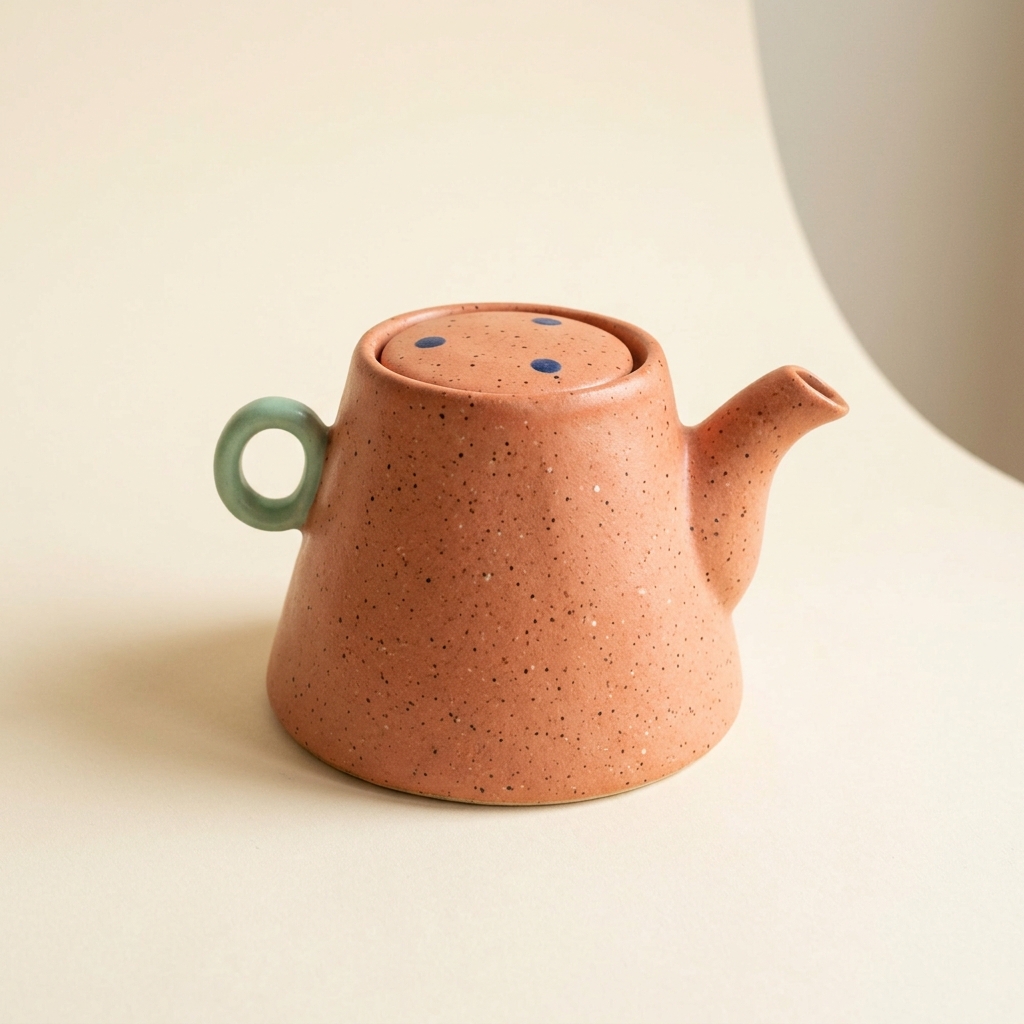
An original studio product photograph of a handmade speckled coral ceramic teapot, gently asymmetric trapezoid body, tiny mint green loop handle and short curved spout. Three little navy dots on the lid. Warm ivory seamless background, soft side lighting, no lettering or logos.
Describe the material, shape, colors and lighting together. Use the generated image as the reference for the next step.
2. Edit the color using a reference
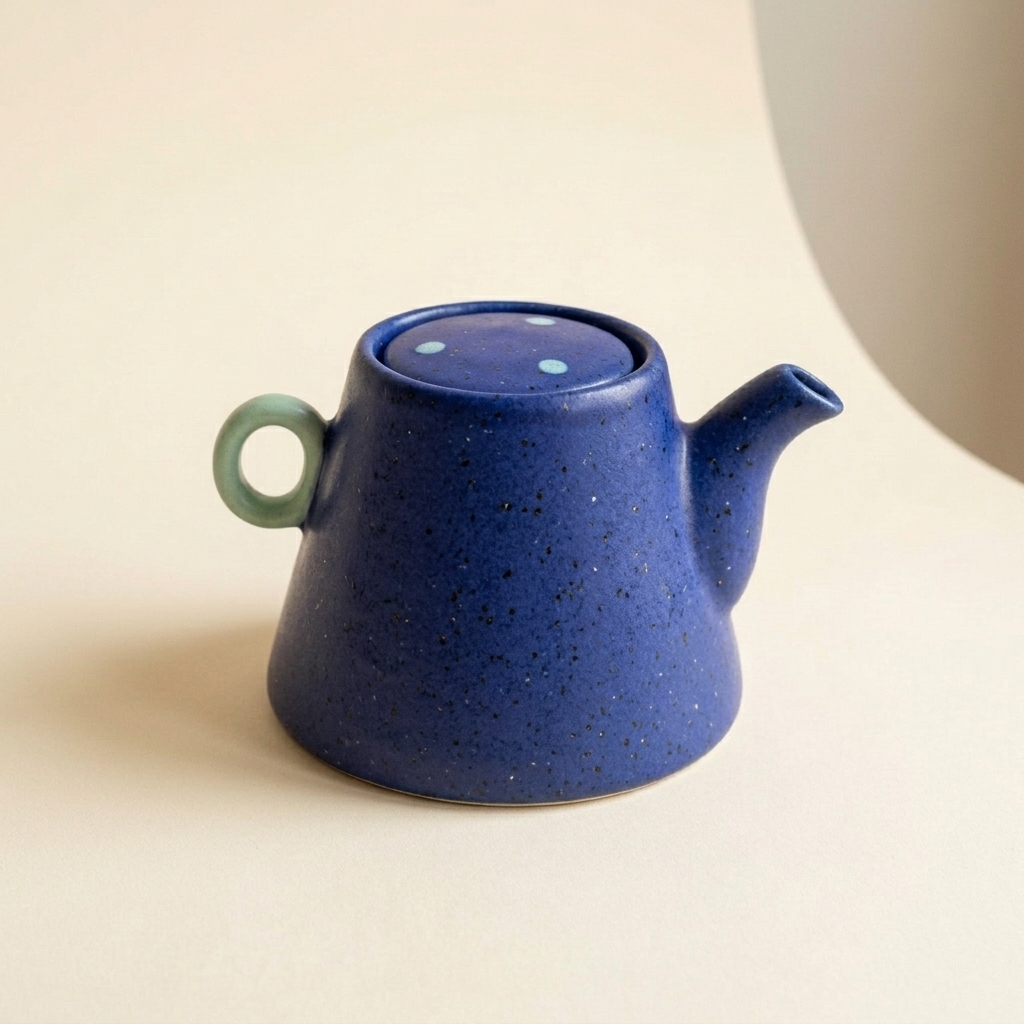
Preserve this exact original teapot shape and mint handle. Change only the teapot body glaze to deep cobalt blue, on the same neutral studio background.
Upload the first image, then use this edit prompt. Compare the shape and handle. The lid dots also changed color; explicitly ask to preserve their navy color in a further edit if that detail matters.
3. Create a poster with readable text
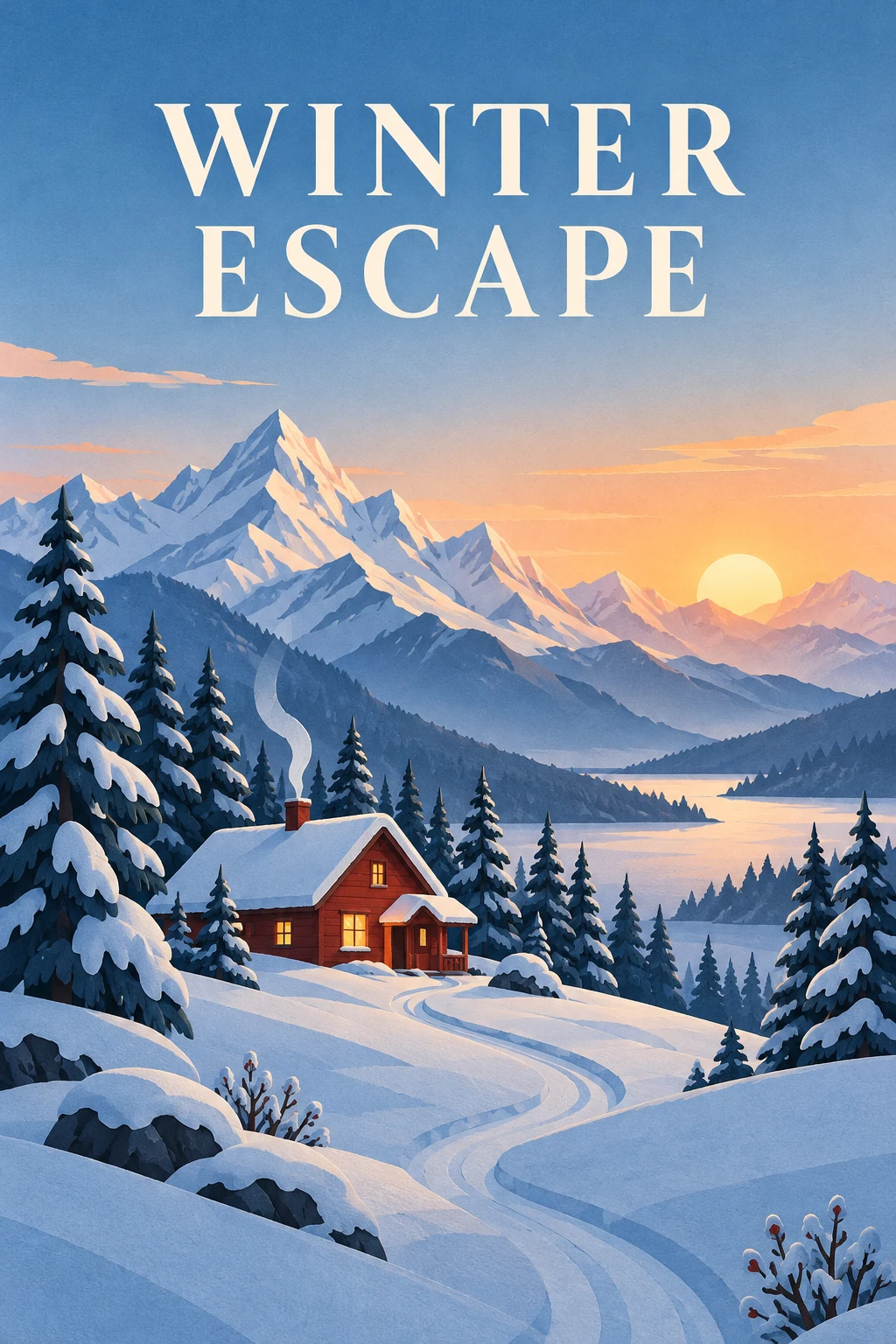
Create a vertical 2:3 travel poster of a red cabin in snowy mountains at sunrise, in a layered paper-cut illustration style with subtle paper texture. Place the exact headline "WINTER ESCAPE" at the top on two lines in large, clear uppercase lettering. Keep the cabin in the lower half, with a winding path, pine trees and mountain peaks. Leave generous open space around the text. Use warm sunrise light against cool blue snow. No other words, logos, frames or watermarks.
State the exact words, their position and the space around them. Start with a short headline and check every letter in the result.
4. Compose an interior scene
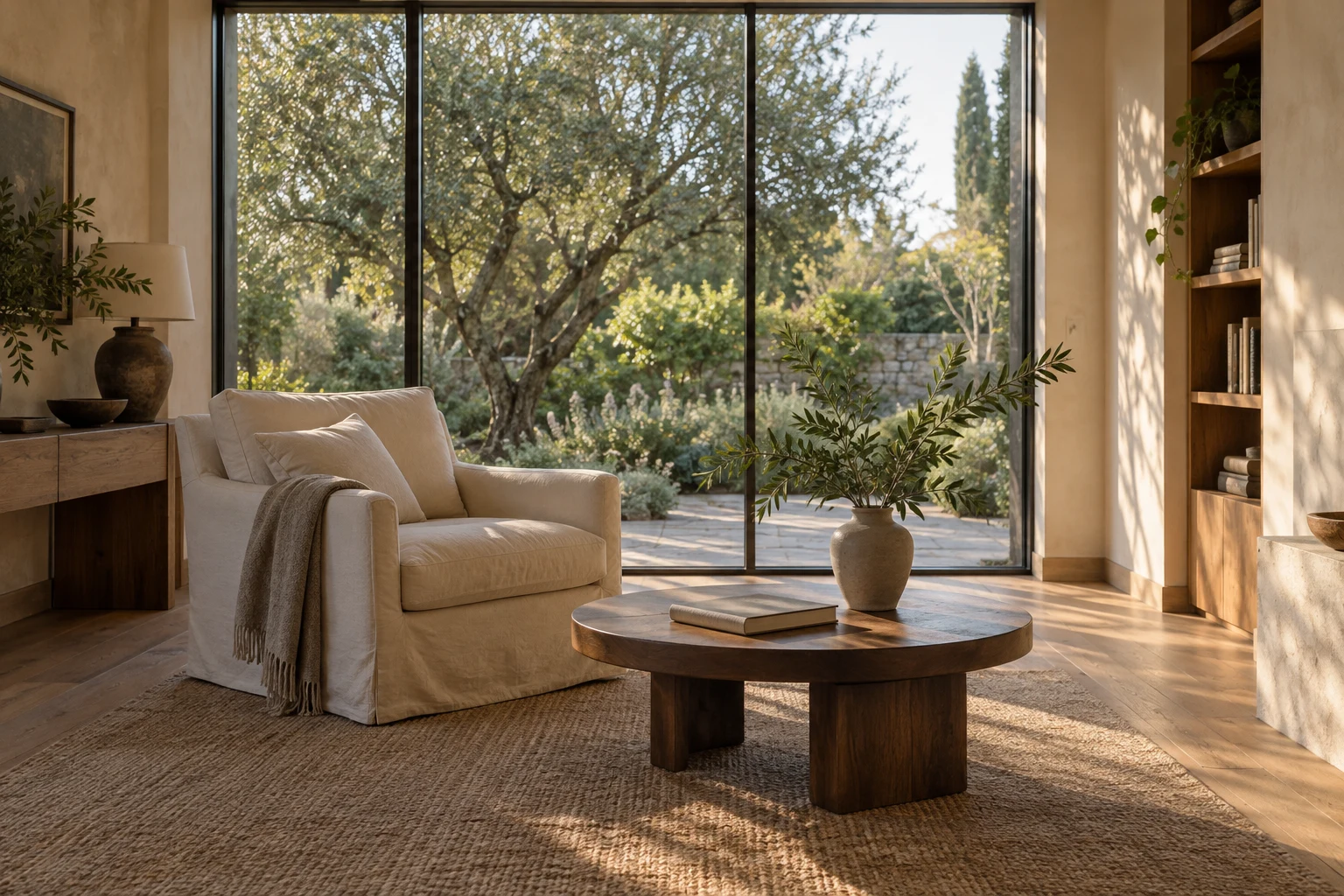
Create a photorealistic 3:2 interior photograph of a quiet reading room overlooking a leafy garden through floor-to-ceiling windows. Include warm plaster walls, an oak floor, a cream linen armchair, a low walnut table, a single closed book and a ceramic vase with a leafy branch. Use an eye-level 28mm architectural view with straight vertical lines, soft late-afternoon window light and natural shadows. Show believable linen, plaster and wood textures. No people, text, logos, exaggerated distortion or glossy CGI surfaces.
Specify the camera angle, furniture, materials and light together. Check window lines, furniture proportions and shadows before refining the image.
How to Use Nano Banana 2.1
Choose Your Model & References
Select Nano Banana 2.1. Start from a text prompt, or upload reference images to guide the subject, style and composition.
Write Your Prompt & Configure
Describe the image or edits you want, including any text and details to preserve. Choose an aspect ratio and 1K, 2K or 4K resolution.
Generate, Refine & Download
Generate your image and review the result. Adjust the prompt or reference images to refine it, then download your chosen version.
FAQ About Nano Banana 2.1
We've answered the most frequently asked questions
It is Google’s update to Nano Banana 2 for image generation and conversational editing. Its official API model ID is gemini-nano-banana-2.1.
Nano Banana 2.1 improves visual quality, prompt following, text rendering and subject consistency. Google also reports fixes for tiling artifacts in wide-format images at 2K and 4K.
Yes. Nano Banana 2.1 supports image generation and editing with up to 14 reference images. Describe what to change and what to preserve, such as a character’s appearance, product details or the composition.
Nano Banana 2.1 supports 1K, 2K and 4K output. Choose the resolution and aspect ratio to suit your layout, from square visuals to portraits and wide compositions.
Explore
More AI Models
Discover all video and image generation models available on LumiYing
GPT Image 2.5
Product scenes, portrait edits and posters, guided by your references
GPT Image 2
GPT-Powered AI Image Generator — Prompt Accuracy, Text Rendering & Reference Editing
Nano Banana 2
Google's Fastest AI Image Generator — Pro Quality at Flash Speed, Up to 4K
Nano Banana Pro
Google's Highest-Quality AI Image Model — 4K, Brand Control & 14 Reference Images
Midjourney
The Industry Standard for AI Art — V7 with Stylize Control & Text Rendering
Seedream 5.0 Lite
ByteDance's Thinking Image Model — Visual Reasoning, RAG & Style Transfer
Create with Nano Banana 2.1
Turn prompts and reference images into detailed visuals with clearer text, consistent subjects and flexible compositions.