How to Make TikTok Shop Videos from a Product Link

Choose consistent product photos, plan a visible action and review your clip before uploading it and adding the matching TikTok Shop product.

LumiYingUpdated

Start with the product and its action

Choose one product and a detail a buyer needs to see. Select matching photos, generate a short action and compare it with the actual item. Upload the accepted clip to TikTok and add the same product before posting.

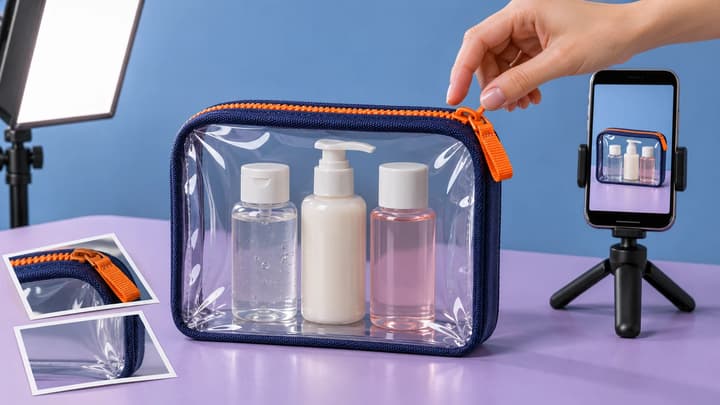
A close view of a zipper opening can explain a bag more clearly than a large camera orbit. Keep the product visible as the action begins, and leave room for the hands that make the movement understandable.

From product link to TikTok post

  1. Step 01 Open the exact product

    Use the full public US product page. Check the item, color, size and included pieces. A shop homepage or a TikTok video can lead to several products, so start with the item you intend to link.

  2. Step 02 Choose photos of the same version

    Paste the link and review the imported details. Keep a clear whole-product photo and useful detail views. Remove images of other variants, size charts or accessories sold separately. The model determines the photo limit.

  3. Step 03 Write one visible action

    Describe what moves and what stays visible. For a pouch, ask one hand to open the zipper while the other supports it. Keep the zipper path, seams and contents from the references. The examples below provide full prompts to adapt.

  4. Step 04 Set the frame and duration

    Use a supported 9:16 setting for a vertical feed video. Keep the product and the moving hand inside the frame. Choose enough model duration for the action and a short hold, then check the credit quote and click Generate.

  5. Step 05 Review and add the product in TikTok

    Play the entire result and pause at contact points. Compare the item, fittings and contents with the source. Download the accepted clip and finish editing in TikTok. Add the matching product, review the post details and apply the AI-generated content setting when required.

Choose references for the action

What the source photos need to show

Open a pouch
The closed bag, zipper and actual contents
The zipper follows its seam and the contents stay consistent.
Use a kitchen accessory
The full tool and its contact with the cup or jug
The tool keeps its shape and the grip remains plausible.
Put on headphones
The headband, earcups and controls
The hands stay clear of the details you want to show.

Three product actions

Open the makeup bag

Keep the zipper and contents visible as the pouch opens.

Use this prompt
Prompt

A close view of the selected clear makeup pouch. One hand slowly opens the zipper while the other supports the bag. Preserve the edging, zipper path and contents shown in the photos. Hold the opening in frame after the action.

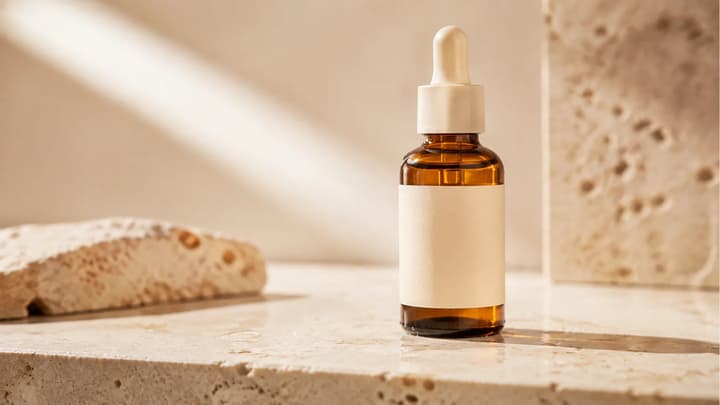
Shot reference

Fix the source or the movement

The link cannot be read
The complete US product URL and public availability
Open the exact item in a browser and copy its full product address.
The variant changes
The selected photos and imported text
Keep references for one color, size and set.
Hands hide or distort a detail
The contact point and camera angle
Use a smaller action and a clearer view of the part being handled.

Posting questions

How do I make the video shoppable?

On TikTok’s posting page, choose Add Link > Product and select the matching item. Review the product preview with the video before publishing. Seller and creator entry points depend on your account.

Can I use this for affiliate videos?

Use product photos you are authorized to use and choose the matching item in your creator publishing flow. Check that the generated appearance and action accurately represent the product.

What should I check for an AI-generated post?

Review the product’s size, color, materials and function, then use TikTok’s AI-generated content setting where required. The official guidance below covers disclosure and accurate product presentation.

Create your TikTok Shop product video
