AI Sticker Generator

Photo or character reference

0 / 30,300

Resolution

AI Sticker Generator

Create custom stickers from text or a photo. Describe the subject and style, generate one transparent PNG, and refine it for messages, journals or brand artwork.

AI Sticker Generator

Make a sticker around your subject

Brand artwork

Give a product its own character

Describe a product, palette or mascot for packaging drafts and campaign artwork. Review any brand lettering before using it.

Pet photos

Keep the details people recognize

Upload one clear photo and name the markings, colors or accessories to keep while changing the illustration style.

Creator reactions

Make one gesture easy to read

Choose a clear emotion or action. Strong shapes help a reaction work when it appears small in a message or post.

Journals and planners

Build a small visual collection

Reuse a palette and outline style across separate generations. Keep each sticker focused on one subject.

Sticker ideas to try

Explore original AI-generated sticker concepts on light backgrounds. Load a photo or text preset to create your own transparent PNG.

Source photo
Sticker concept

Corgi companion

Keep the white blaze and blue bandana recognizable.

Sticker description

Turn the reference corgi into one cartoon sticker. Keep its tan-and-white markings, broad white forehead blaze, short legs, cobalt bandana and seated pose. Use clean bold outlines and a smooth white border with transparent space outside. Keep the full ears and paws inside the canvas. No text.

Load this example

Source photo
Sticker concept

Portrait with personality

Glasses and curls give the face a familiar identity.

Sticker description

Create one illustrated portrait sticker from the reference. Keep the recognizable face, warm skin tone, short curls, round cobalt glasses, gold earrings, orange shirt and smile. Use clean cartoon lines, a white border and transparent background. Leave room around the hair and shoulders. No text.

Load this example
Source photo
Sticker concept

Product mini

Check the can shape and every letter of ZEST.

Sticker description

Turn the reference ZEST can into one flat illustrated sticker. Preserve the coral can proportions, silver rim, exact cobalt word ZEST and ivory citrus mark. Simplify the shading. Add a smooth white contour border and transparent background. Keep the whole can inside the canvas.

Load this example
Happy boba · A single drink makes a friendly food sticker.

Happy boba

A single drink makes a friendly food sticker.

Sticker description

One cheerful peach milk-tea cup with a thick cobalt straw, large dark tapioca pearls and a smiling face. Bold clean outlines, warm flat shading, one connected silhouette, a white sticker border and transparent background. Keep the entire straw inside the canvas. No text.

Load this example

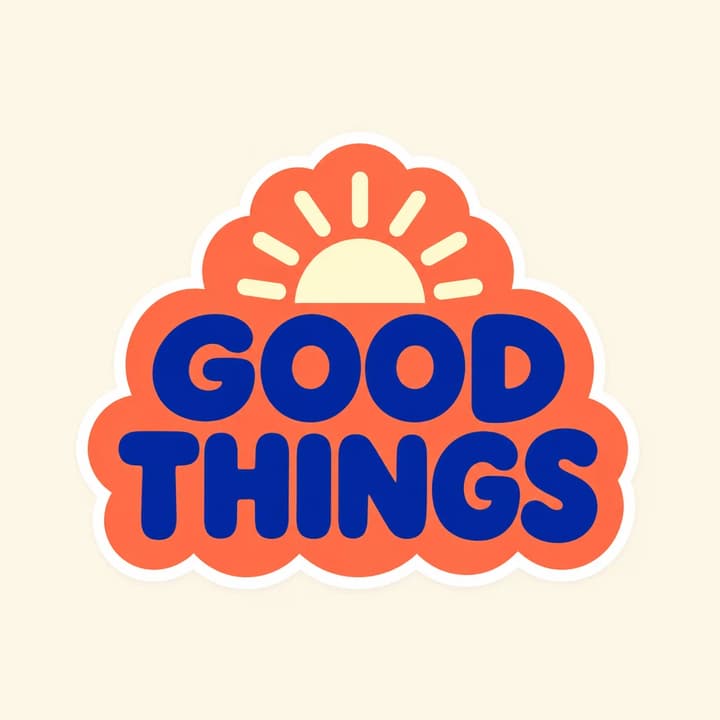
Good things · A short phrase leaves room for readable lettering.

Good things

A short phrase leaves room for readable lettering.

Sticker description

One coral scalloped badge with the exact uppercase words GOOD THINGS on two lines in thick cobalt lettering. Add a small cream sun within the badge, a smooth white contour border and transparent background. Keep all letters clear and leave margin around the complete badge.

Load this example
Trail souvenir · Broad landscape shapes stay clear at a small size.

Trail souvenir

Broad landscape shapes stay clear at a small size.

Sticker description

One rounded-arch outdoor sticker containing three cobalt mountains, an ochre sun and a broad mint river over a coral foreground. Use bold geometric shapes, a smooth white border and transparent background. Keep the design in one connected badge. No text.

Load this example
Reading fox · The book and tail make a compact, connected shape.

Reading fox

The book and tail make a compact, connected shape.

Sticker description

One rust-colored fox curled around an open cobalt book with a coral bookmark. Happy closed eyes, cream cheeks and a cream tail tip. Refined bold cartoon lines, one connected silhouette, a smooth white sticker border and transparent background. No text.

Load this example
Planner plant · Thicker stems help the leaves stay connected.

Planner plant

Thicker stems help the leaves stay connected.

Sticker description

One mint monstera with three broad leaves and thick connected stems in a coral pot marked with a cobalt crescent. Clean flat illustration, a smooth white border and transparent background. Keep the whole plant inside the canvas with margin. No text.

Load this example

How to create an AI sticker

1

Choose the subject

Describe one sticker or add an optional photo. Name the style and the details you want to keep.

2

Choose the resolution

Start at 1K or select 2K or 4K. The tool requests one square transparent PNG. Review the displayed credit price.

3

Generate and check

Inspect the subject, spelling and edge. Download the PNG and check it at the size you plan to use.

Review the sticker where it will live

Small preview

Shrink a copy to its intended display size. Simplify details that merge or disappear.

Light and dark

Place the PNG over both backgrounds. Check for a solid rectangle, stray pixels or a clipped border.

Print preparation

Choose physical size, bleed and cut lines with your printer. A generated white border is part of the artwork.

AI sticker questions

Can I make a sticker from a photo?

Yes. Add one JPEG, PNG or WebP up to 30 MB and describe the illustrated look you want. Check recognizable details against the original photo.

What file will I get?

One square static PNG requested with a transparent background. Choose 1K, 2K or 4K and inspect the downloaded file's edges.

Can I create a sticker from text alone?

Yes. Describe the subject, colors, style and border. Put exact wording in quotation marks when the sticker needs lettering.

Is generation free?

Generation uses credits. The displayed price follows the chosen resolution. Loading an example only fills the inputs.

Can I use the image for printed stickers?

Use the PNG as artwork for your print workflow. Confirm physical dimensions, effective resolution, bleed, color and cut-path requirements with the printer. Review the rights to your inputs and intended use.

AI Sticker Generator