ゴーストマネキンAI

平置き、ハンガー、人台で撮影した服に、着用時のような立体感を加えます。襟の空洞、自然なボリューム、背景を指定してみましょう。

衣類の写真からゴーストマネキン画像へ

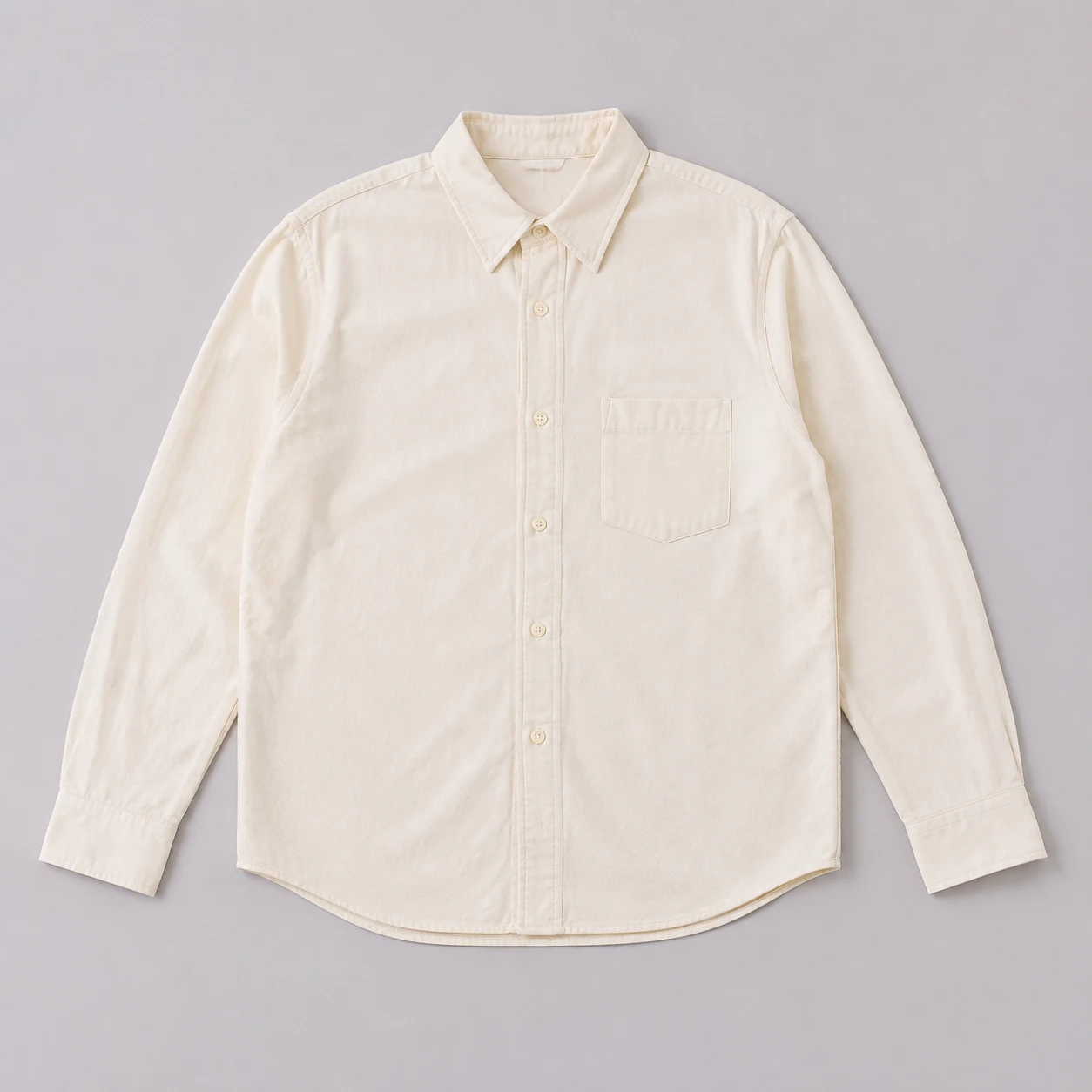
平置き写真

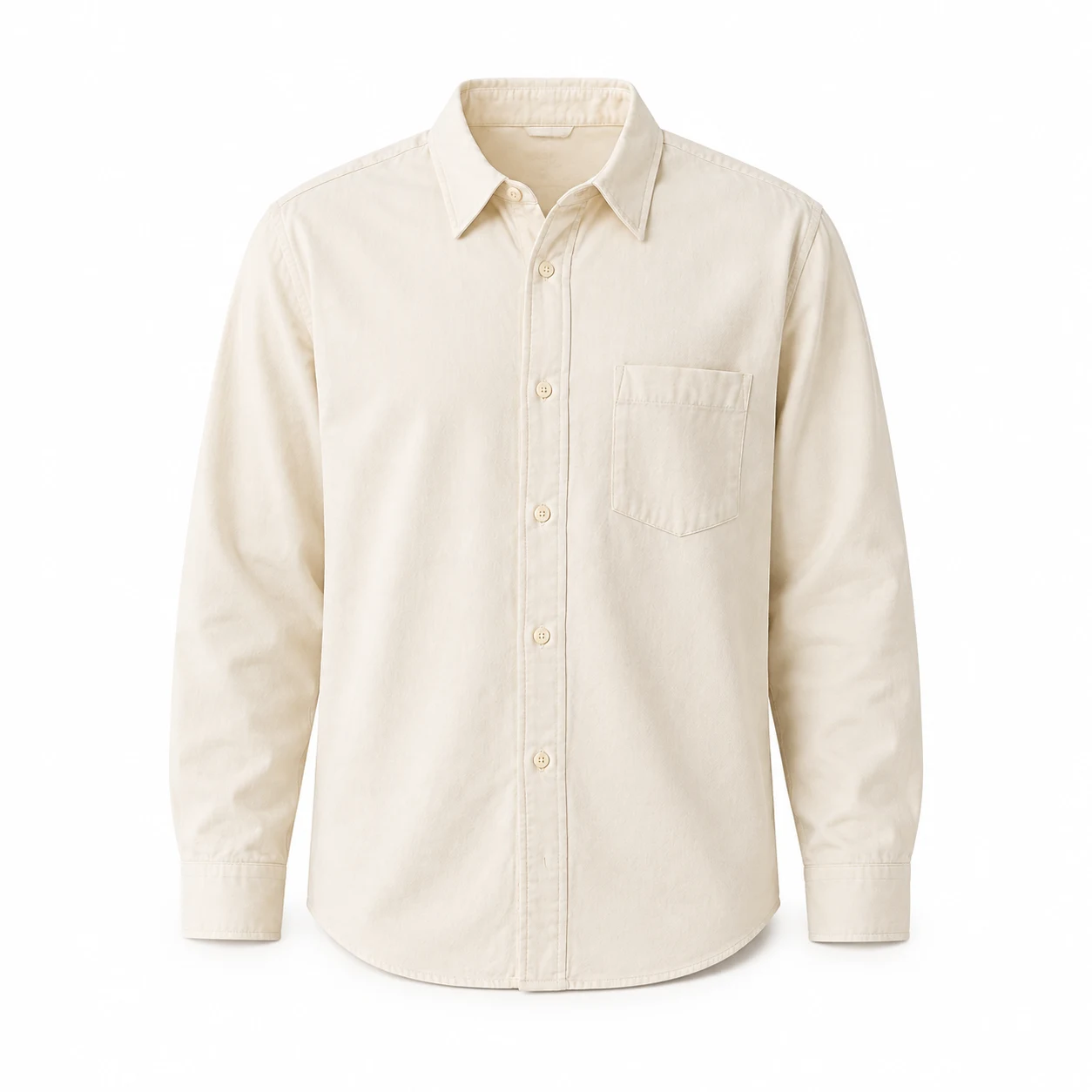
シャツの襟に奥行きを出す

平置きのシャツに丸みのある肩と襟の奥行きを加えます。前立て、ポケット、袖口の形を保つよう指示してください。

ハンガー写真

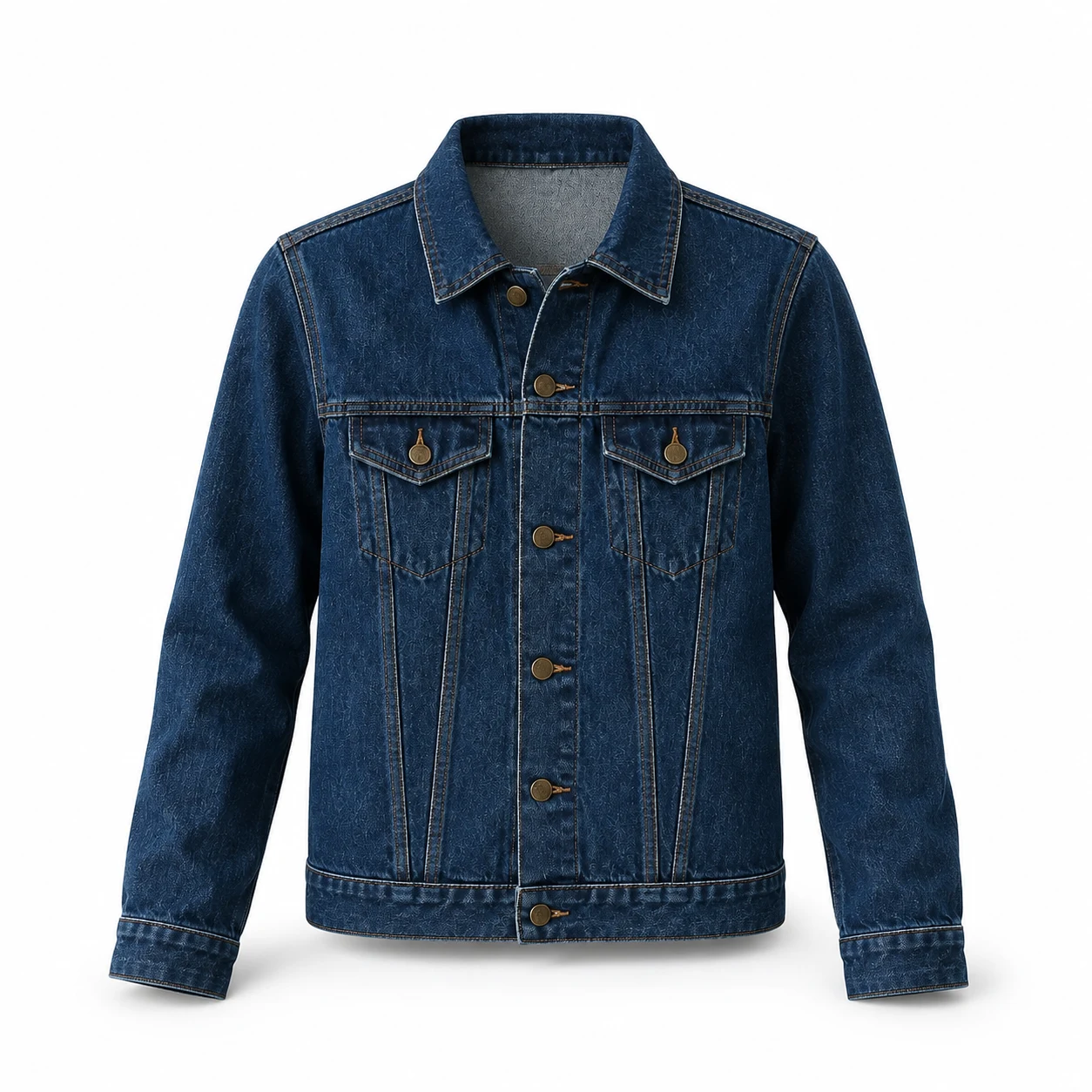
ハンガーを消してジャケットを残す

空洞の襟と自然な胸元の立体感を指定します。デニムはポケットのフラップ、ボタン位置、縫い目を比較しましょう。

人台の写真

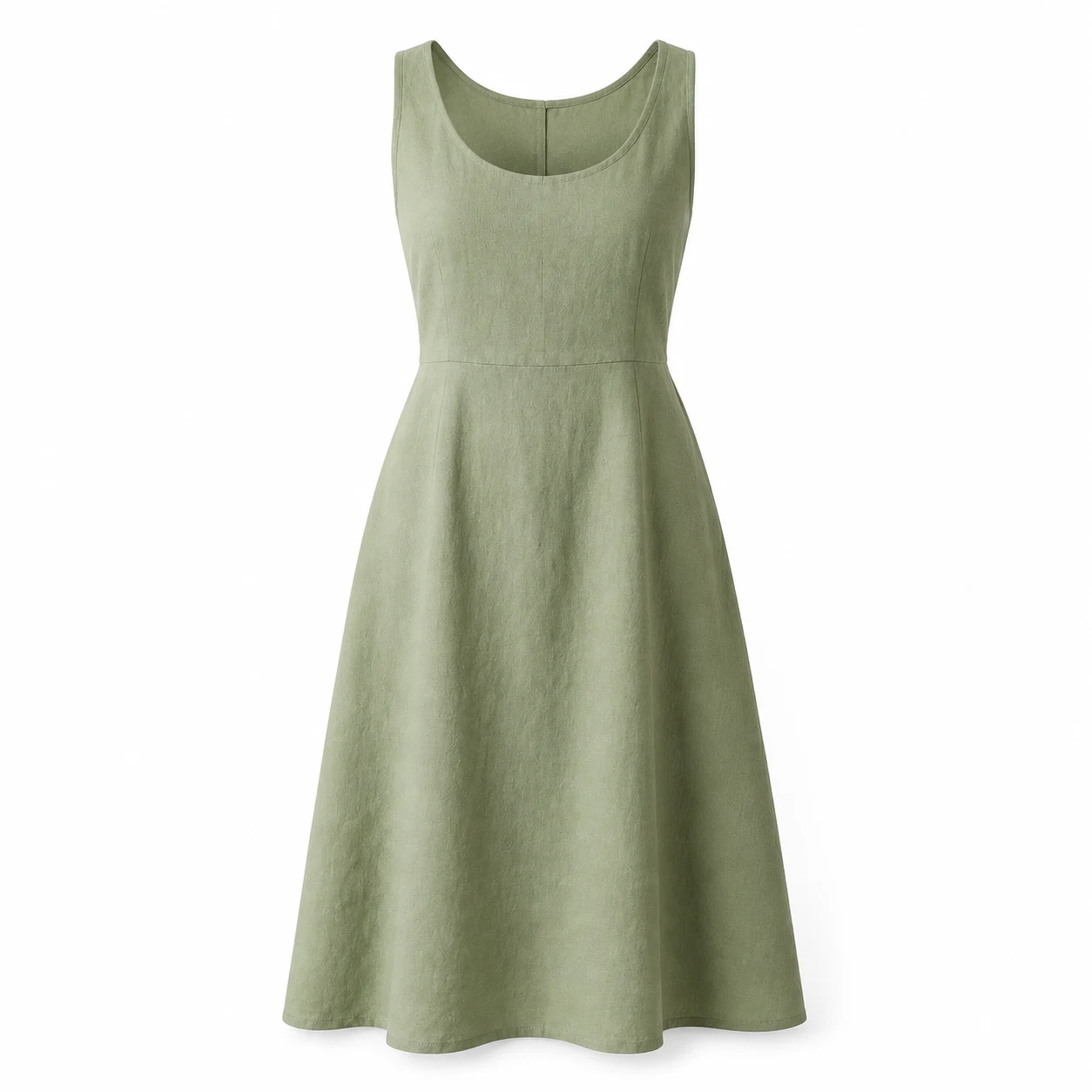
支持物を取り除いてドレスを見せる

人台とスタンドを消し、襟ぐり、肩ひも、ウエストの縫い目、裾を保ちます。生地の自然な落ち感を指定してください。

シャツ・ジャケット・ドレスの作例

AIで作成した3枚の元画像と、参照画像を使った編集結果を比較できます。作例の画像とプロンプトを試すか、自分の服に合わせて調整してください。

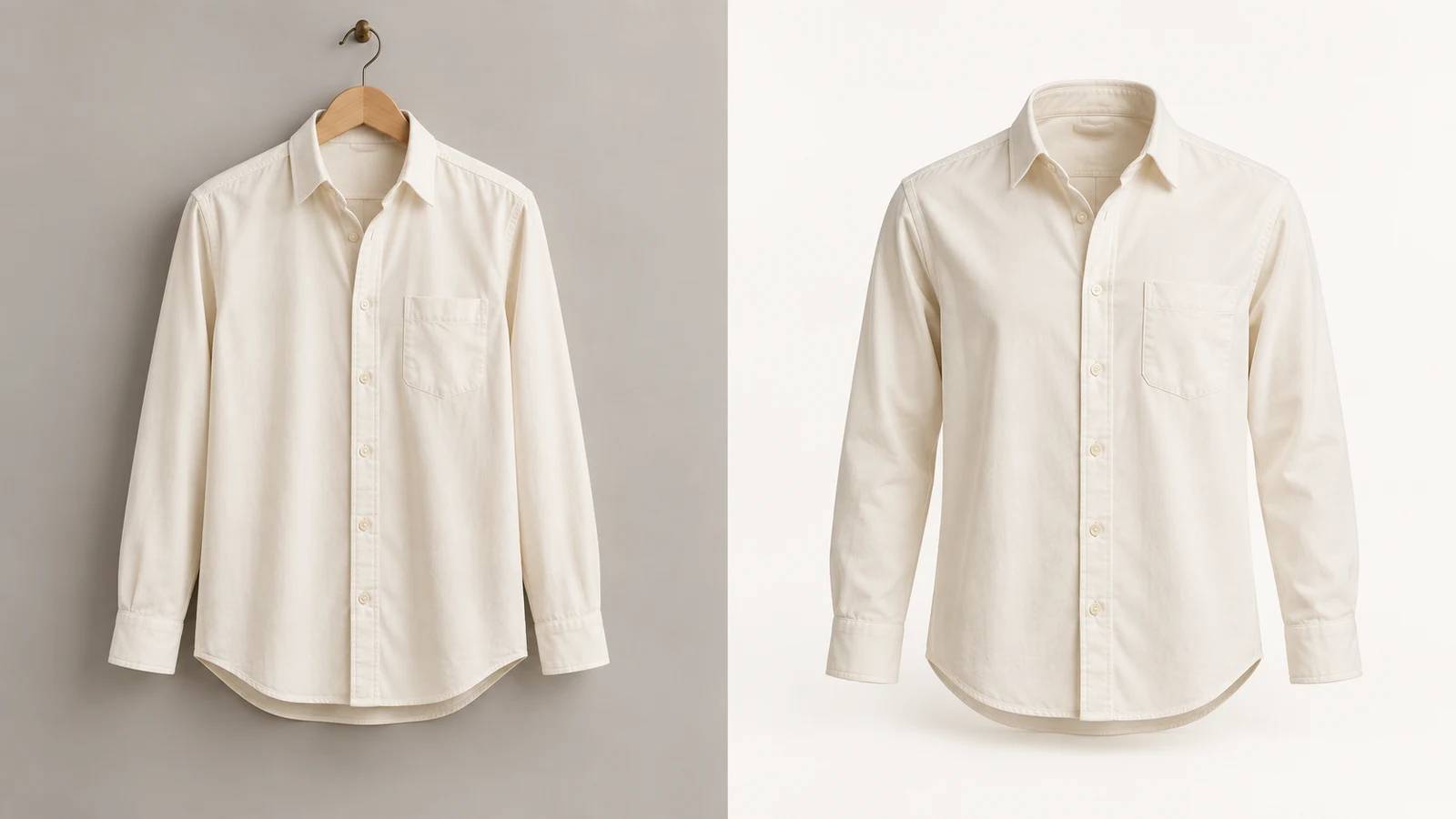
グレーの背景に平置きしたアイボリーのシャツ
元画像
白背景で襟に空洞と立体感のあるアイボリーのシャツ
ゴーストマネキン

平置きのシャツ

この作例を試す
プロンプト

Edit the referenced shirt product photograph into a photorealistic ghost mannequin ecommerce photo of this exact garment. Preserve its original color, fabric, cut, seams, pockets, buttons and proportions. Remove the flat-lay appearance. Give the garment natural hollow three-dimensional volume as if worn by an invisible torso, with rounded shoulders and a clearly open neckline showing the existing inner back fabric. Keep the front view, full hem and all sleeves or straps inside the square frame with generous margins. Plain white background, soft studio light, subtle realistic shadows. Do not add any human body, mannequin, hanger, logos, text, accessories or watermark. Do not invent labels or redesign the garment.
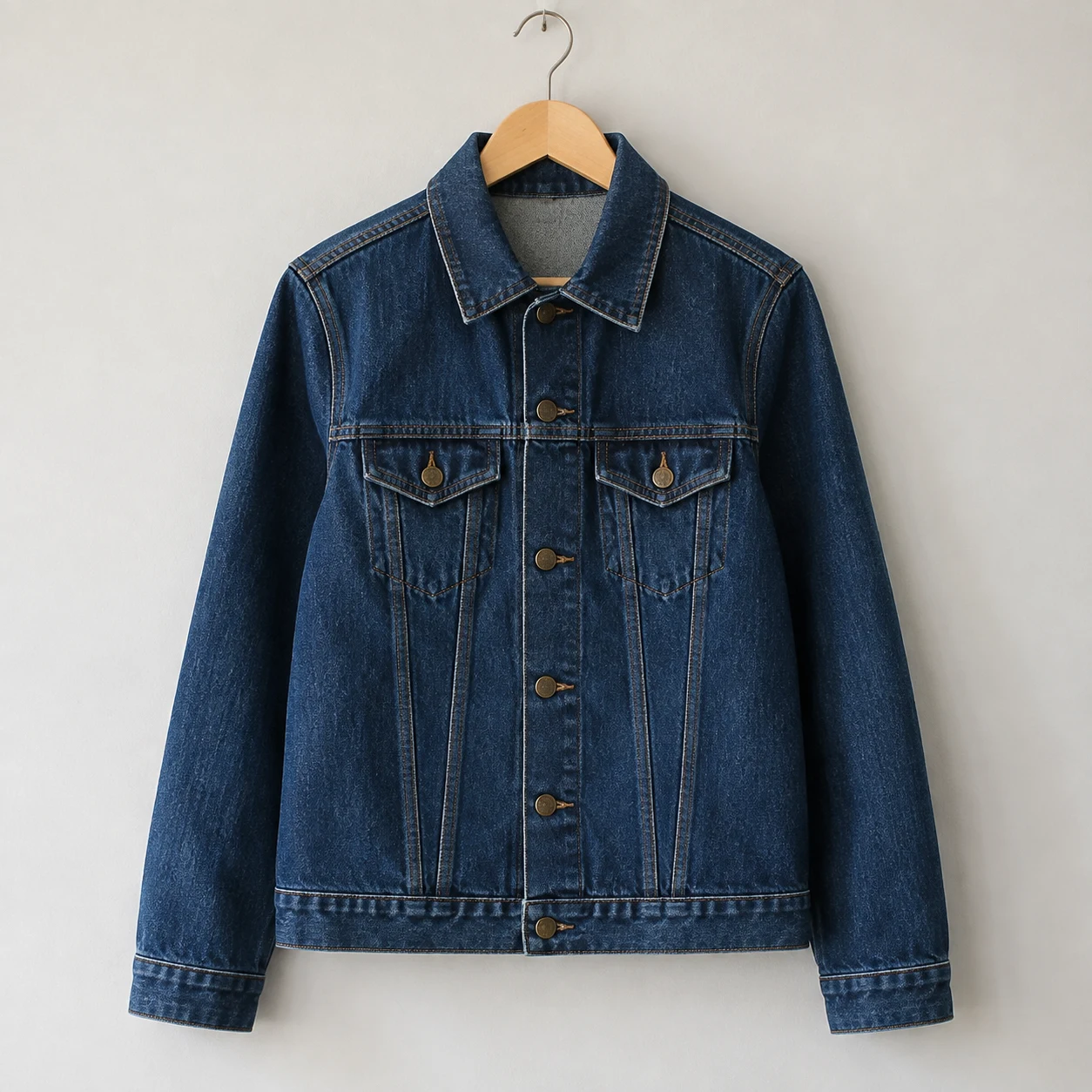
木製ハンガーに掛けたインディゴのデニムジャケット
元画像
ハンガーを取り除いた空洞の襟のデニムジャケット
ゴーストマネキン

ハンガーのジャケット

この作例を試す
プロンプト

Edit the referenced jacket product photograph into a photorealistic ghost mannequin ecommerce photo of this exact garment. Preserve its original color, fabric, cut, seams, pockets, buttons and proportions. Remove the wooden hanger and hook. Give the garment natural hollow three-dimensional volume as if worn by an invisible torso, with rounded shoulders and a clearly open neckline showing the existing inner back fabric. Keep the front view, full hem and all sleeves or straps inside the square frame with generous margins. Plain white background, soft studio light, subtle realistic shadows. Do not add any human body, mannequin, hanger, logos, text, accessories or watermark. Do not invent labels or redesign the garment.
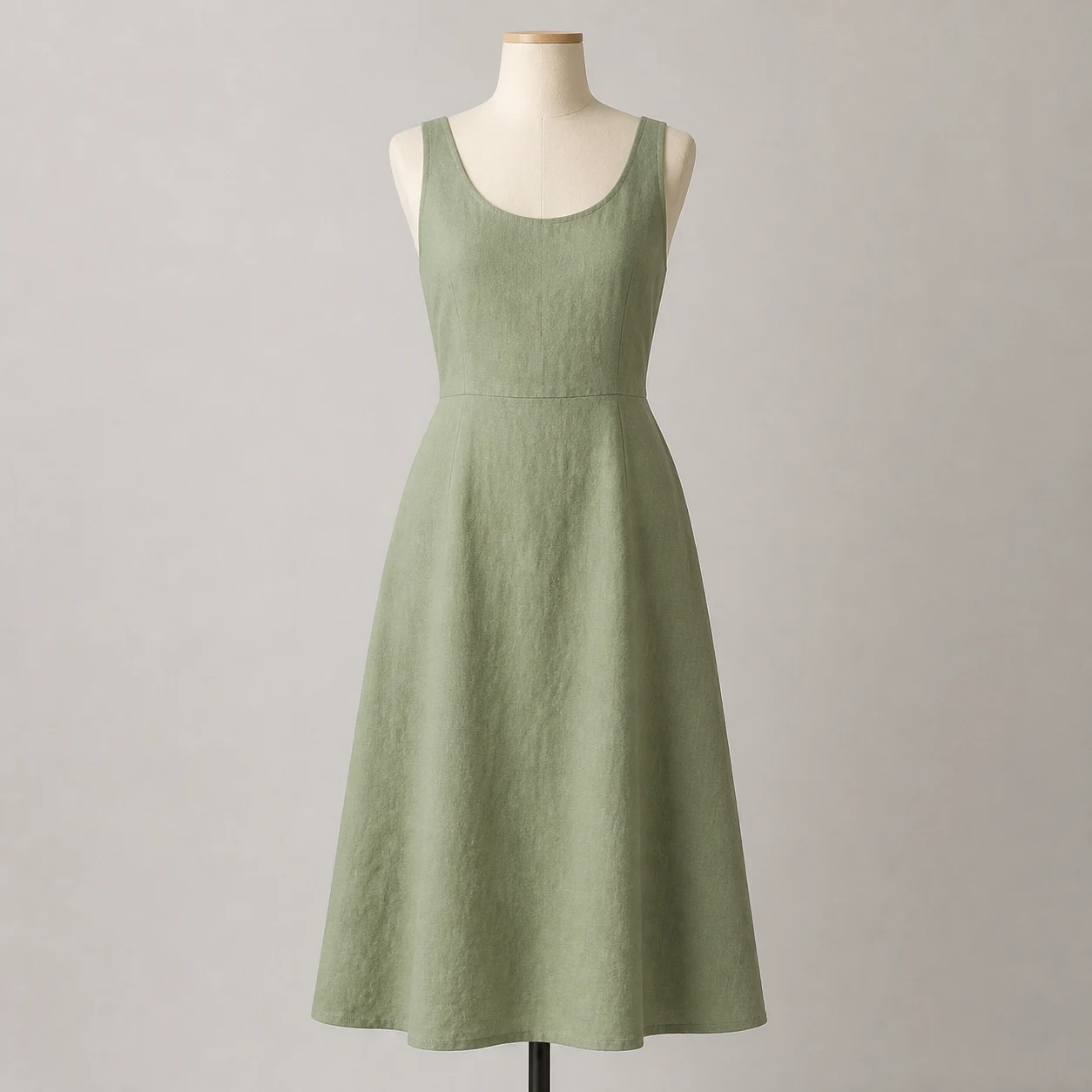
スタンド付きのクリーム色の人台に着せたセージ色のリネンドレス
元画像
人台とスタンドを取り除いたセージ色のドレス
ゴーストマネキン

人台のドレス

この作例を試す
プロンプト

Edit the referenced dress product photograph into a photorealistic ghost mannequin ecommerce photo of this exact garment. Preserve its original color, fabric, cut, seams, pockets, buttons and proportions. Remove the cream dress form and black stand. Give the garment natural hollow three-dimensional volume as if worn by an invisible torso, with rounded shoulders and a clearly open neckline showing the existing inner back fabric. Keep the front view, full hem and all sleeves or straps inside the square frame with generous margins. Plain white background, soft studio light, subtle realistic shadows. Do not add any human body, mannequin, hanger, logos, text, accessories or watermark. Do not invent labels or redesign the garment.
ゴーストマネキンAIの使い方

01

鮮明な衣類写真をアップロード

襟、袖、裾全体が見える正面写真を選びます。実際の商品の写真を参照画像にしてください。

02

除去する支持物と形を指定

ハンガーや人台を取り除き、立体感を加え、色・生地・縫い目・比率を保つよう調整します。モデルを選び、表示されるクレジット数を確認します。

03

生成して元写真と比較

ボタン、ポケット、ラベル、襟の内側を拡大して確認します。指示を一つずつ修正するか、より鮮明な元画像を使ってください。

使用前に確認するポイント

シルエットだけでなく、実際に販売する服と次の細部を比べてください。

衣類の構造

ボタンとポケットを数え、縫い目、ファスナー、肩ひもの幅、裾丈の変化を確認します。

色と質感

均一な光で撮った元画像と比較します。織り目や縫い目が残り、不自然な光沢が加わっていないか見てください。

襟と隠れた部分

AIは隠れた生地を推測できますが、実物の細部は確認できません。可能なら接写を追加し、再構成された部分を確認してください。

よくある質問

ゴーストマネキンAIとは?

服を見えないモデルが着ているように編集する方法です。支持物を消し、空洞の襟と自然な立体感を加えます。

平置きやハンガー写真でも使えますか?

はい。元画像の状態を指定してください。平置きには立体感が必要で、ハンガー写真ではハンガーとフックも除去します。服全体が写った画像を使います。

背景除去と同じですか?

異なります。背景除去は元の輪郭を切り抜く処理です。ゴーストマネキン編集では、立体感を変え、襟の内側なども再構成します。

商品の細部はすべて保たれますか?

細部が変わることがあります。色、ボタン、ポケット、縫い目、ロゴを明記し、生成後に確認してください。生成画像は正確な寸法や着用感の証明にはなりません。

ゴーストマネキンAIは無料ですか?

作例の閲覧とプロンプトのコピーには生成は不要です。画像生成にはアカウントとクレジットが必要で、料金はモデルと設定により異なります。

ネットショップの商品画像に使えますか?

まず実物と比較し、構造、色、元画像で隠れていた部分を確認してください。掲載先の画像要件も確認しましょう。

次の服をゴーストマネキン画像に

鮮明な写真を1枚用意し、細部を具体的に指定して最初の結果を確認しましょう。