How to Make an Album Cover

To make an album cover, choose one visual idea, describe its mood and colors, then decide whether it needs lettering or a photo. Generate a square draft, check it small, and inspect the final file before delivery.

LumiYingUpdated

Start with what the listener should notice

Build a clear visual brief, choose lettering, and check your album cover at thumbnail size before preparing the final file.

Pick one focal point: a face, a window, a flower or a landscape. Connect it to the music with a mood and two or three colors. “A lonely amber window in a midnight-blue building” gives more direction than “a professional lo-fi cover.”

For a portrait cover, use a sharp photo with space around the head and specify what must stay recognizable. Ask for changes to lighting or background separately. A supplied photo guides the image; compare the face with the original after generation.

From brief to finished file

Use a small draft to settle the composition before requesting a larger image.

  1. Step 1. Describe one direction

    Start with the night-window prompt below. Replace its subject and palette with details from your release; keep one clear focal point.

  2. Step 2. Choose lettering and reference

    Include the exact title and artist, or explicitly ask for no text. Add one reference only when it helps define the subject. For a portrait, state which features must stay.

  3. Step 3. Generate a square draft

    The tool uses 1:1. Start at 1K, check the displayed credit cost, and generate. View the image small: can you identify the subject and read the title without zooming?

  4. Step 4. Refine and prepare delivery

    Use Re-edit to restore the original inputs and change one instruction. Select 2K or 4K when you need a larger output, then inspect the downloaded dimensions and format. Check every letter and the distributor’s current requirements; resolution alone does not ensure acceptance.

Write a brief the image can follow

Turn a visual brief into cover artwork for your music. Describe a scene or upload a reference photo, then specify any title and artist name you want in the image.

Write a brief the image can follow

Scene and mood
One main subject, a mood and a small palette.
Several competing scenes or contradictory styles.
Lettering
Exact title and artist in quotes, plus size and placement.
Unrequested slogans, dates or decorative labels.
No lettering
Explicitly request no text; leave clear space if adding type later.
A title instruction elsewhere in the same prompt.

Album cover ideas and prompts

Compare a cover with lettering, a text-free scene and a photo-led portrait. Each example loads its own description and reference settings.

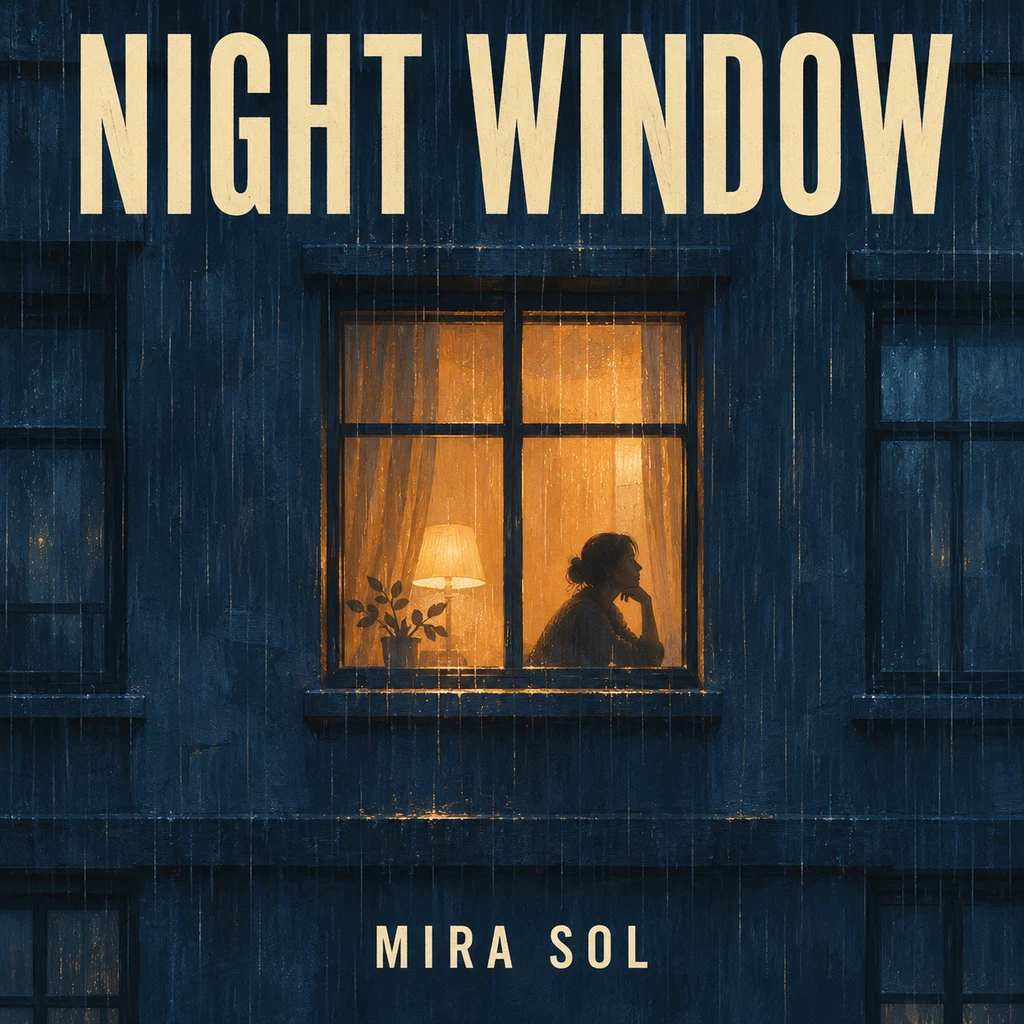
Lo-fi night scene — An amber window gives the dark facade one clear focal point.

Lo-fi night scene

An amber window gives the dark facade one clear focal point.

Cover description

Lo-fi painted midnight-blue apartment facade, one amber window with a silhouette, rain texture. Large cream title NIGHT WINDOW at top; small artist MIRA SOL at bottom.

Load this example
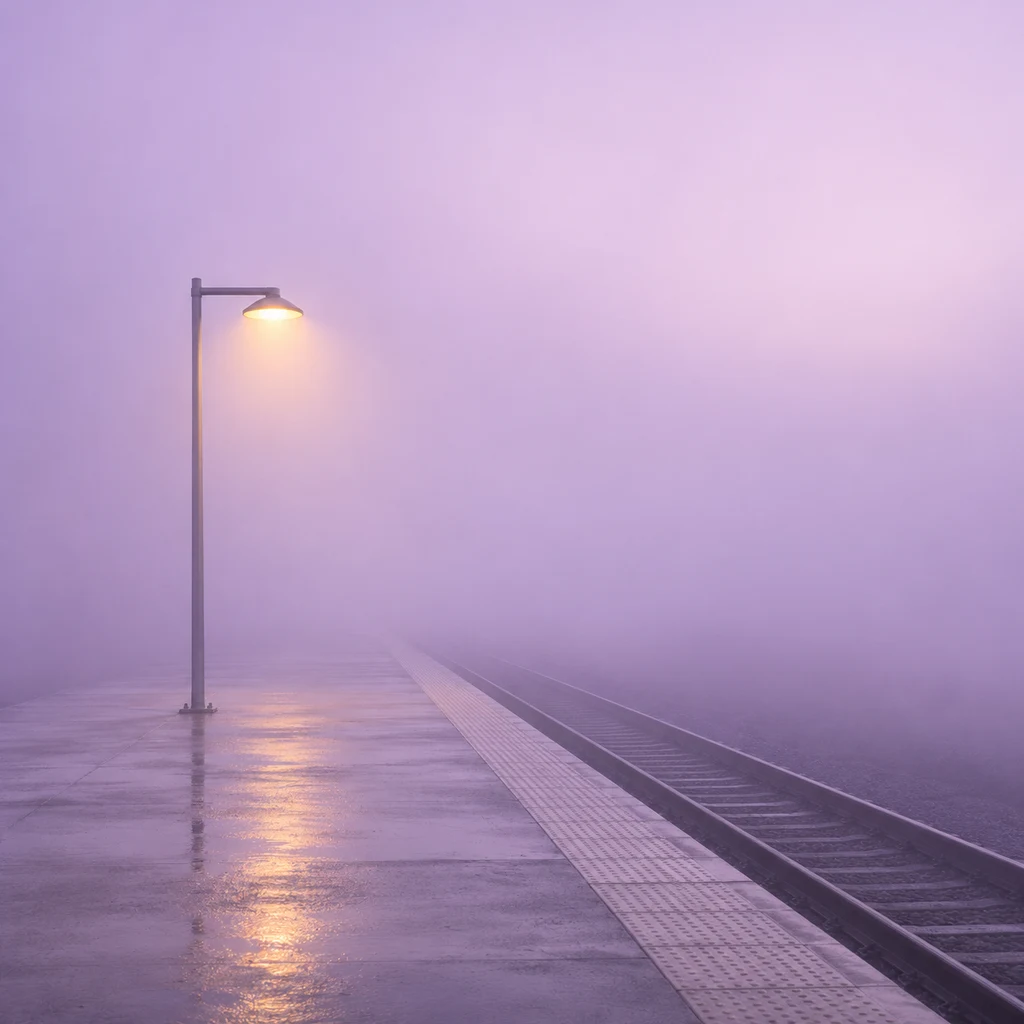
Text-free ambient — One warm light contrasts with a nearly empty misty scene.

Text-free ambient

One warm light contrasts with a nearly empty misty scene.

Cover description

Empty concrete station platform disappearing into lilac mist, one warm yellow lamp, wet ground, minimalist photography. No text, numbers, people or signage.

Load this example
Reference photo
Cover artwork

Portrait soul cover

Keep the subject recognizable while changing the visual treatment.

Cover description

Use this portrait for a soul album cover. Preserve the face, curls, earrings, pose and shirt. Monochrome portrait, dusty coral background, analog grain. Cream title UNSAID at top; artist NIA VALE at bottom.

Load this example

When the cover needs another pass

Judge both the artwork and the details that identify your release.

Title is hard to read
Busy texture behind thin or small letters.
Request larger type, stronger contrast and a calmer area behind it.
A name is misspelled
Lettering was interpreted incorrectly.
Re-edit with the exact spelling. For precise typesetting, generate text-free artwork and add text in an editor.
Face looks different
The photo was heavily reinterpreted.
Use the original clear portrait; name the features to preserve and narrow the requested changes.
Cover feels crowded
Too many objects compete with the title.
Remove secondary objects and compare the next draft at thumbnail size.

Album cover questions

Can I add a title and artist name?

Yes. Put the exact words in quotes and describe their placement. Text is drawn into the image, so check spelling; it is not an editable text layer.

Can I make artwork without text?

Yes. Write “no text” and omit the title and artist name. You can add typography in a design editor later.

Is the AI album cover generator free?

Generation uses credits. The button shows the cost for the selected resolution. Loading examples does not spend credits.

Is the cover ready for distribution?

Review the actual file, title and artist spelling, and your distributor’s current artwork rules before submitting. Generating a cover does not guarantee acceptance.

Create album cover

Keep the strongest simple composition, proofread the final lettering and save the original file. Check the receiving service’s current artwork requirements before uploading.