AI B-Roll Generator

Model

Visual references

Duration
Aspect ratio

AI B-Roll Generator

Generate a supporting video shot from a prompt and optional images. Choose your model, duration and frame, then download the clip for your edit.

AI B-Roll Generator

8 B-roll examples to explore

Watch the motion and consider where each shot would support a sentence. Load a suggested prompt to make your own version.

Product close-up

A slow view around a bottle keeps its silhouette readable. Use a brief portion while describing the packaging.

Shot purpose

Reveal an object's material and shape without a presenter in frame.

B-roll example
Suggested prompt

One continuous close-up of an amber glass dropper bottle on a dark stone plinth. Slow camera arc, soft daylight, restrained water reflections. Keep the bottle shape, cap and plain label stable. No added text or music.
Try this shot

Coastal setting

The person gives the coastline scale. Keep the horizon steady and use the shot to establish a travel setting.

Shot purpose

Show the landscape surrounding the story.

B-roll example
Suggested prompt

A wide coastal B-roll shot at sunset, one adult in a yellow jacket seen from behind above the ocean. Gentle forward camera drift, breaking waves and sea mist, stable cliffs and horizon. Natural wind ambience, no speech or captions.

Try this shot

Cafe detail

The drink and dessert remain the focus as the view moves closer. It can illustrate a menu item mentioned in narration.

Shot purpose

Give a viewer a closer look at a food or drink.

B-roll example
Suggested prompt

A single slow push toward an iced matcha latte and a small green cake on a linen-covered cafe table. Sunlight through leaves, realistic condensation, preserve the glass rim and dessert shape. No hands entering, no cuts, no text.

Try this shot

Before the performance

An empty guitar and microphone setup can cover a pause before a musician appears. Let light and haze carry the motion.

Shot purpose

Set the mood while the main story pauses.

B-roll example
Suggested prompt

An empty small stage with an electric guitar on its stand and one vintage microphone. Cyan and magenta lights illuminate thin drifting haze and fabric curtains. Very slow camera push, keep instruments stationary and recognizable. No performer, text or music.

Try this shot

A moving landscape

Foreground trees travel faster than distant mountains. The depth gives a journey a sense of movement.

Shot purpose

Connect two parts of a journey with a passing view.

B-roll example
Suggested prompt

A continuous sideways tracking view past dense green trees with distant pale mountains. Natural daylight, clear foreground parallax, steady horizon, no sudden acceleration or scene change. Quiet outdoor ambience, no text.

Try this shot

Follow the action

The camera follows a vehicle through grass and dust. Choose a section where the wheels and body remain easy to read.

Shot purpose

Support a description of movement with a single action.

B-roll example
Suggested prompt

Track an olive off-road vehicle driving across a dry grassland track. Low side camera follows at a steady speed, believable wheel rotation and a light trail of dust. Stable body shape, natural proportions, no dramatic jumps, logos or text.

Try this shot

City establishing shot

A broad coastal city view gives spatial context before cutting to a person or detail. Use it as illustration, not proof of a real location.

Shot purpose

Introduce an urban setting before a closer scene.

B-roll example
Suggested prompt

A slow aerial glide along a coastal city at golden hour. Tall buildings beside a curved bay, distant green ridge, small waves along the shore. Consistent architecture and horizon, smooth continuous movement. No map labels, narration or scene cuts.

Try this shot

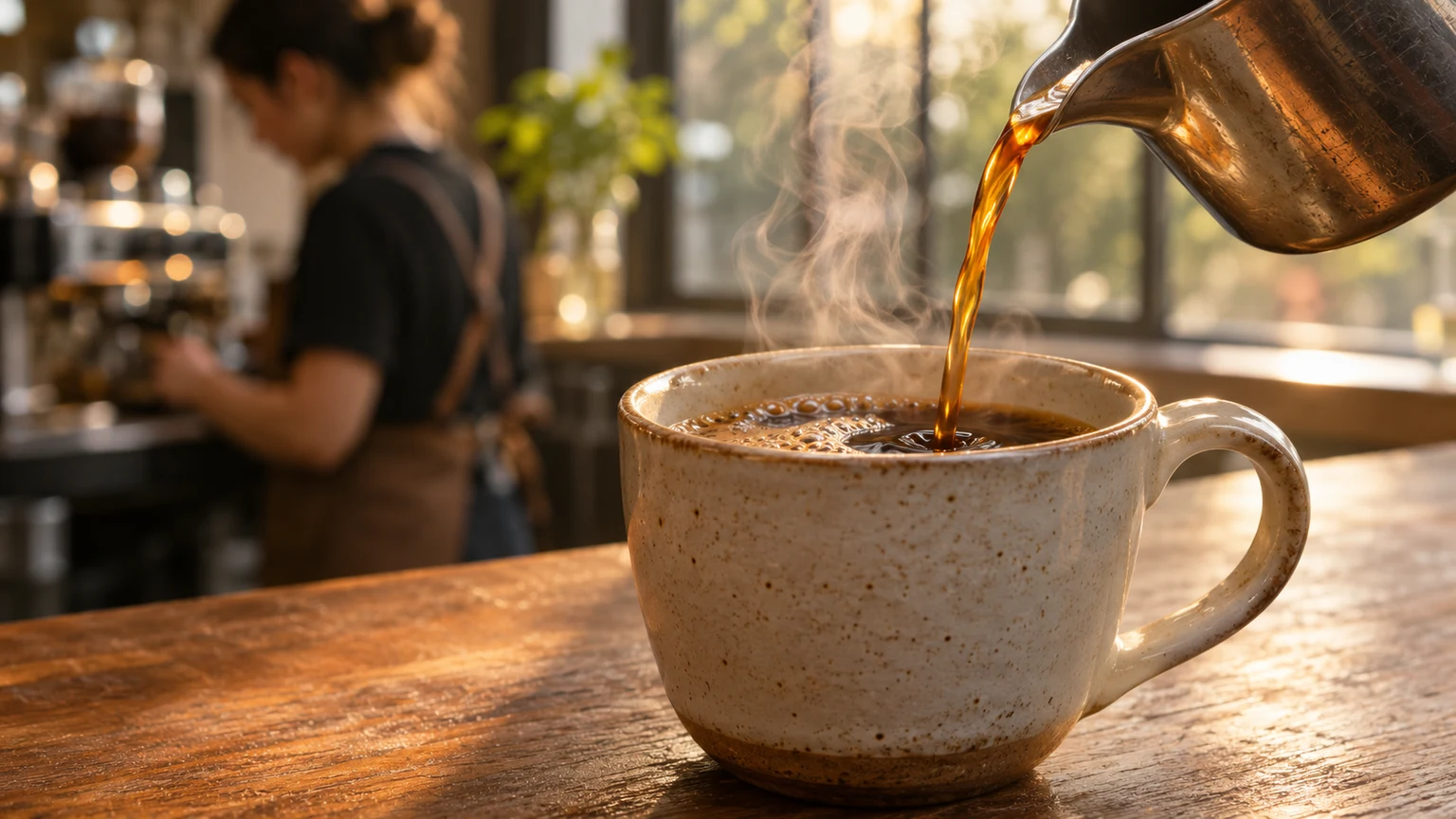
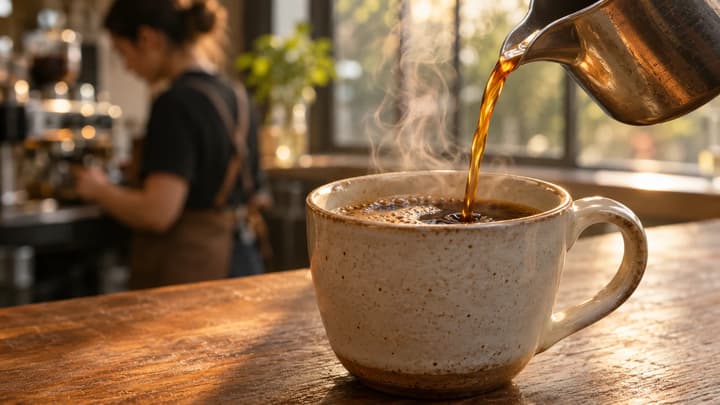
Coffee preparation

A close view of espresso entering a cup shows the process itself. Cut to it when narration mentions brewing.

Shot purpose

Show the specific action the speaker describes.

B-roll example
Suggested prompt

Close-up of espresso flowing from a metal machine spout into a dark ceramic cup. Locked camera, realistic liquid and soft steam, gentle reflections on brushed steel. Keep the cup, handle and machine fixed. Cafe ambience only, no text or music.

Try this shot

Make the shot your edit is missing

B-roll gives the viewer something useful to see while the main story continues. Create individual cutaways for a review, explainer, travel film or social video.

Place

Establish the setting

Show where a story happens with a clear wide view that fits the surrounding footage.

Detail

Bring a feature closer

Describe the surface, material or small feature that a wide product shot cannot explain.

Action

Show the process

Make one visible action the subject: shaping clay, turning a dial or pouring a drink.

Atmosphere

Give a moment room

Create a quiet visual pause that supports the mood without introducing a new storyline.

Create a B-roll clip in three steps

01

Describe the missing shot

Write one clear action and camera direction. Add up to six optional references for subjects, objects or style.

02

Choose your settings

Select a model, supported duration and ratio. Start with a short clip and check the credit quote.

03

Review and use the clip

Check the motion, download your take and trim it into your edit. Re-edit restores your prompt, references and settings.

Make the shot your edit is missing

B-roll gives the viewer something useful to see while the main story continues. Create individual cutaways for a review, explainer, travel film or social video.

Establish the setting

Show where a story happens with a clear wide view that fits the surrounding footage.

Bring a feature closer

Describe the surface, material or small feature that a wide product shot cannot explain.

Show the process

Make one visible action the subject: shaping clay, turning a dial or pouring a drink.

B-roll questions

Do I need to upload an image?

No. A prompt is required; images are optional. Add up to six visual references and describe what each should guide. Image limits follow the selected model.

Does this add B-roll to my existing video?

It generates one downloadable clip. Place and trim the result in your video editor; this tool does not upload, transcribe or automatically edit your original video.

Can I choose the model and length?

Yes. Choose from the compatible video models shown in the selector. Available durations and ratios change with the model. Output is 720p; native sound is enabled.

How should I handle sound?

The default direction asks for subtle ambience. You can request other audio in Prompt. When placing the clip over speech, mute or lower its audio in your editor so the narration stays clear.

Does loading an example use credits?

No. It fills an editable suggested prompt and settings. Credits are charged only when you submit a generation with its displayed quote.

Create a B-roll clip in three steps

Generate a supporting video shot from a prompt and optional images. Choose your model, duration and frame, then download the clip for your edit.