What Is B-Roll? Meaning, Examples and How to Use It

B-roll is footage that supports a video's main story: the hands making a product, the street outside an interview, or a close-up of the object a speaker mentions. A-roll carries the central action or explanation; B-roll supplies context, detail and visual transitions. The distinction is the shot's role in the edit, not its camera, quality or file type.

LumiYingUpdated

A-roll carries the story; B-roll helps us see it

Think about what the viewer learns from a shot, not whether someone speaks in it.

In a cafe profile, the owner explaining how they choose beans is A-roll. A close-up of beans, the grinder and coffee pouring can be B-roll while the owner's voice continues. If the whole film follows coffee preparation without an interview, those same images may carry the main story. One clip has no permanent A-roll or B-roll label.

Supporting footage can show a place, demonstrate an action, reveal a detail, cover a jump cut or provide a pause. It does not have to be silent: location sound can help connect the scenes. However, a pretty unrelated shot makes the explanation harder to follow. Keep a revealing facial reaction on screen when that reaction is the important information.

How to choose and place useful B-roll

Build the spoken or primary story first, then find the visual information it needs.

  1. Step 1 Mark the words that need a picture

    Listen to the main track and underline concrete nouns and actions. For “we grind each order fresh,” show grinding, not a generic cafe exterior. Write the shot's purpose in one sentence before filming, searching or generating.

  2. Step 2 Choose the source that fits the claim

    Film the real subject when identity, product performance or a factual event matters. Licensed stock can illustrate a general setting; check its terms. AI can create an illustrative scene or missing conceptual shot, but should not be presented as documentary evidence of something that happened.

  3. Step 3 Prepare a simple shot

    Choose a wide view for context, a medium view for action or a close-up for detail. Match the project's ratio, lighting and movement. For AI generation, describe one subject and action, then the camera. Add clear references only when their appearance matters; a request to preserve details is not a guarantee.

  4. Step 4 Place the picture over the relevant line

    In your editor, put B-roll on a video track above the main clip and keep the narration underneath. Trim to the useful action; start close to the word it explains. A two-to-four-second insert is a reasonable first edit, not a universal rule. Hold longer when the viewer needs time to understand a process.

  5. Step 5 Check the cut and sound

    Cut back when the speaker's expression or next main action matters. Mute or lower the insert's audio under speech, then listen across both cuts. Check color, screen direction, object shape and motion at normal speed. If the shot distracts or repeats information, shorten or remove it.

Examples of B-roll in an edit

These pairings show why a supporting shot belongs, and when to stay with the main picture.

Main story and supporting footage

A reviewer describes a bag's construction
Close view of the fabric and zipper
Shows the feature being discussed; use real footage for a factual durability claim.
A traveler describes arriving on the coast
A wide view of the coast, followed by a street detail
Establishes scale and location before returning to the traveler.
A maker explains a manual technique
Hands performing that exact action
Makes the process understandable; avoid a shot that shows a different technique.
An interviewee reacts to unexpected news
Keep the reaction as A-roll
An insert here could hide the most important part of the story.

A 15-second cafe sequence

0–4s
Owner on screen: “Every cup starts with freshly ground beans.”
Establish the speaker and the idea.
4–7s
Close-up of the grinder; the owner's voice continues.
Show the named action. Use footage of the actual grinder for a real business profile.
7–11s
Espresso pours into a cup; narration describes the brew.
Move from preparation to result. Keep machinery noise below speech.
11–15s
Return to the owner offering the drink.
Reconnect the supporting images to the person and finish the thought.

Turn a missing shot into an AI prompt

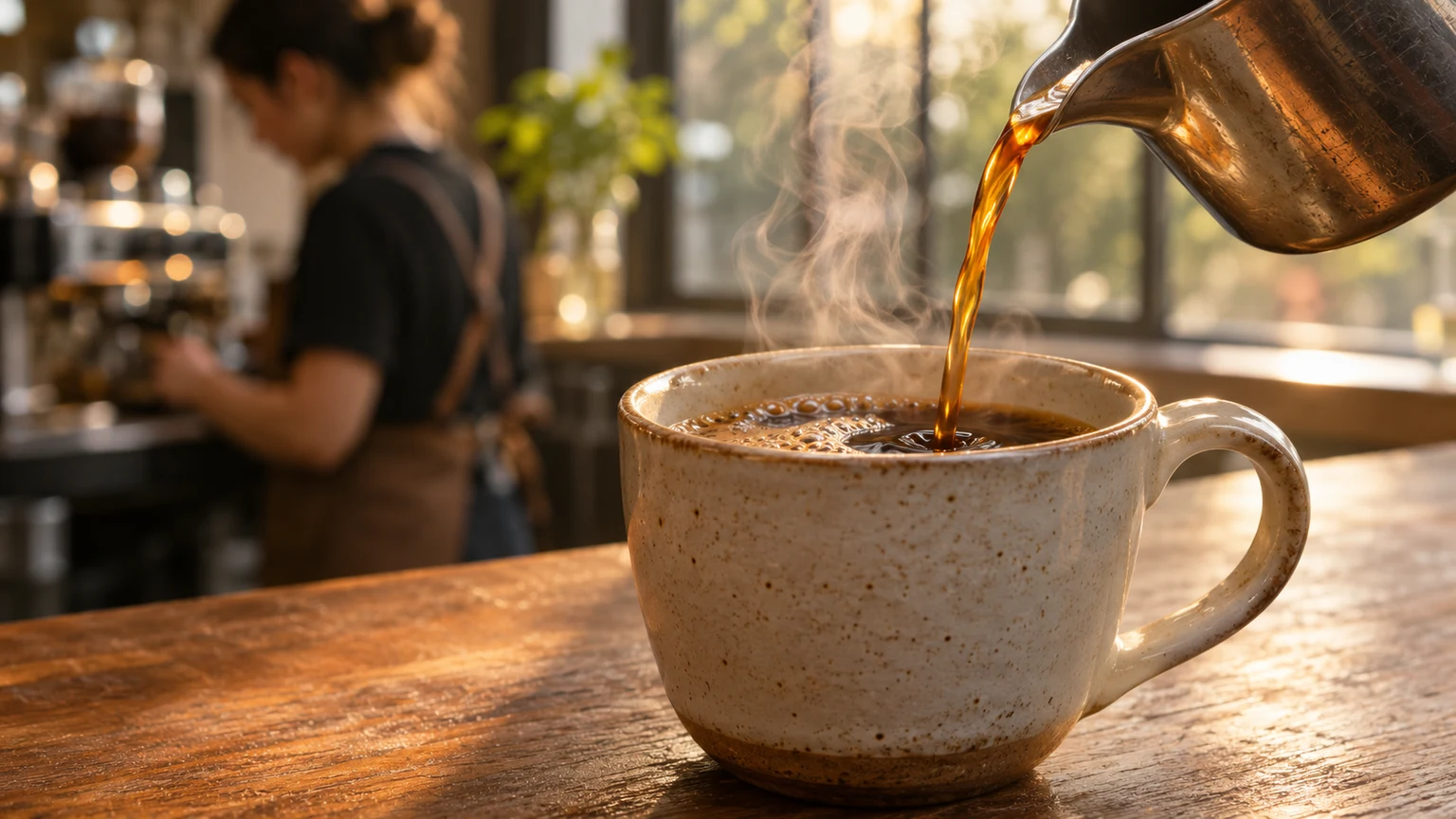
For an illustrative coffee sequence, request the pouring action alone. Start with a 5-second source clip, then trim the cleanest moment in the edit. The prompt below is a practice direction; the demo shows the kind of motion to look for.

Coffee preparation

Close-up of espresso flowing from a metal machine spout into a dark ceramic cup. Locked camera, realistic liquid and soft steam, gentle reflections on brushed steel. Keep the cup, handle and machine fixed. Cafe ambience only, no text or music.

Show the specific action the speaker describes.

Try this shot

Watch three kinds of supporting shot

Look for the object detail, the sense of place and the visible process. These clips become B-roll when you connect them to the main story.

Product close-up

A slow view around a bottle keeps its silhouette readable. Use a brief portion while describing the packaging.

Shot purpose

Reveal an object's material and shape without a presenter in frame.

B-roll example
Suggested prompt

One continuous close-up of an amber glass dropper bottle on a dark stone plinth. Slow camera arc, soft daylight, restrained water reflections. Keep the bottle shape, cap and plain label stable. No added text or music.
Try this shot

Coastal setting

The person gives the coastline scale. Keep the horizon steady and use the shot to establish a travel setting.

Shot purpose

Show the landscape surrounding the story.

B-roll example
Suggested prompt

A wide coastal B-roll shot at sunset, one adult in a yellow jacket seen from behind above the ocean. Gentle forward camera drift, breaking waves and sea mist, stable cliffs and horizon. Natural wind ambience, no speech or captions.

Try this shot

Coffee preparation

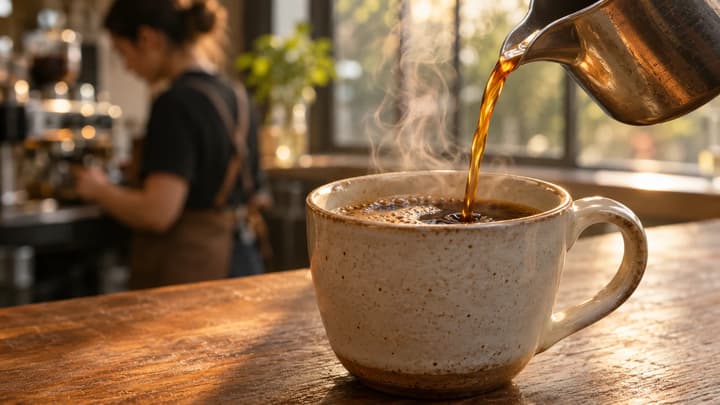
A close view of espresso entering a cup shows the process itself. Cut to it when narration mentions brewing.

Shot purpose

Show the specific action the speaker describes.

B-roll example
Suggested prompt

Close-up of espresso flowing from a metal machine spout into a dark ceramic cup. Locked camera, realistic liquid and soft steam, gentle reflections on brushed steel. Keep the cup, handle and machine fixed. Cafe ambience only, no text or music.

Try this shot

Check whether the insert earns its place

Watch once with sound and once without it. Change the specific weak element instead of generating unrelated alternatives.

The image does not explain the line
Replace the broad topic with the named object or action.
Can a viewer connect the picture to the sentence?
The shot feels rushed or artificial
Use one action, a steadier camera and a simpler prompt; trim unstable frames.
Do hands, liquid, wheels and object edges stay plausible through the chosen section?
The cut jumps or feels unrelated
Match direction, brightness and shot scale; try cutting on the action.
Does the viewer still know where to look?
The insert hides the story or competes with speech
Shorten it, lower its audio or stay on the main shot.
Can you hear the speaker and see the reaction that matters?
B-roll questions

B-roll questions

Is B-roll always silent?

No. It may have useful ambience or other sound. In an interview edit, keep the main speech intelligible and lower or mute the supporting clip as needed.

How much B-roll should a video have?

There is no fixed percentage. Add it when it supplies information or makes a cut clearer. Stay on the primary picture for important expressions and actions.

Are stock footage and AI footage the same as B-roll?

Stock and AI describe how footage is sourced. B-roll describes its role in the edit. Either can be B-roll, but real claims may need authentic footage of the subject rather than an illustration.

Create a B-roll clip in three steps

Generate a supporting video shot from a prompt and optional images. Choose your model, duration and frame, then download the clip for your edit.