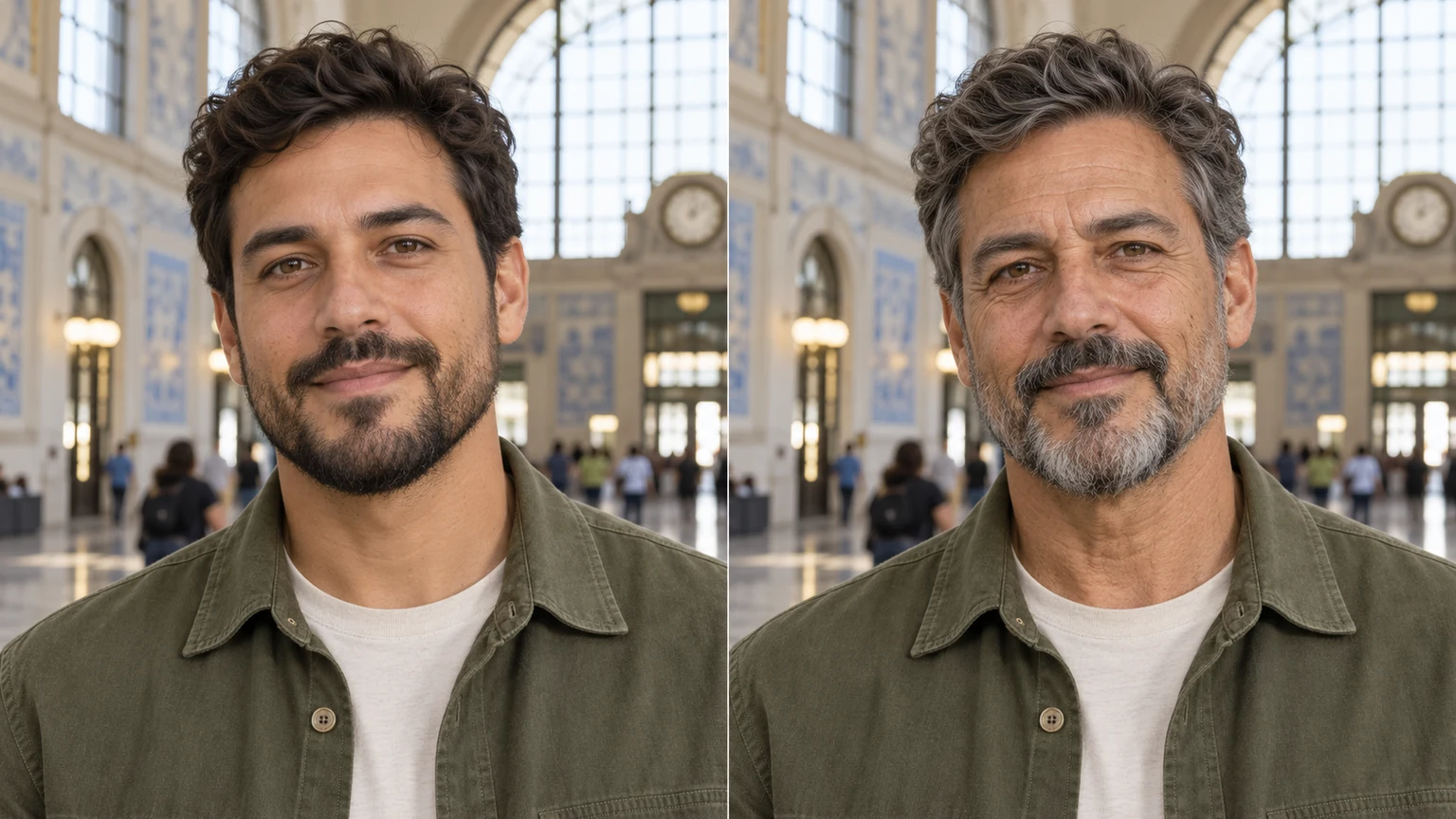
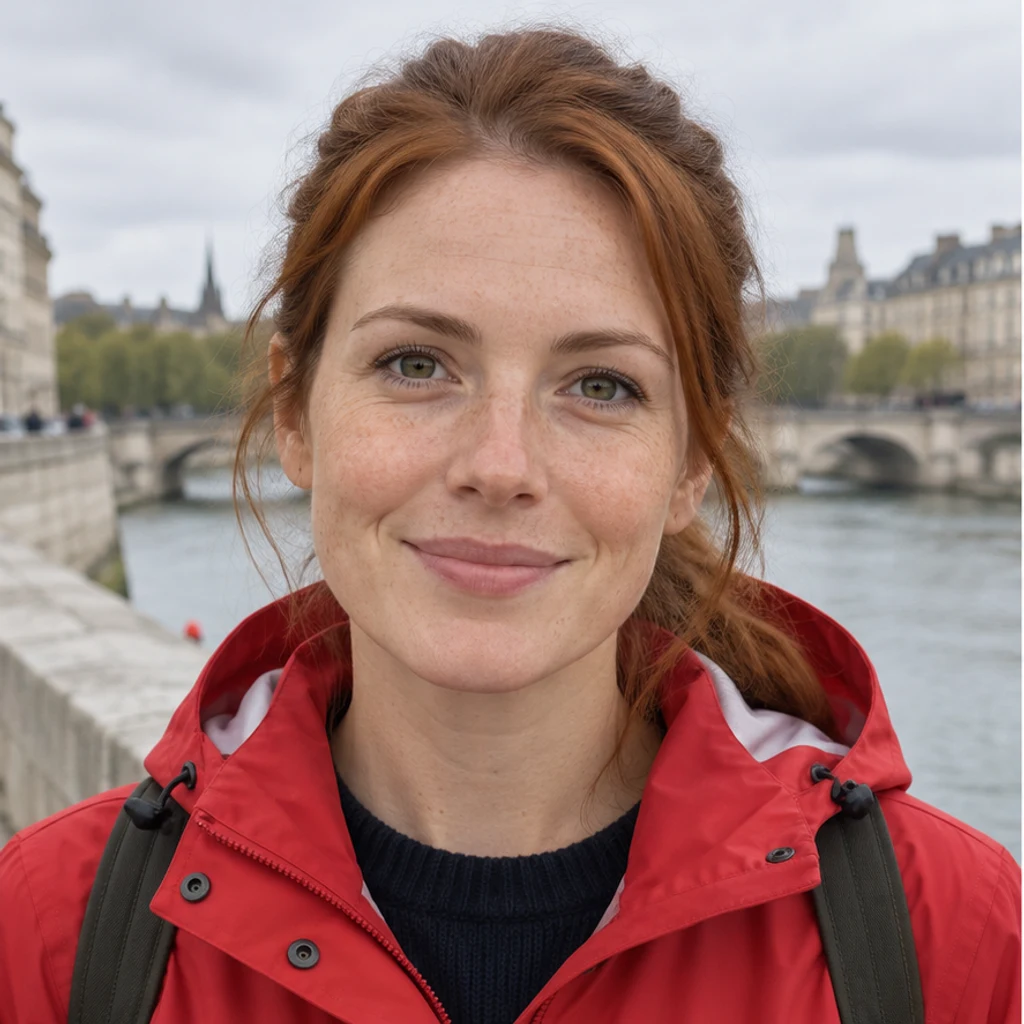
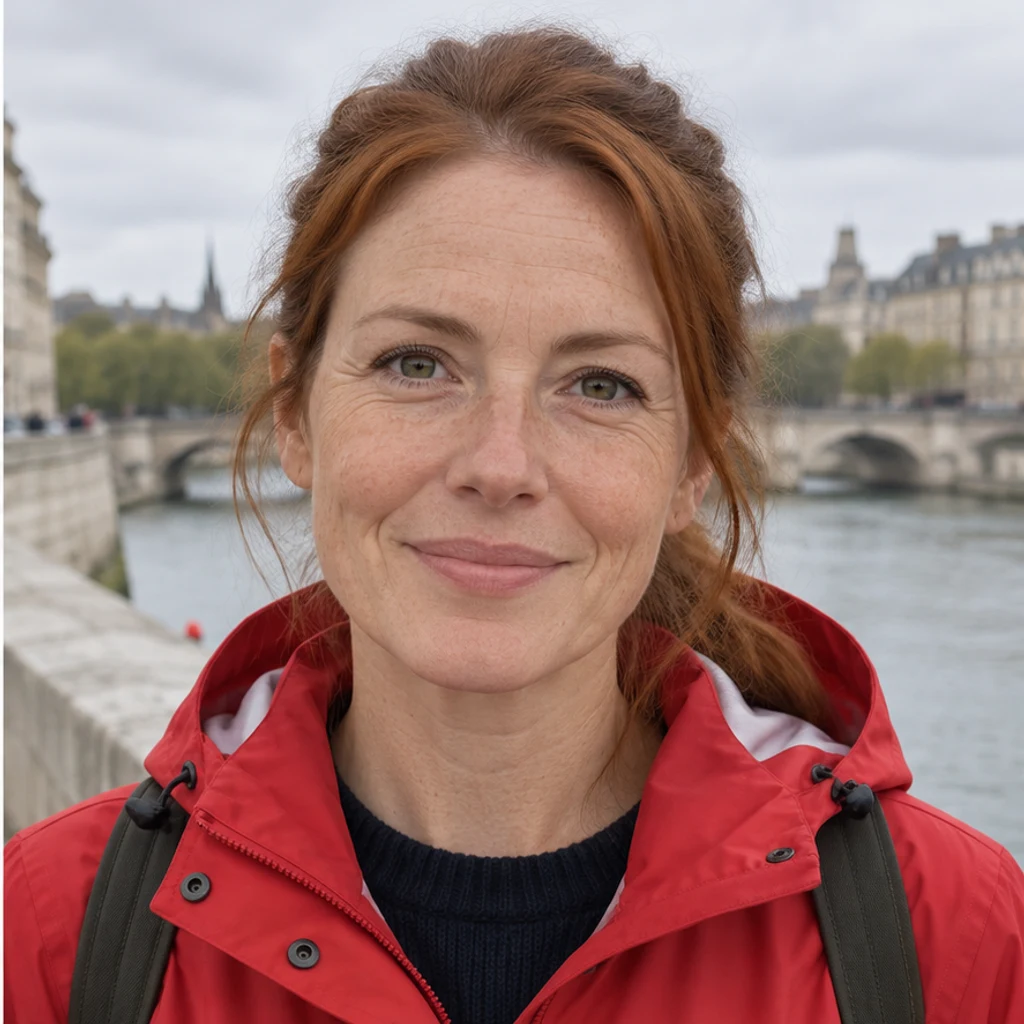
Ten-year direction · river quay
Try this photoMake the main woman look about 10 years older, with subtle natural lines. Keep her auburn ponytail, freckles, red raincoat and expression.
Explore how you might look older in a photo. Prepare a clear portrait, compare 10- or 20-year directions, and check identity, expression and skin detail. An older-looking image is a generated interpretation, not a prediction of your real future face or a measurement of age. Genetics, health, sun exposure and other life changes cannot be determined from one portrait.
LumiYingUpdated
Start with one clear adult portrait and keep it as the original for every comparison. Try a modest older appearance first, then describe an additional 10 or 20 years if useful. Compare the face before you judge the wrinkles: a convincing edit should still look like the same person, with the same expression and surroundings.
Use one JPEG, PNG or WebP up to 30 MB. Show the whole face in even light, with a natural expression; avoid heavy filters, blur and large obstructions.
A Person photo alone creates a moderately older appearance. Use Edit instructions for an additional 10 or 20 years, an older adult direction, gray hair or one person in a group. No template or second photo is needed.
Review the displayed credits and generate one image. Check identity, expression, skin texture and non-target details. Re-edit restores your inputs. An example only fills the form and does not generate or use credits.
An older-looking image is a generated interpretation, not a prediction of your real future face or a measurement of age. Genetics, health, sun exposure and other life changes cannot be determined from one portrait. Compare eye spacing, nose, jaw and facial proportions before looking at the wrinkles. Check whether the same smile, mouth opening and eye direction remain. Look for coherent age texture rather than carved lines, a new skin tone or an unrequested haircut. Compare everyone else, glasses, clothing, light and background.
AI age progression adds an older appearance to a person in a photo. It can explore facial lines and age-related skin detail while keeping the original person and scene. These AI-generated illustrations show four editing situations.
Explore older appearances with these AI-generated illustrations. Choose an example to load its photo and editing instructions.
Make the main woman look about 10 years older, with subtle natural lines. Keep her auburn ponytail, freckles, red raincoat and expression.
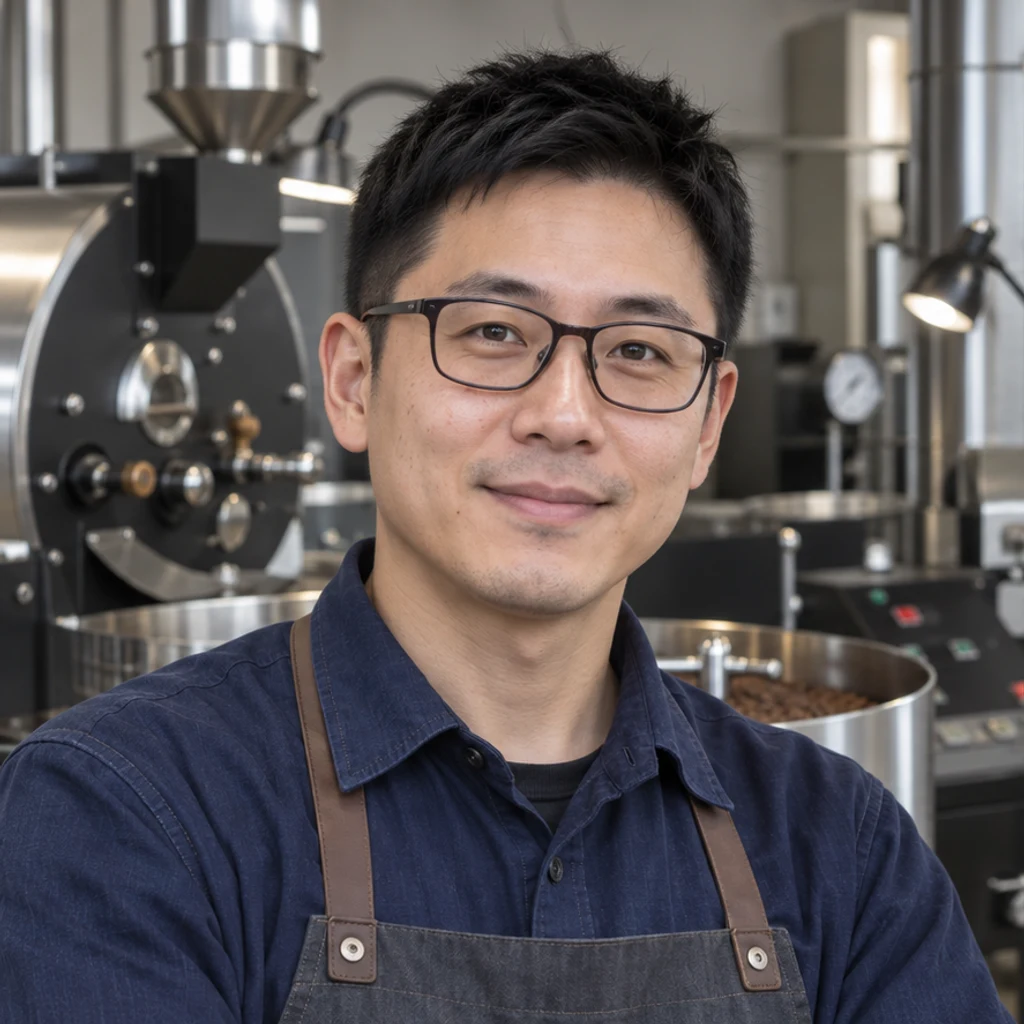
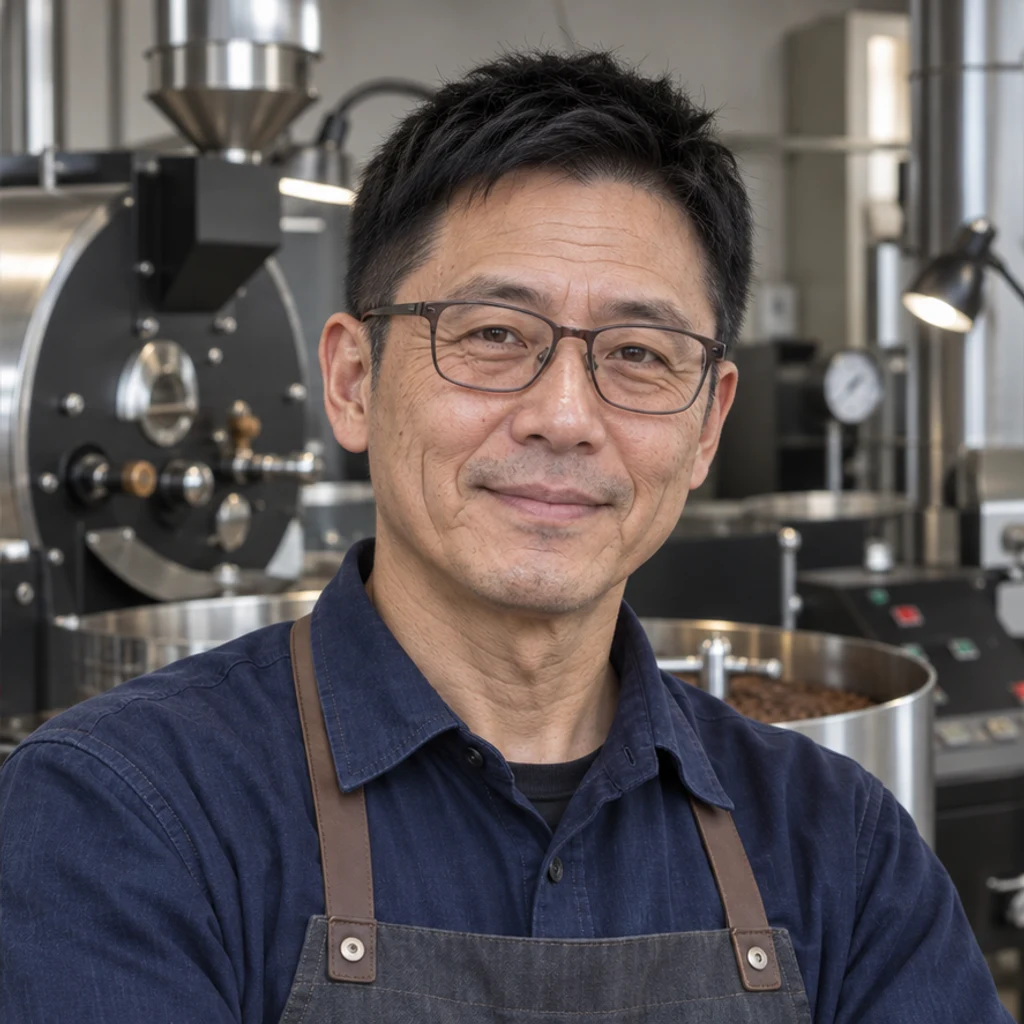
Make the man look about 20 years older. Preserve his cropped black hair, facial proportions, indigo shirt and coffee-roasting studio.
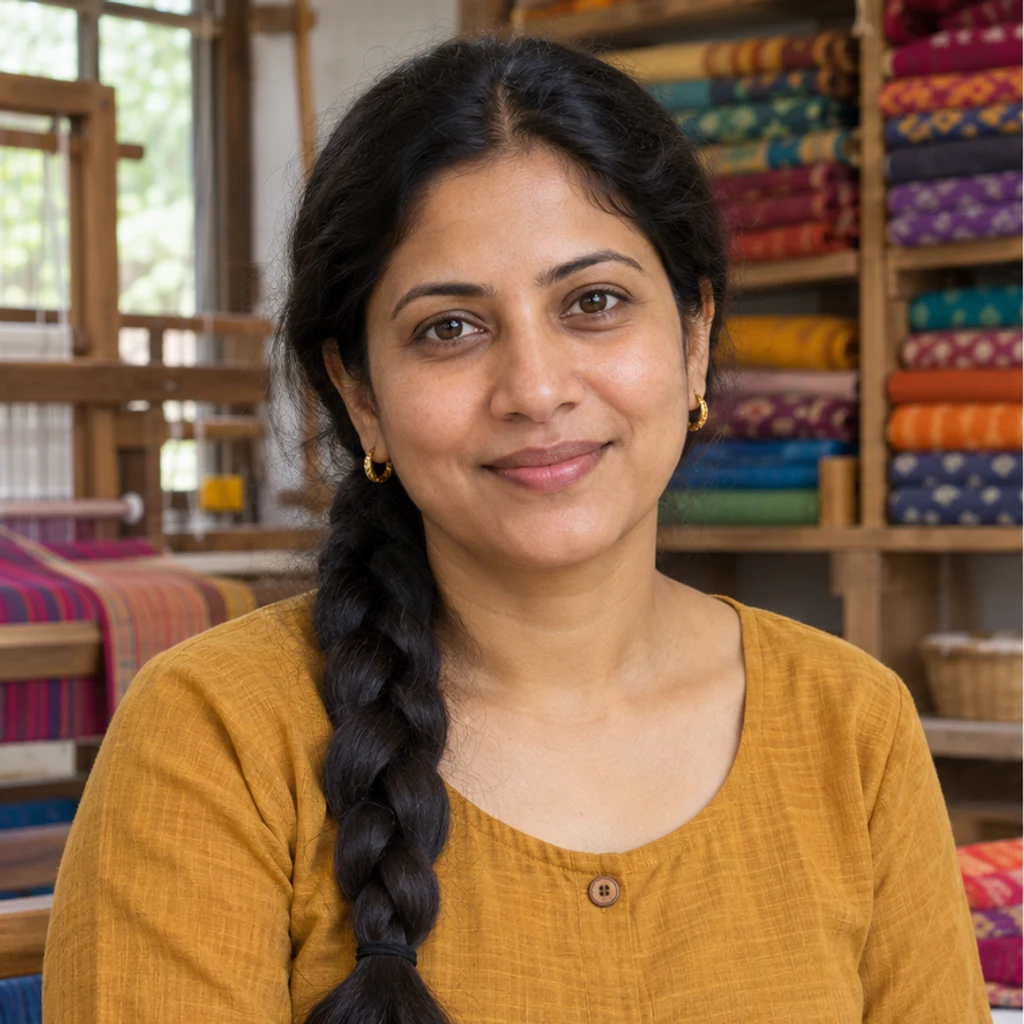
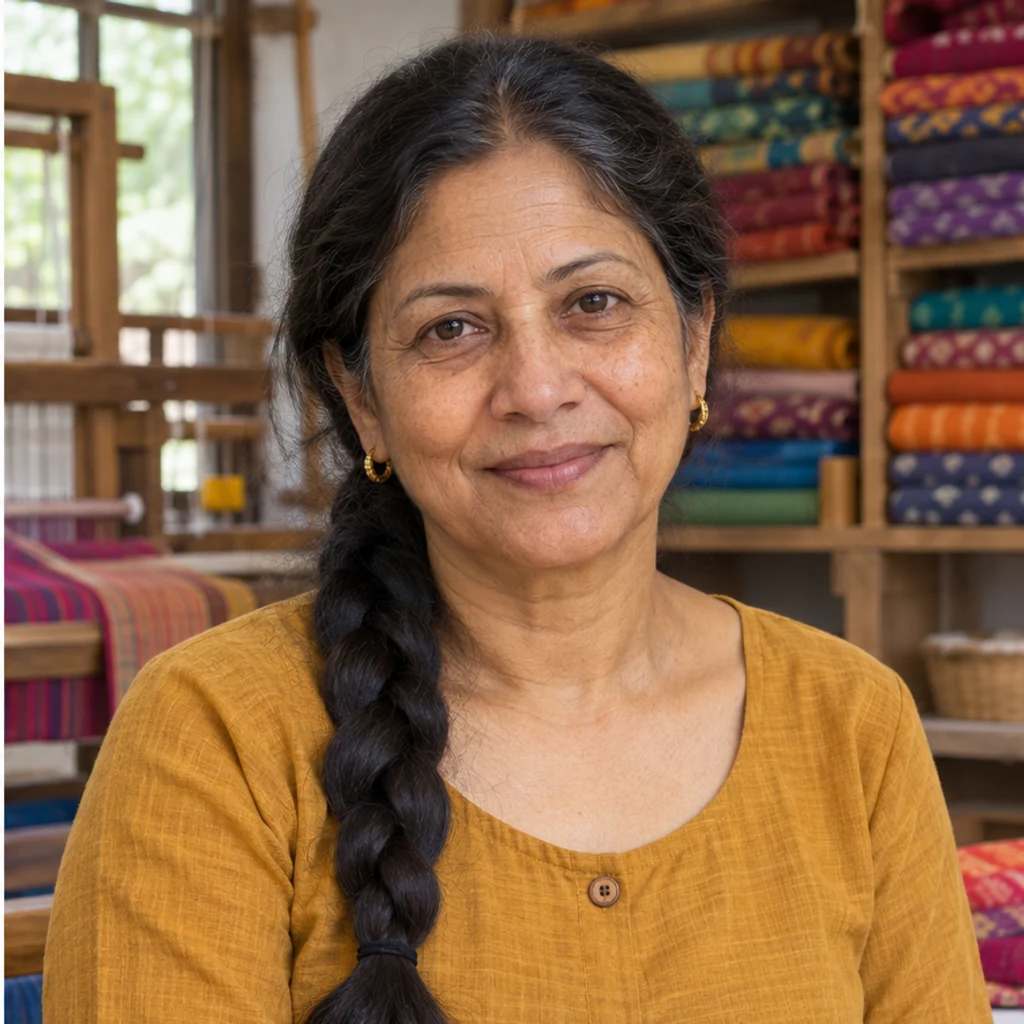
Explore an older adult appearance around the sixties for the woman. Keep her dark braid, ochre blouse, identity and workshop.
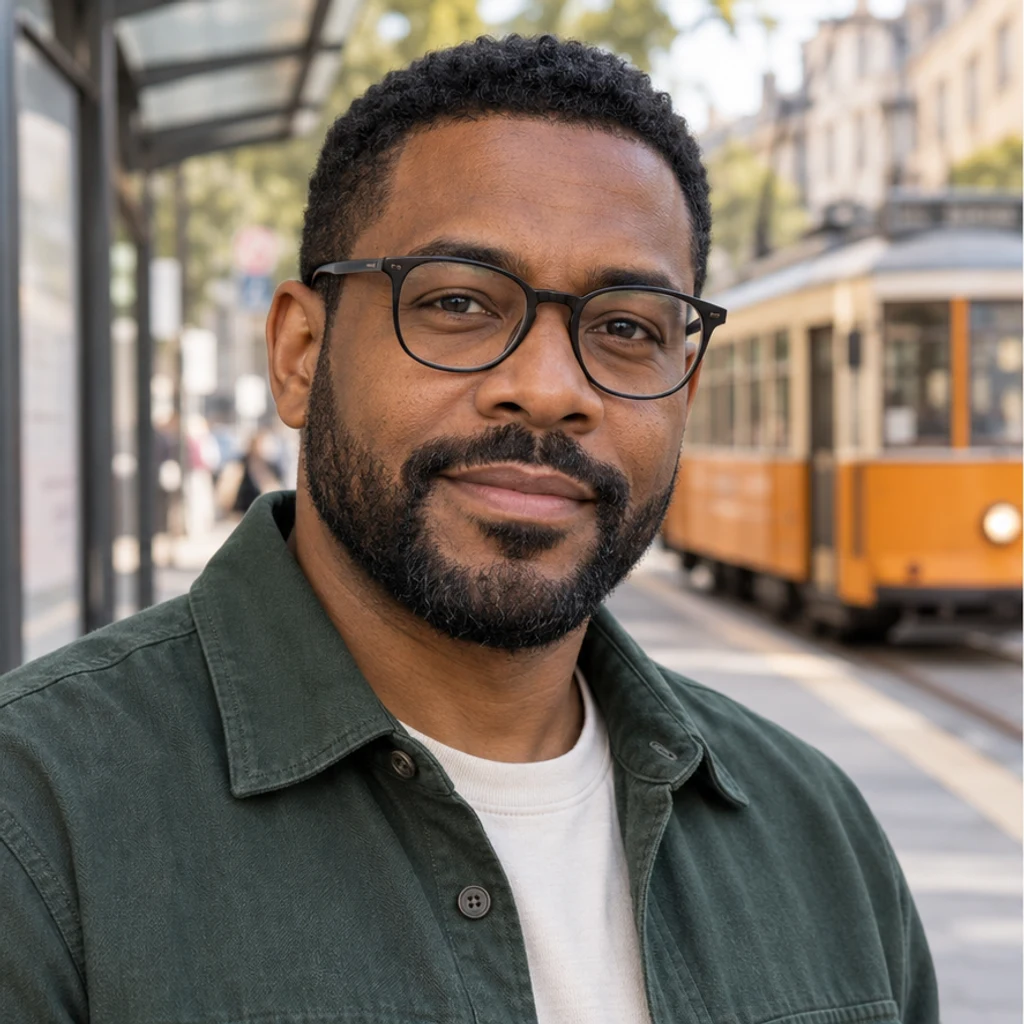
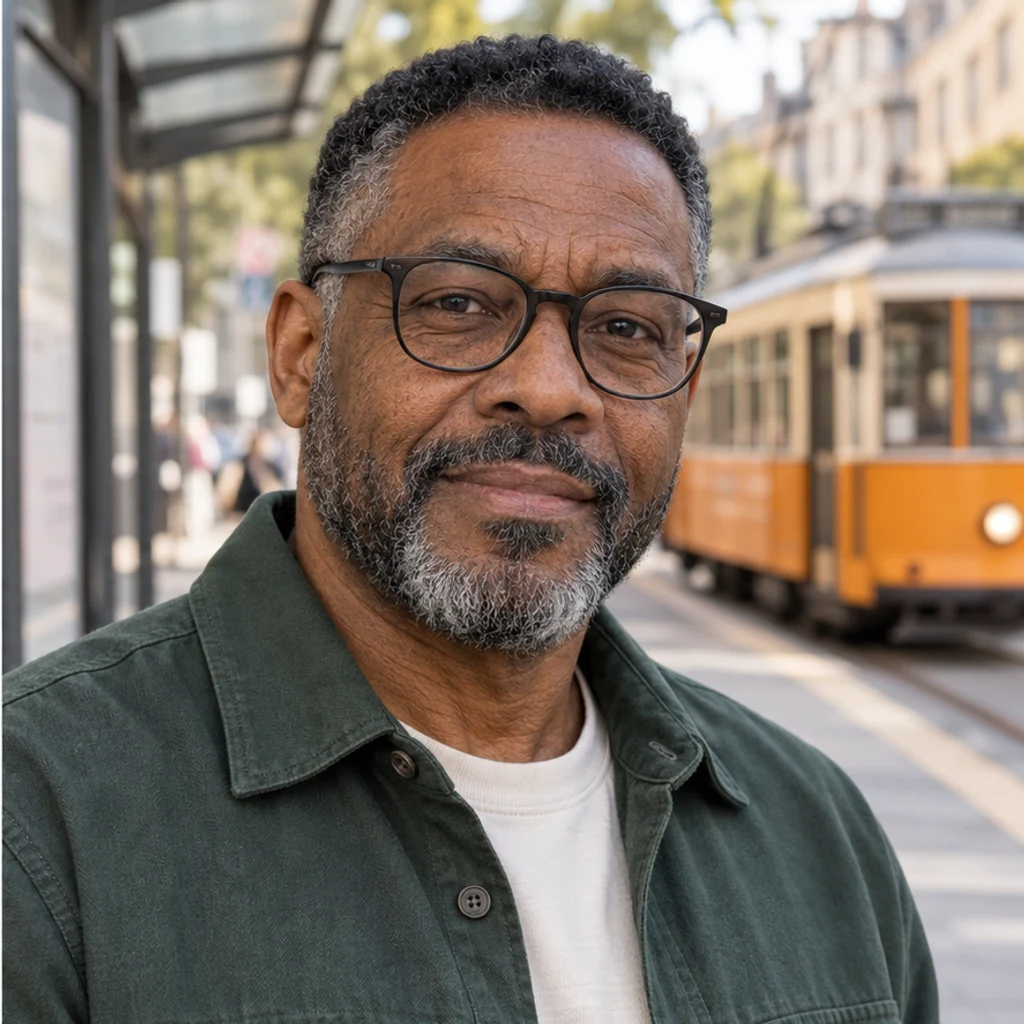
Show an older appearance around the seventies for the man, with subtle salt-and-pepper temples and beard. Keep the same haircut, beard shape and green overshirt.
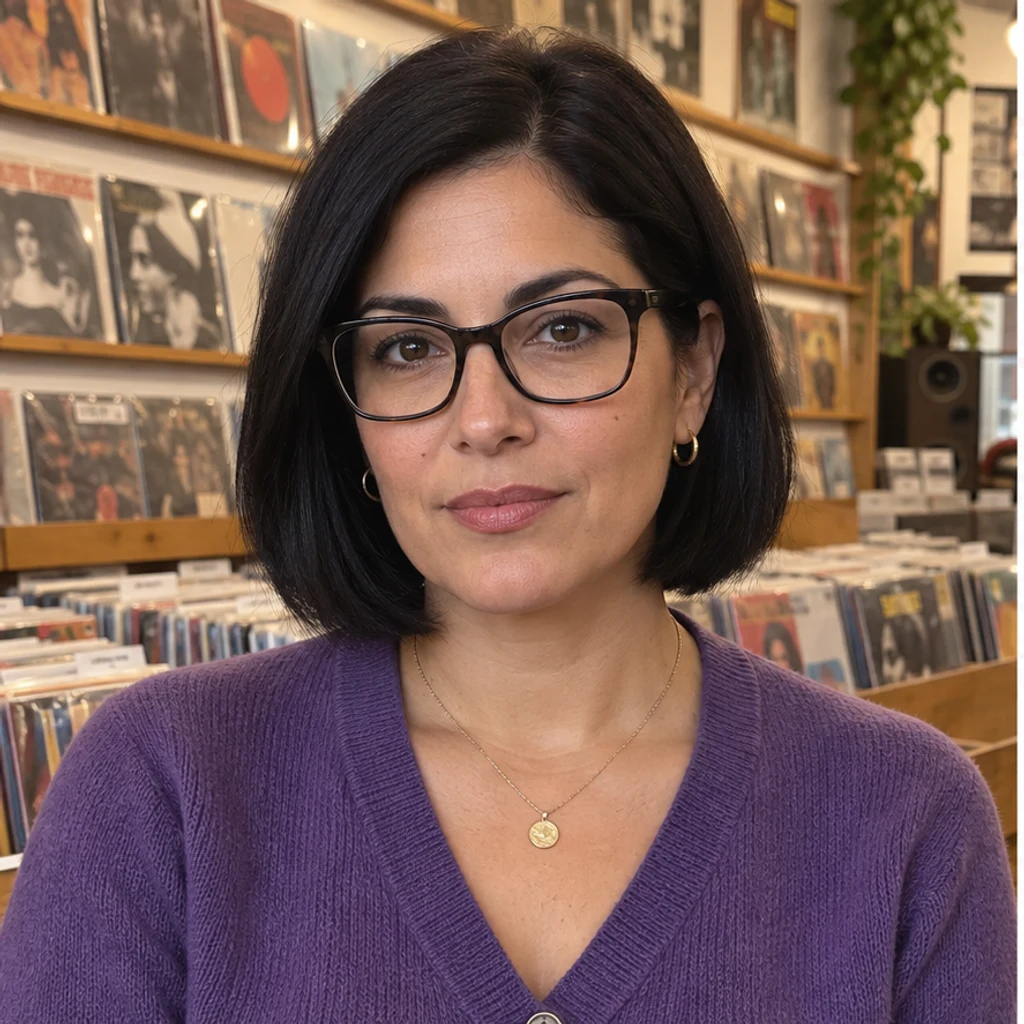
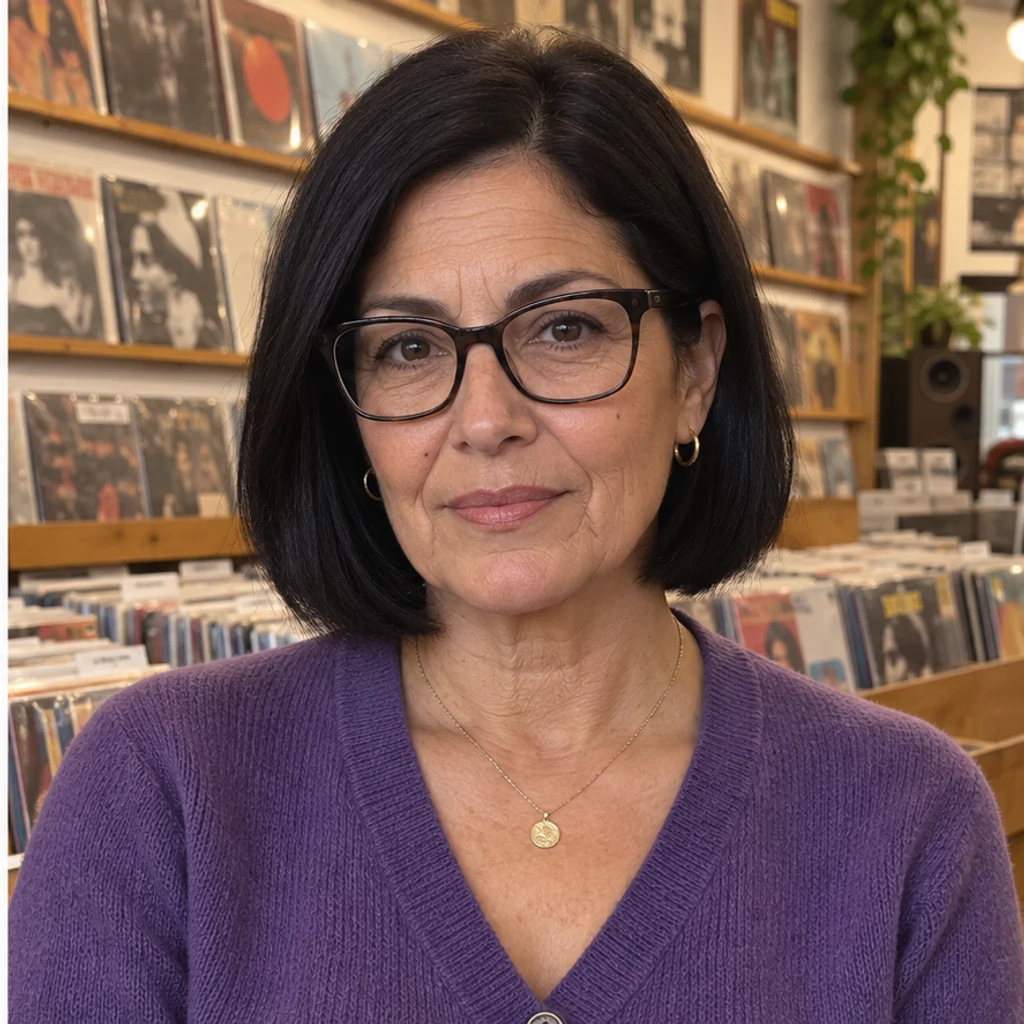
Make the woman look older, around the sixties, while keeping her identical black bob, violet cardigan, expression and record shop. Do not add gray hair.
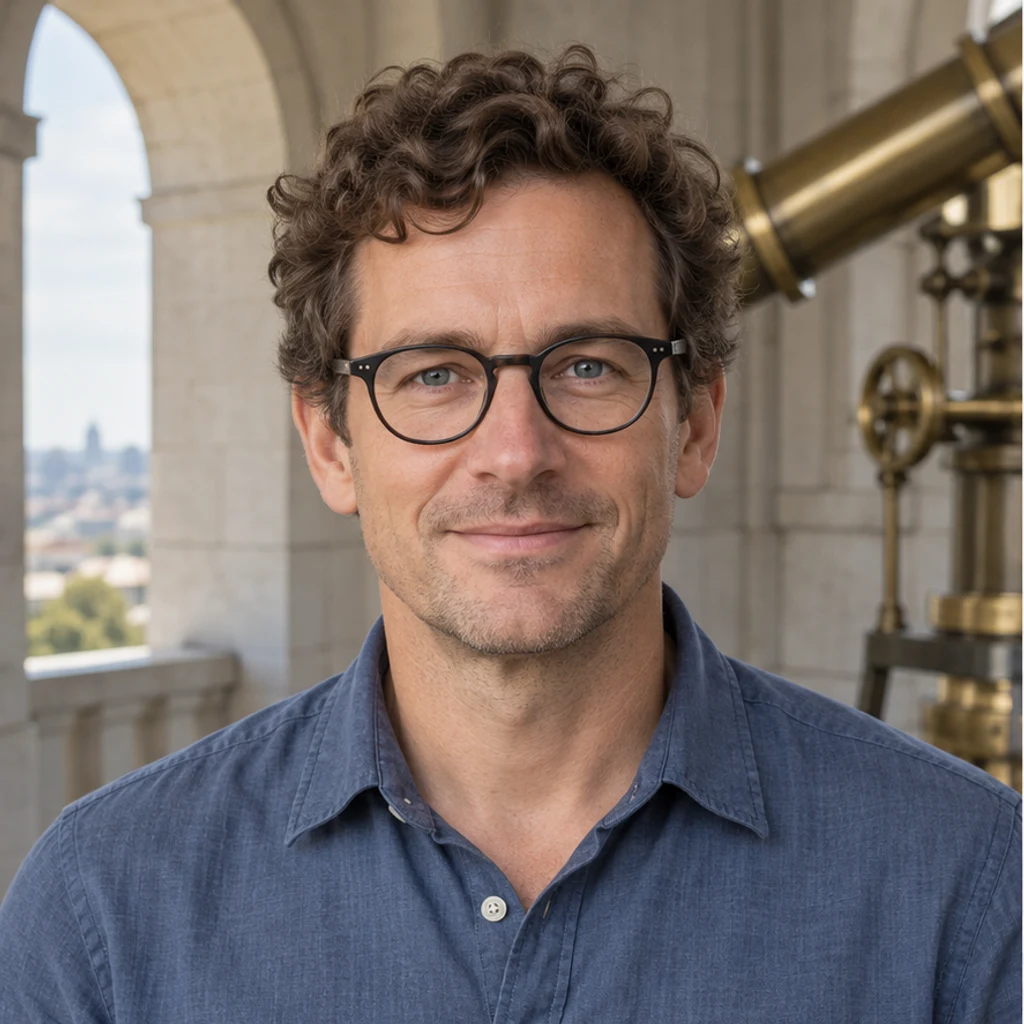
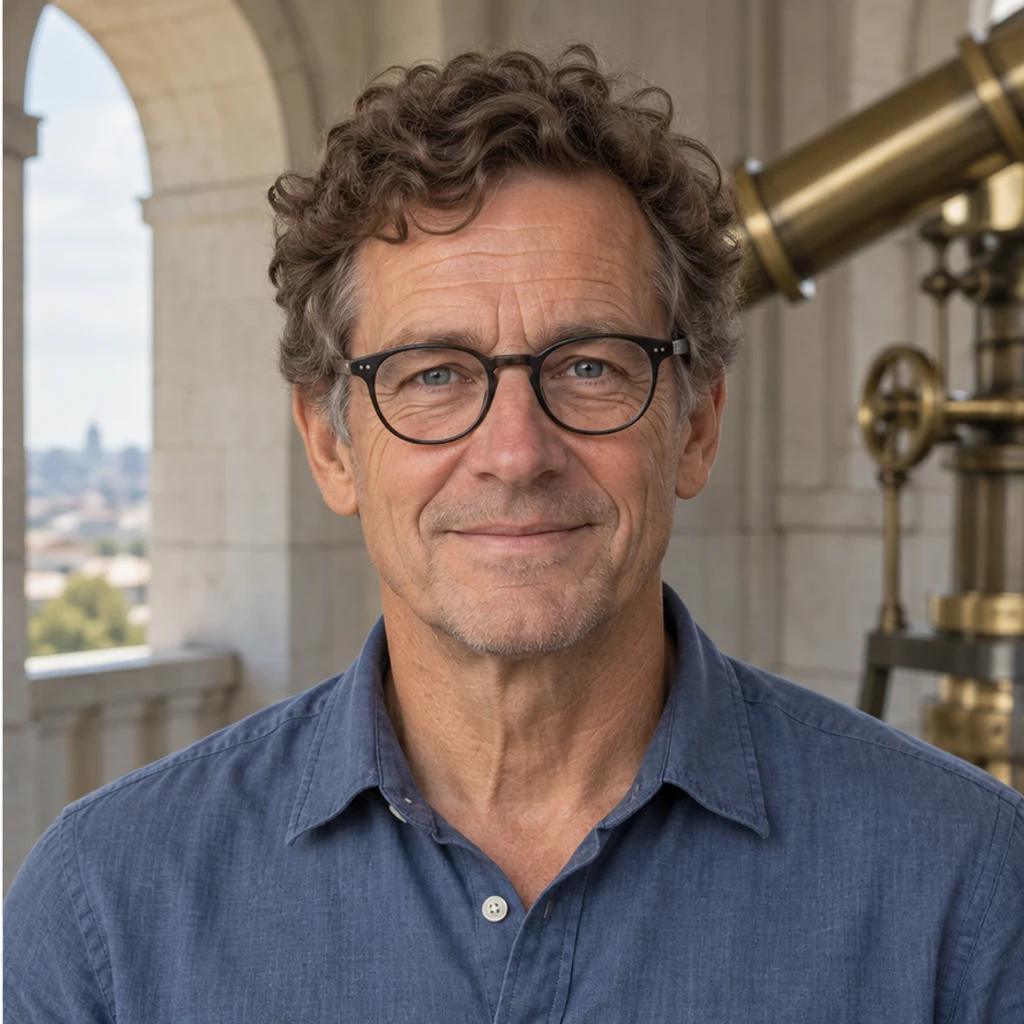
Make the man look older, around the sixties. Keep his exact round black glasses, curly brown hair, eyes, expression and slate-blue shirt.
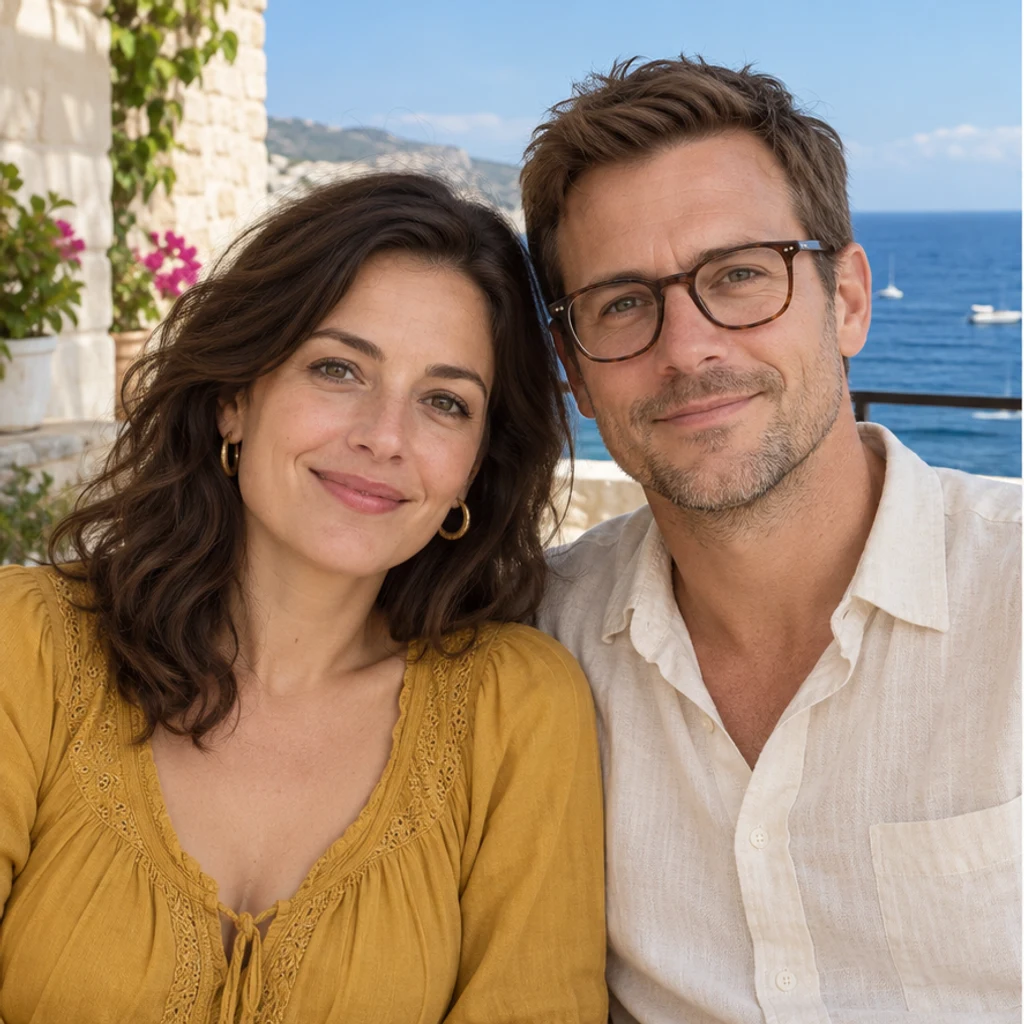
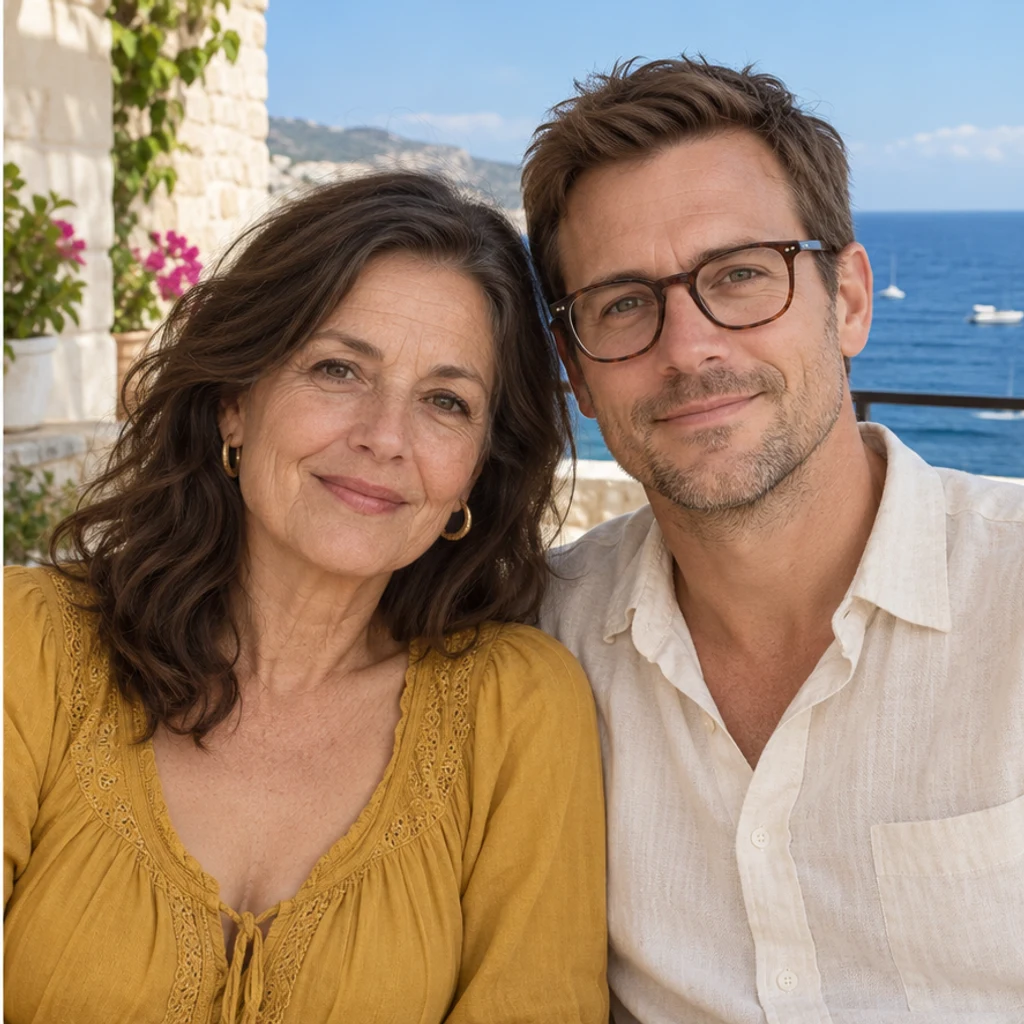
Make only the woman on the left look about 25 years older. Keep her hair and mustard blouse; the man on the right and the terrace must remain unchanged.
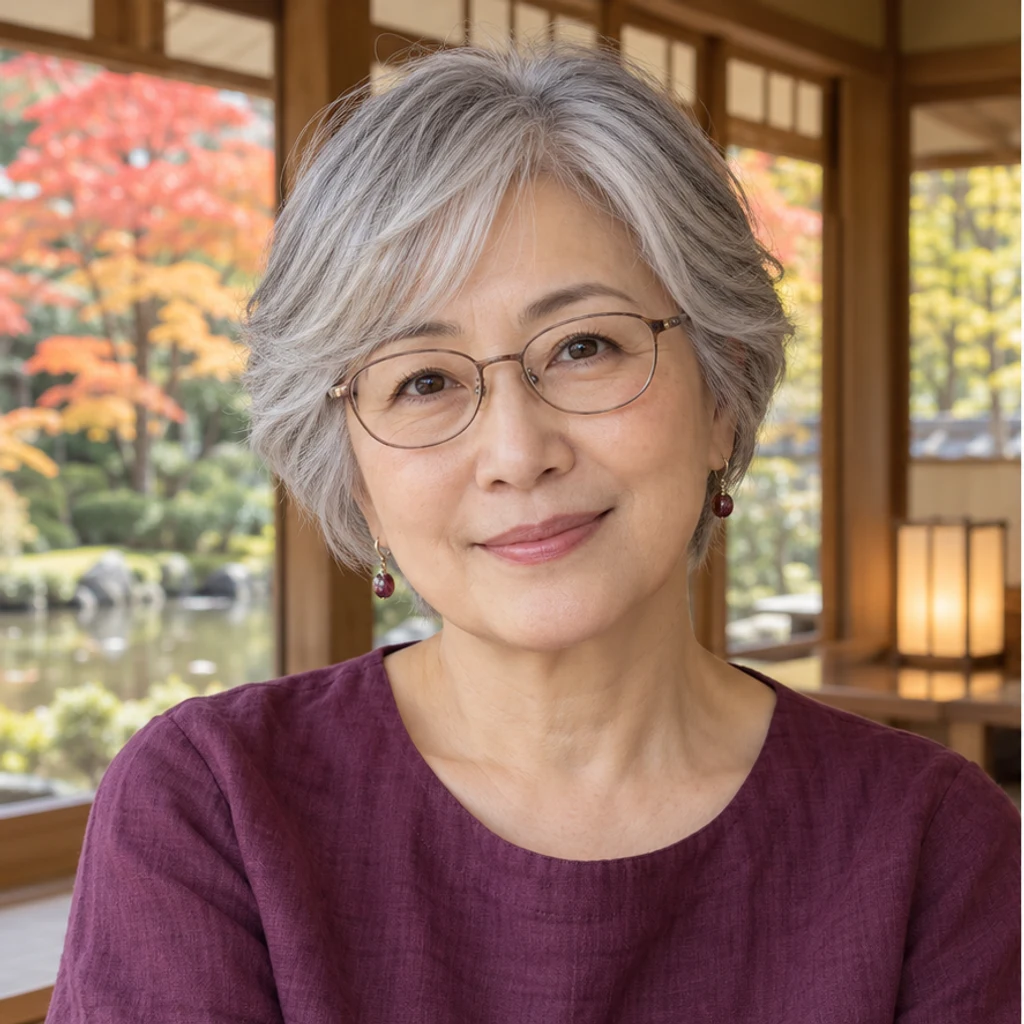
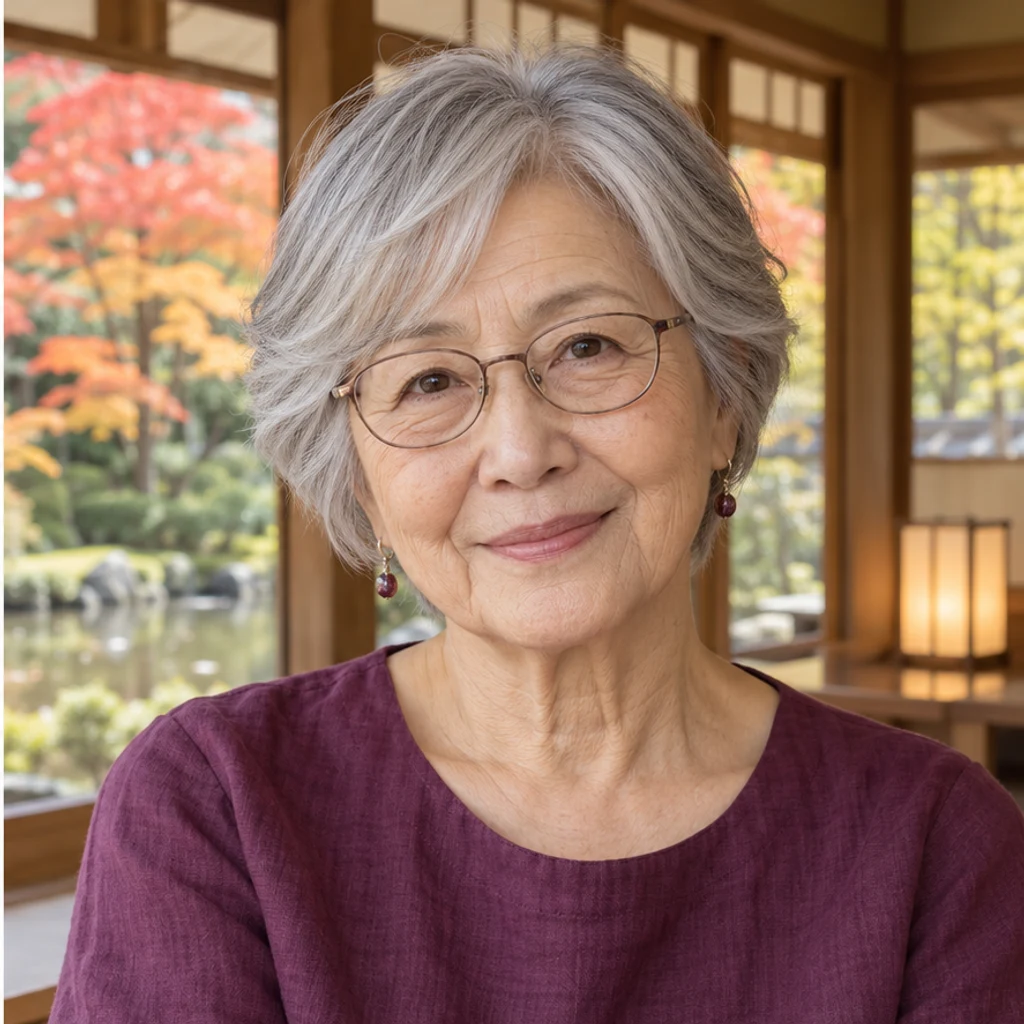
Add a modest later-life appearance to the older woman. Preserve her silver hairstyle, calm smile, upright pose, plum blouse and tea house. Avoid exaggerated wrinkles.
An older-looking image is a generated interpretation, not a prediction of your real future face or a measurement of age. Genetics, health, sun exposure and other life changes cannot be determined from one portrait.
A photo edit can explore a possible older appearance. Upload a clear portrait and compare facial structure, expression and age detail. No single image can tell you what your real future face will be.
No. One Person photo is enough for a moderately older appearance. Edit instructions are optional. There is no age selector, template or second reference image.
Yes. Write the direction in Edit instructions and start each attempt from the same original. Numbers are visual guidance, not a measured current age or an accurate timeline.
The default instruction preserves hairstyle, length, hairline, density, original hair color and beard. Ask explicitly for gray hair if wanted. Review the result for unintended changes.
It generates plausible visual age cues from a photo. It cannot establish future genetics, lifestyle, health or real facial changes, so it is not a reliable prediction or age-verification method.
Yes. The default targets one prominent person. Identify someone by position or clothing in Edit instructions; everyone else should stay unchanged. A single clear portrait is easier to review.
Use a modest further progression rather than a younger target age. If the face is not clearly usable, choose a clearer original instead of relying on invented detail.
Generation requires a LumiYing account and the credits shown before Generate. Loading an example does not generate or use credits. Check pricing for current plans.
Explore an older-looking version of your photo with AI age progression. Keep your identity, expression and hairstyle, or describe an age direction in Edit instructions.
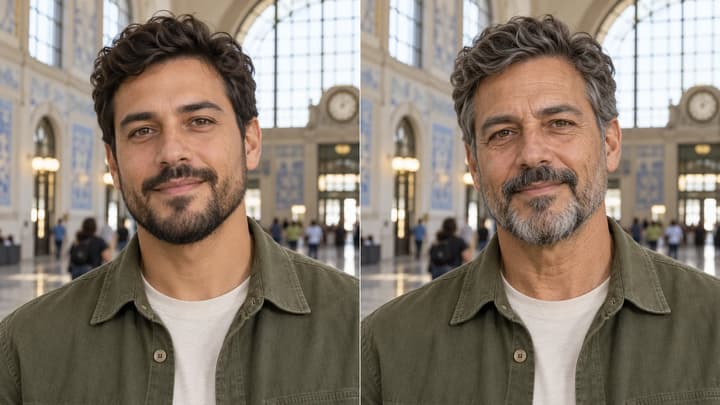
Explore an older-looking version of your photo with AI age progression. Keep your identity, expression and hairstyle, or describe an age direction in Edit instructions.
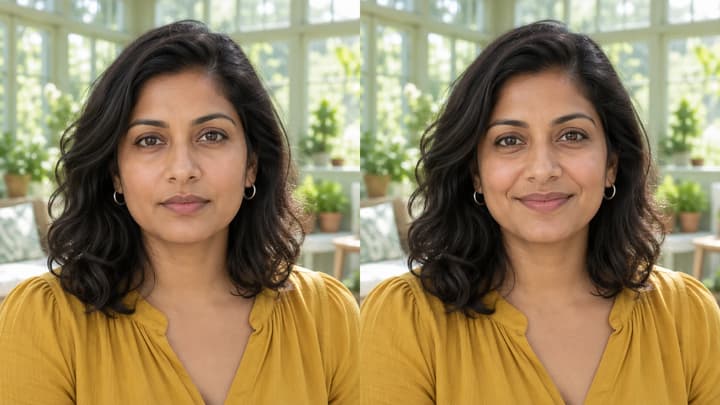
Edit facial expressions with AI. Choose a smile, reaction template or your own expression reference, then generate and review your portrait or character image.
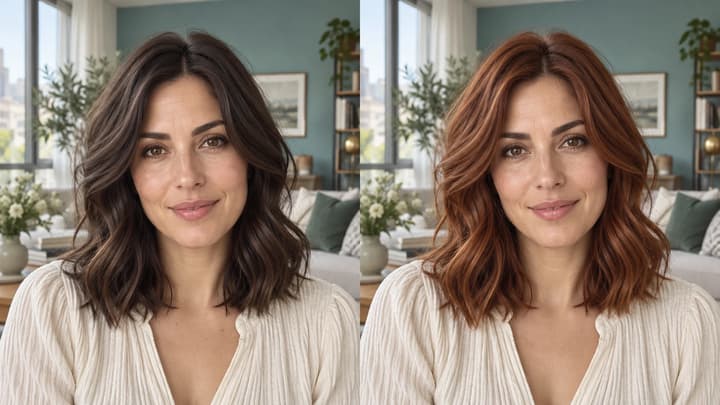
Change hair color in a photo with AI. Use a color template, upload a reference or describe your color in words, then compare and download the result.

Upload an image, describe the edit, and create polished visuals for products, social posts, posters, or keyframes.

Review credits and plans before generating.
Explore an older-looking version of your photo with AI age progression. Keep your identity, expression and hairstyle, or describe an age direction in Edit instructions.