Ghost Mannequin AI

Give a garment photo the shape of an invisible model. Upload a flat lay, hanger photo or mannequin shot, then describe the hollow neckline, natural volume and background you want.

From a clothing photo to an invisible mannequin

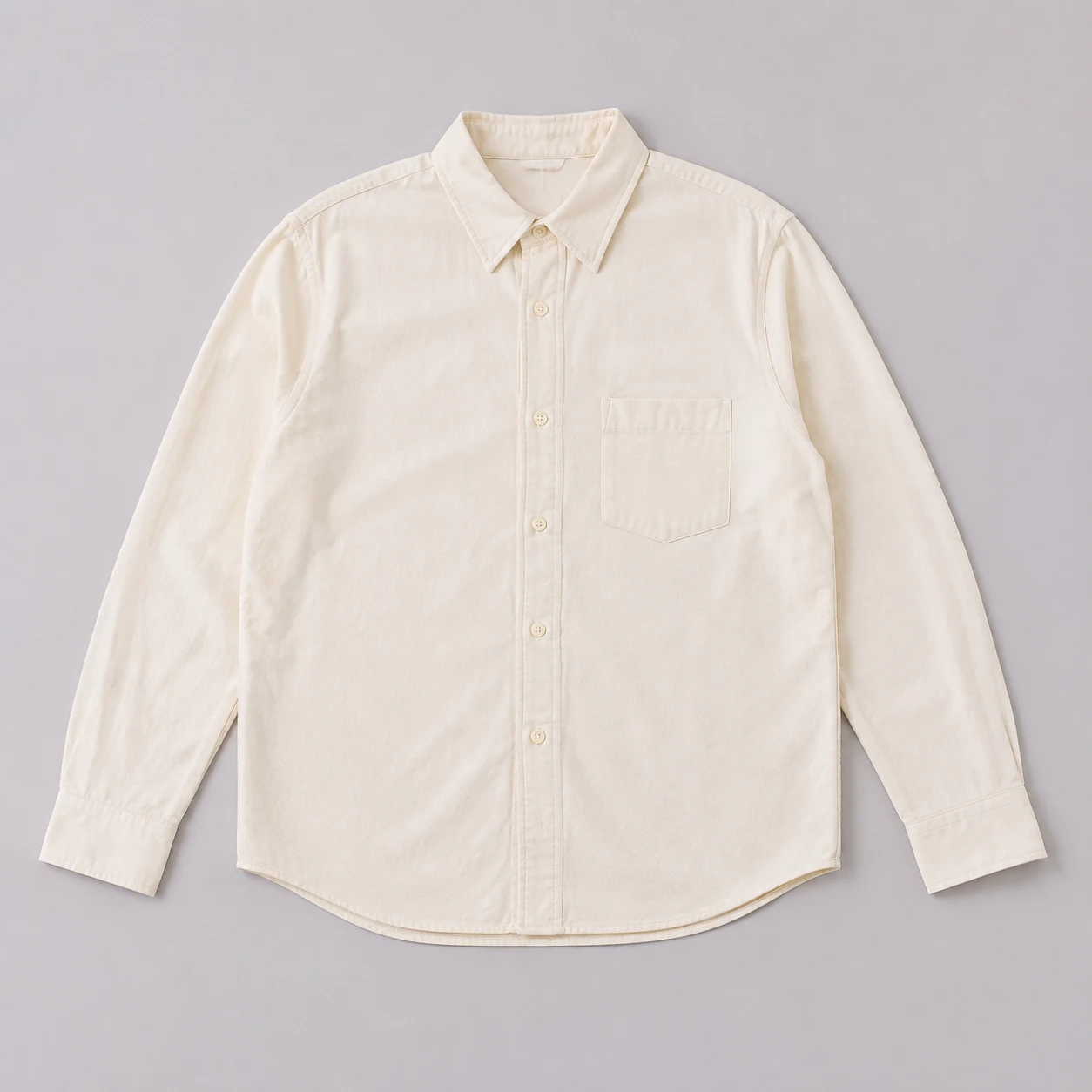
Flat lay

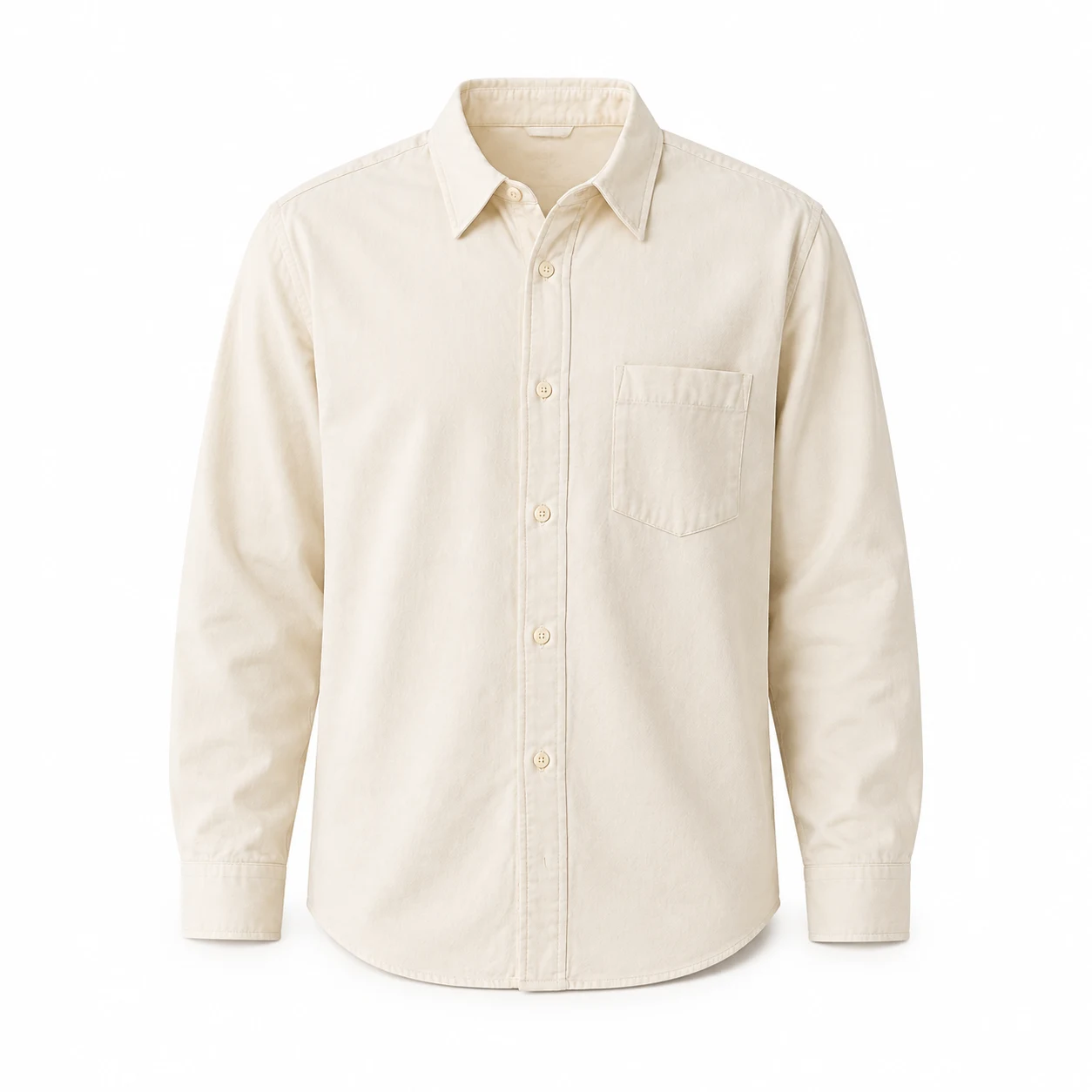
Give a shirt a hollow collar

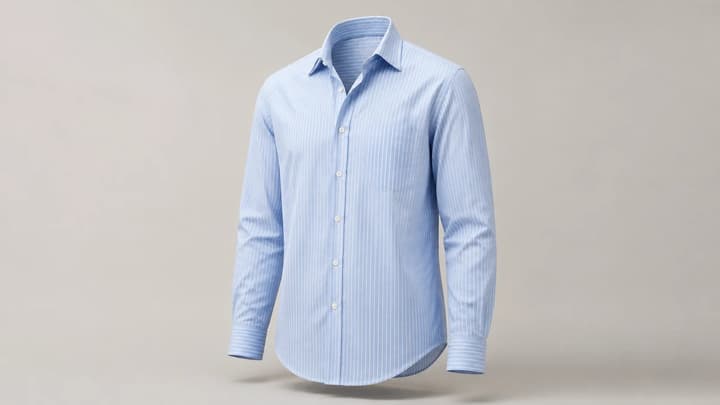
A flat shirt can become a front-facing product image with rounded shoulders and depth inside the neckline. Keep the original placket, pocket and cuff shape in your prompt.

Hanger photo

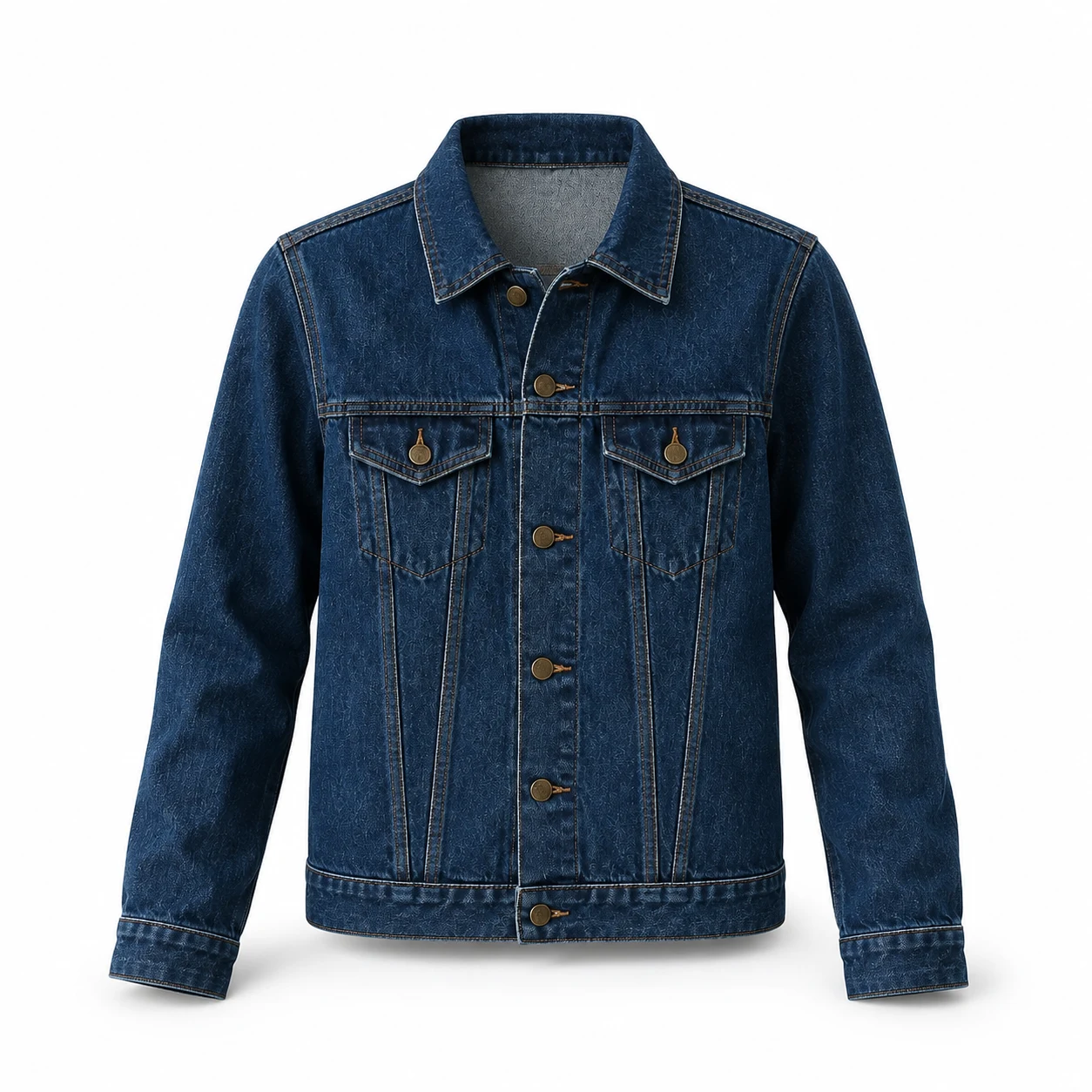
Remove the hanger, keep the jacket

Ask for an empty neckline and natural chest volume. With denim, compare the pocket flaps, button positions and seam lines carefully against the source.

Dress form

Show the dress without the support

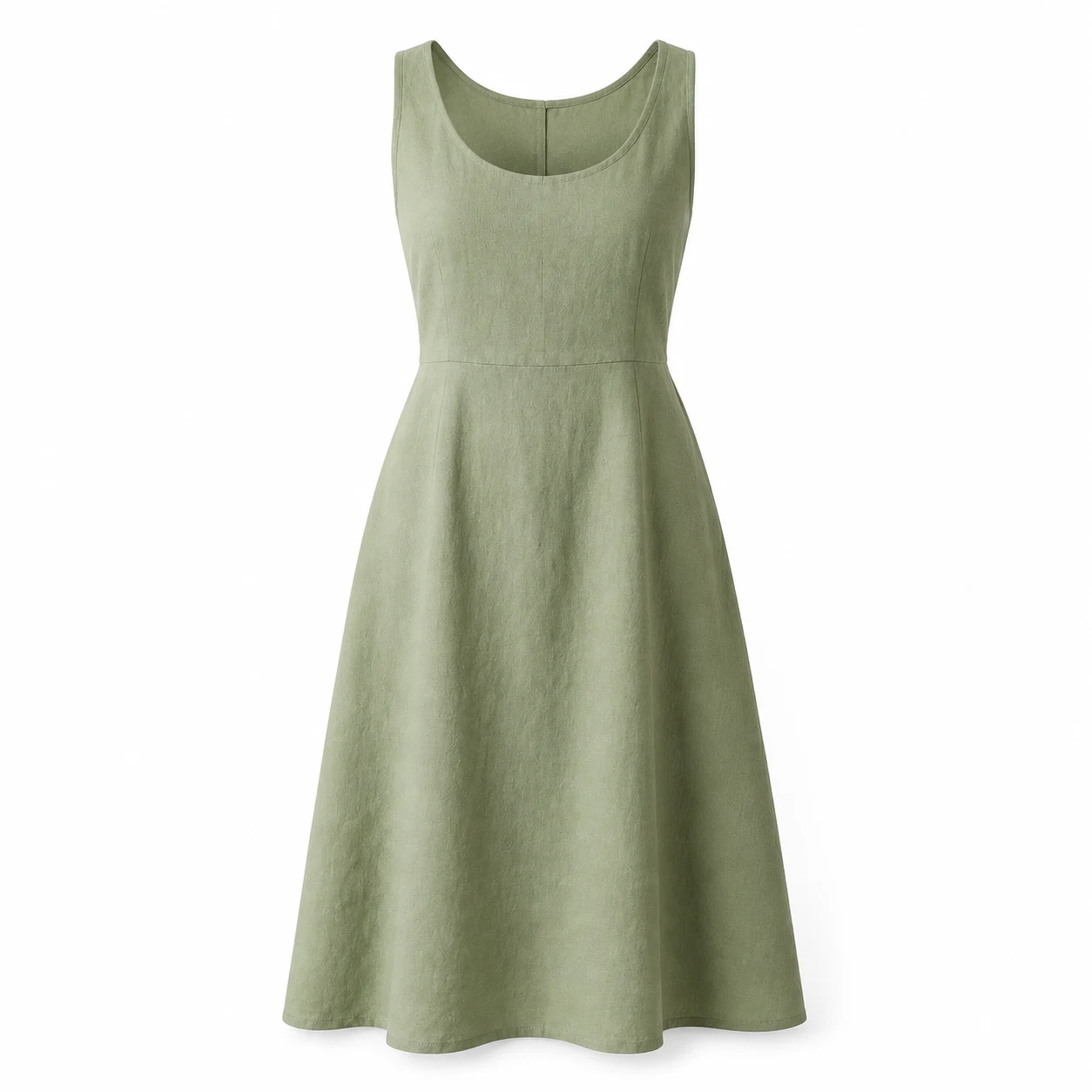
Remove the visible form and stand while keeping the scoop neckline, straps, waist seam and hem. Request gentle fabric drape instead of a new body shape.

Ghost mannequin examples: shirt, jacket and dress

Compare three AI-created source images and reference-based edits. Try a prompt with its source image, or adapt it for your own garment.

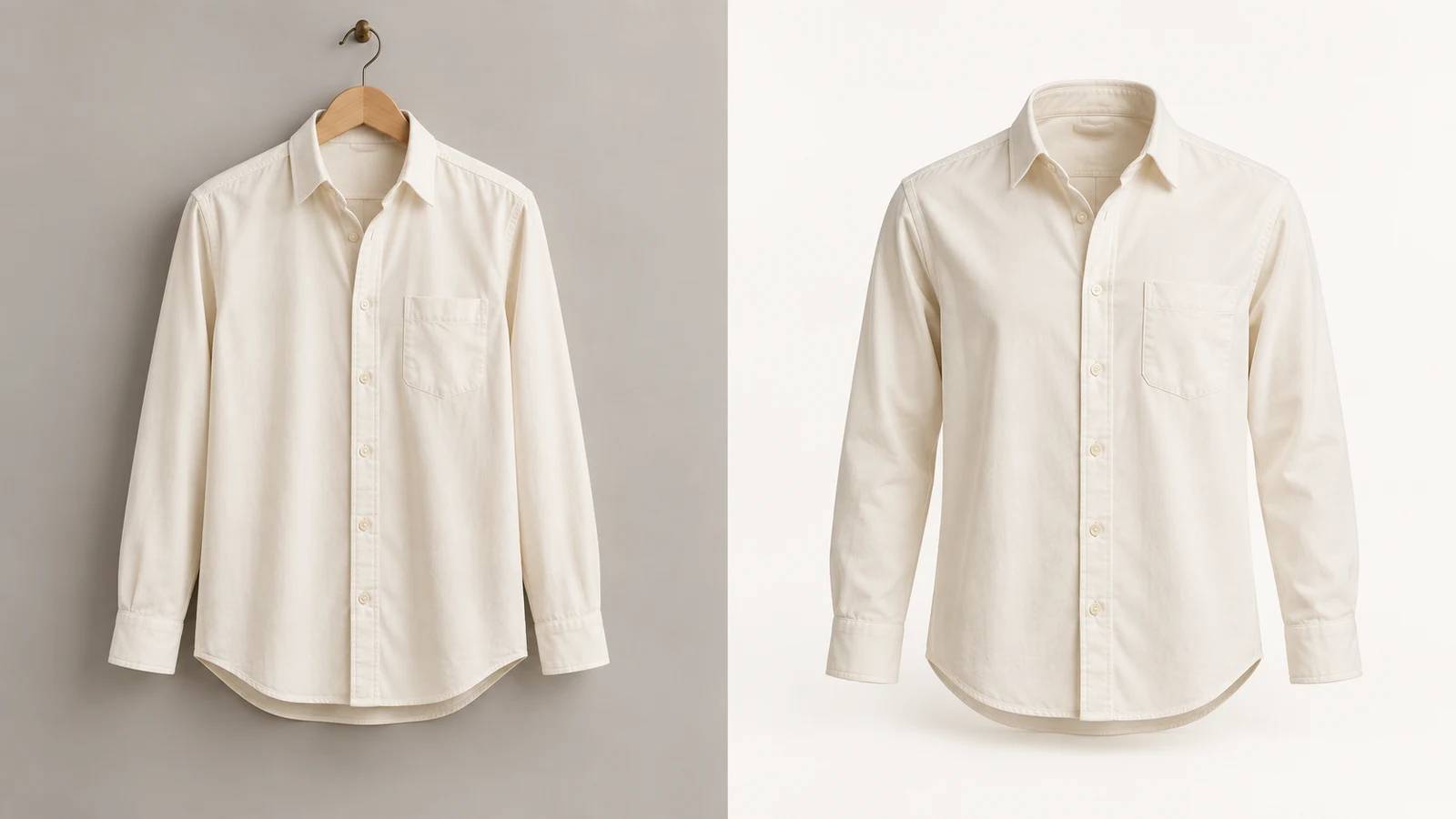
Ivory button-up shirt laid flat on a gray background
Source photo
Ivory shirt with a hollow collar and rounded shoulders on white
Ghost mannequin

Flat-lay shirt

Try this example
Prompt

Edit the referenced shirt product photograph into a photorealistic ghost mannequin ecommerce photo of this exact garment. Preserve its original color, fabric, cut, seams, pockets, buttons and proportions. Remove the flat-lay appearance. Give the garment natural hollow three-dimensional volume as if worn by an invisible torso, with rounded shoulders and a clearly open neckline showing the existing inner back fabric. Keep the front view, full hem and all sleeves or straps inside the square frame with generous margins. Plain white background, soft studio light, subtle realistic shadows. Do not add any human body, mannequin, hanger, logos, text, accessories or watermark. Do not invent labels or redesign the garment.
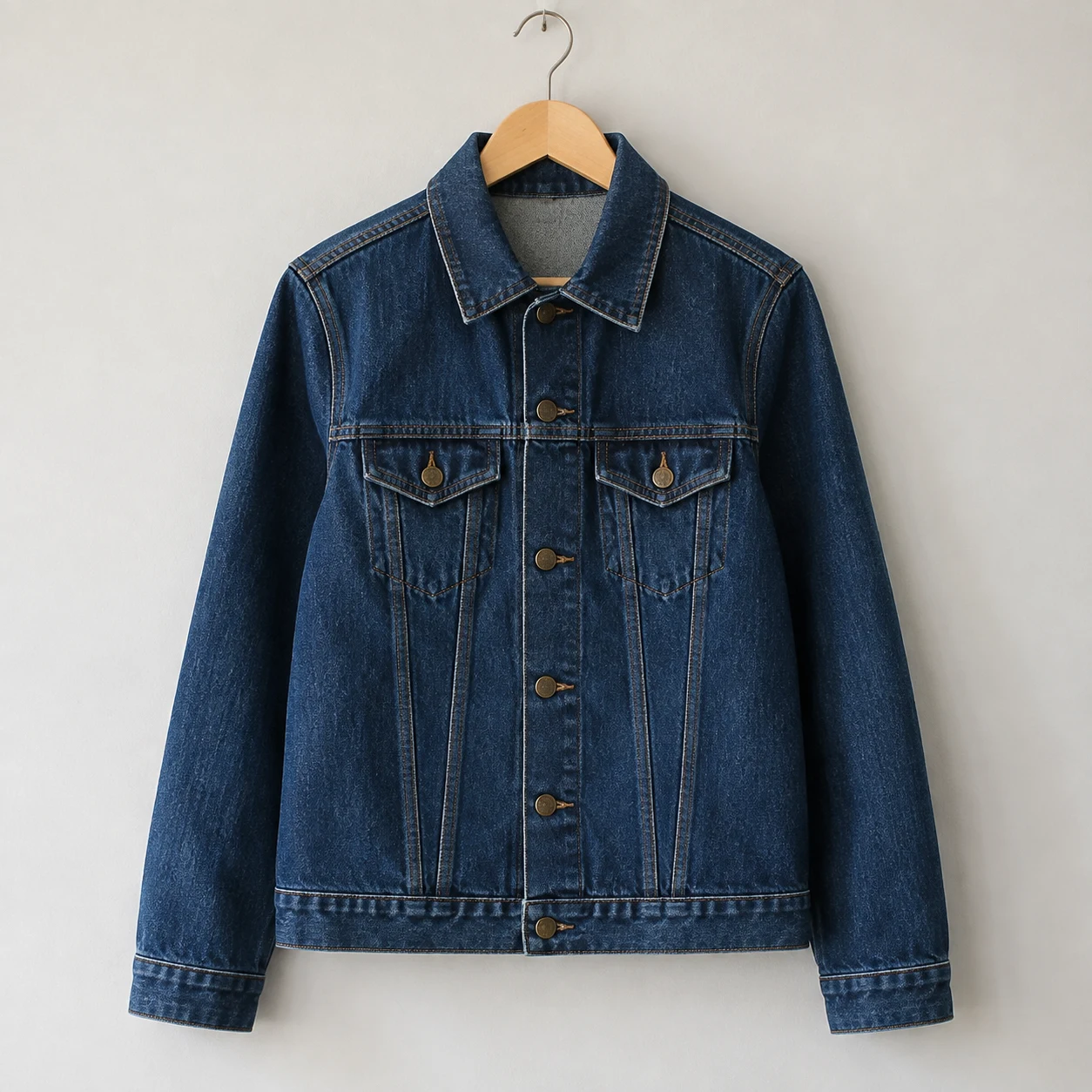
Indigo denim jacket on a wooden hanger
Source photo
Indigo denim jacket with the hanger removed and a hollow neckline
Ghost mannequin

Jacket on a hanger

Try this example
Prompt

Edit the referenced jacket product photograph into a photorealistic ghost mannequin ecommerce photo of this exact garment. Preserve its original color, fabric, cut, seams, pockets, buttons and proportions. Remove the wooden hanger and hook. Give the garment natural hollow three-dimensional volume as if worn by an invisible torso, with rounded shoulders and a clearly open neckline showing the existing inner back fabric. Keep the front view, full hem and all sleeves or straps inside the square frame with generous margins. Plain white background, soft studio light, subtle realistic shadows. Do not add any human body, mannequin, hanger, logos, text, accessories or watermark. Do not invent labels or redesign the garment.
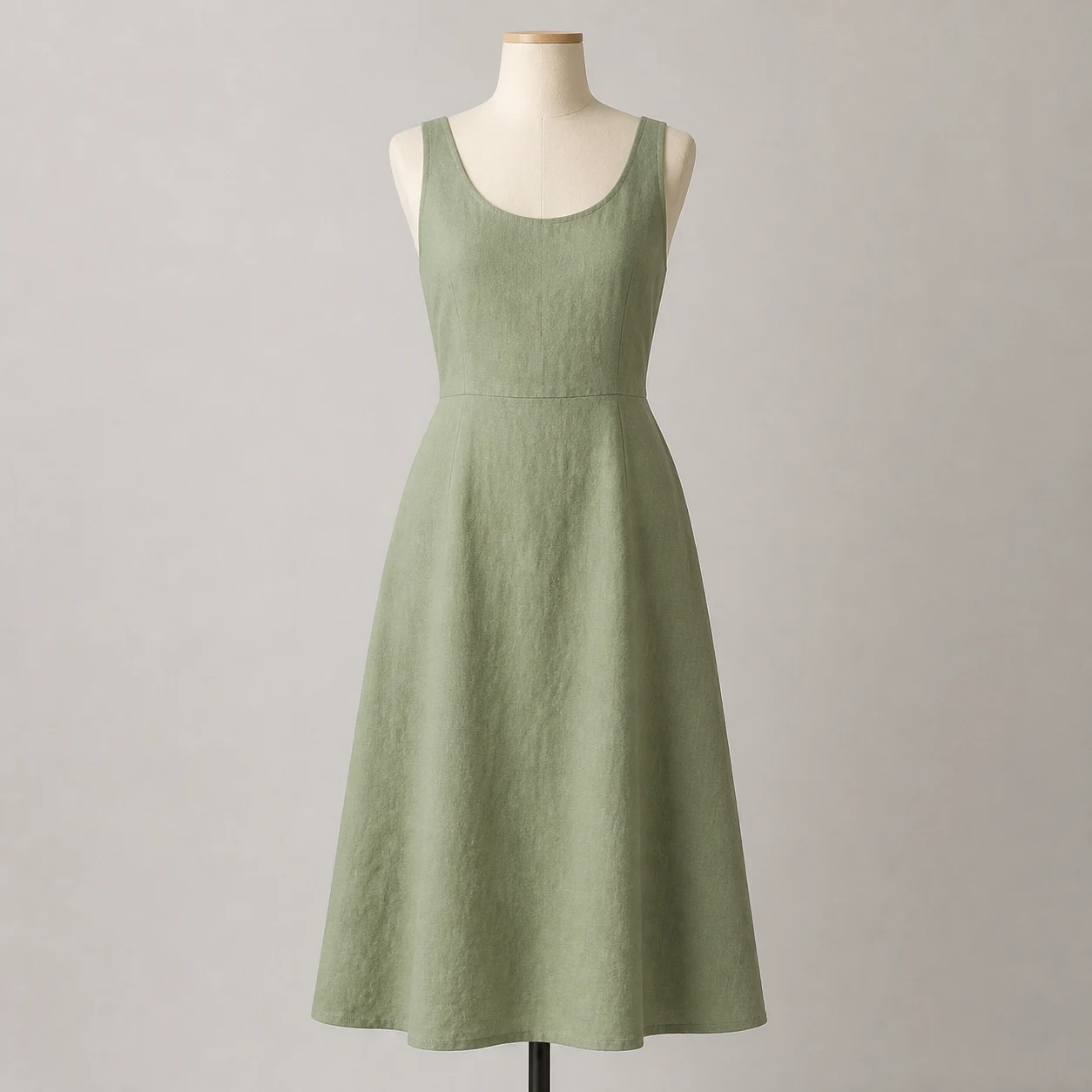
Sage linen dress on a cream dress form with a visible stand
Source photo
Sage dress with the form and stand removed, showing an empty neckline
Ghost mannequin

Dress on a form

Try this example
Prompt

Edit the referenced dress product photograph into a photorealistic ghost mannequin ecommerce photo of this exact garment. Preserve its original color, fabric, cut, seams, pockets, buttons and proportions. Remove the cream dress form and black stand. Give the garment natural hollow three-dimensional volume as if worn by an invisible torso, with rounded shoulders and a clearly open neckline showing the existing inner back fabric. Keep the front view, full hem and all sleeves or straps inside the square frame with generous margins. Plain white background, soft studio light, subtle realistic shadows. Do not add any human body, mannequin, hanger, logos, text, accessories or watermark. Do not invent labels or redesign the garment.
How to use ghost mannequin AI

01

Upload one clear garment photo

Choose a front view with the collar, sleeves and full hem visible. Use your own product photo as the reference so the model has the actual garment to work from.

02

Describe the support removal and shape

Edit the starting prompt: remove the hanger or mannequin, add hollow volume, and preserve color, fabric, stitching and proportions. Choose the model and check the displayed credit cost.

03

Generate and compare with the original

Zoom in on buttons, pockets, labels and the inside collar. If a detail changes, refine that part of the prompt or use a clearer source image before downloading.

What to check before using the result

A convincing silhouette is only part of a useful clothing product image. Compare these details with the garment you actually sell.

Garment construction

Count the buttons and pockets. Check seams, zips, strap width and hem length; the generated image should not suggest a different cut or fastening.

Color and texture

Compare the output with a well-lit original. Linen should keep its weave, denim its stitching and cotton its natural finish, without an added plastic shine.

Neckline and hidden areas

AI can infer fabric behind the collar, but it cannot verify details the source does not show. Add a close-up reference when available, and inspect any reconstructed area.

FAQ

What is ghost mannequin AI?

It is a way to edit a clothing photo so the garment appears worn by an invisible model. The effect combines support removal with a hollow neckline and natural volume.

Can I start from a flat-lay or hanger photo?

Yes. Upload a clear photo and specify its starting format. A flat lay needs added volume; a hanger photo also needs the hanger and hook removed. Keep the whole garment in view.

Is this the same as background removal?

No. Background removal isolates the existing silhouette. A ghost mannequin edit also changes garment volume and reconstructs visible interior areas such as the back of a collar.

Will AI preserve every product detail?

It may change small details. Explicitly name the color, buttons, pockets, seams and logos to preserve, then compare the output with your source. A generated view does not establish accurate fit or measurements.

Is ghost mannequin AI free?

You can view the examples and copy the prompts without generating. Image generation requires an account and credits; the cost depends on the model and settings shown in the generator.

Can I use the images for an ecommerce listing?

Review them against the actual item first, especially construction, color and details that were hidden in the source. Check the image requirements of the marketplace where you plan to publish.

Give your next garment a ghost mannequin look

Start with one clear photo. Keep the garment details specific and compare the first result before making more views.